


GNU nano
299 likes
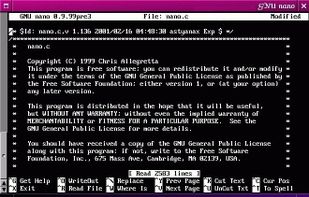
GNU nano is a small and friendly text editor. Besides basic text editing, nano offers many extra features like an interactive search and replace, go to line and column number, auto-indentation, feature toggles, internationalization support, and filename tab completion.

Cost / License
- Free
- Open Source (GPL-3.0)
Application typeApplication types
Platforms
- Mac
- Windows
- Linux
- BSD
- Haiku


Features
GNU nano News & Activities
Highlights All activities
Recent News
- Paul published news article about GNU nano
- Paul published news article about GNU nano
- Paul published news article about GNU nano


Recent activities
- bulldogs liked GNU nano
- Sam Siroos liked GNU nano
- stevexu added GNU nano as alternative to notePad++++
 asyncze added GNU nano as alternative to Koi Editor
 Koner added GNU nano as alternative to Iskra Text Editor






Featured in Lists


My Setup - All Apps and Software
Master List of all Apps and Software I use for both work and personal life.


Core, Development & Services
A list with 807 apps by AmileyaRyver without a description.


Xenmaster's Top 40 FOSS Desktop Applications for Linux
I'm a big fan of Linux and have been using it consistently as my desktop daily driver since 2012. In that time, I've used a lot of software and these are the picks I come back to consistently. I don't live in the terminal with a tiling window manager, but also don't fear the command line.
There are lots of opinions and lists for terminal-centric Linux operators, hard core developers, and free software enthusiasts, but I haven't seen many for casual users just looking to do boring stuff. This is my humble list which includes practical applications, system tools to keep things running, and details on terminal specific software I use.
I'm not going to list Linux distros here because no matter what I am using because nearly all of these can be found in Fedora, Debian, and Arch derived distros (which is most beginner-friendly distros).
What is GNU nano?
GNU nano information
Developed by
UnknownLicensing
Open Source (GPL-3.0) and Free product.Rating
Average rating of 4.3Alternatives
169 alternatives listedNews
4 news article related to GNU nanoBadge
Get an embeddable badge for GNU nanoSupported Languages


Comments and Reviews
Small, simple, text-based, utf8 capable. It just keeps working.
Terrible as editor.
Not really for the advanced users, but it's very solid for everyone else
I find Nano much easier than Vim or Emacs, but I use it only if there is no graphical user interface available. Normally, I prefer Geany as an editor with a GUI.
Nano is my go to editor for anything in the command line, as well as for programming. Its integration, keyboard commands, interface and speed are all perfect. The fact that it has syntax highlighting is also a super useful feature!
Nano is very useful for simple text editing in the command line of Linux
How to not learn Vim and still get a useful text editor