Microsoft OneNote Alternatives

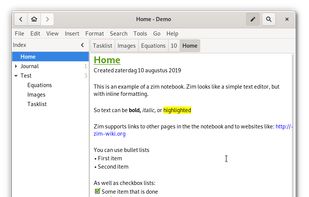
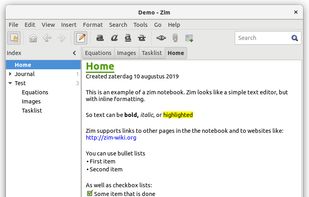
Microsoft OneNote is described as 'Part of the Microsoft 365 Copilot, is a digital notebook application that gives people one place to gather notes and information. It also offers shared notebooks, syncing between multiple computers and devices via Windows' and is a leading Note-taking tool in the office & productivity category. There are more than 100 alternatives to Microsoft OneNote for a variety of platforms, including Mac, Windows, Web-based, Android and Linux apps. The best Microsoft OneNote alternative is Obsidian, which is free. Other great apps like Microsoft OneNote are Zim, Joplin, NoteLedge and sNotes – Students Notes.

filter to find the best alternatives

Microsoft OneNote alternatives are mainly Note-taking Tools, but if you're looking for Todo List Managers or Task Management Tools you can filter on that. Other popular filters include Linux, Open Source, iPhone, EU, Free, Android and Self-Hosted. You can also filter by region, for example EU-based alternatives if you prefer software developed in the European Union. These are just examples - use the filter bar below to find more specific alternatives to Microsoft OneNote.
Copy a direct link to this comment to your clipboard
Microsoft OneNote alternatives page was last updated

Alternatives list

  1. Zettlr icon
     250 likes

    Unified writing platform offering note-taking, easy citations with Zotero integration, LaTeX/Word templates, snippets, themes, dark modes, code highlighting, multi-language support, and knowledge management with Zettelkasten for seamless writing from notes to books.

    187 Zettlr alternatives

    Cost / License

    Application types

    Platforms

    • Mac
    • Windows
    • Linux
    • Flathub
    • PortableApps.com
     
  2. AppFlowy icon
     192 likes

    Open-source workspace offering complete data control, deep customization via themes, plugins, and templates, native multi-platform support using Flutter and Rust, offline access, privacy features, collaborative tools, and easy extensibility for all users.

    101 AppFlowy alternatives

    Cost / License

    Platforms

    • Mac
    • Windows
    • Linux
    • Android
    • iPhone
    • Self-Hosted
    • Snapcraft
    • Rust
    • Flathub
     
  3. Evernote icon
     2484 likes

    App designed for cross-platform note-taking and organizing. Create notes with text, images, and audio, tag and search them. Features offline access, business card scanning, and presentation modes. Integrate with LinkedIn and secure with a passcode lock.

    88 Evernote alternatives

    Cost / License

    • Freemium
    • Proprietary

    Platforms

    • Mac
    • Windows
    • Online
    • Android
    • iPhone
    • Blackberry
    • Android Tablet
    • Windows Phone
    • iPad
    • Apple Watch
    • Kindle Fire
     
    |
    10
    Evernote vs Microsoft OneNote Comments
    Top Positive Comment
    Britly Novus
    6

    Evernote is clunky, overwhelming, and slow. It has a lot of cool features that used to be relatively unique, but it's grown stagnant. Also the mobile version is pretty buggy.

    Top Negative Comment
    Guest
    60

    It is far and away lacking many features of onenote, most noticeably the ability to have sections and subsections of notes in binders. Making it not good for keeping ORGANIZED notes.

    Review by a new / low-activity user.
    k71
    0

    I dont use it for writing text (much better OneNote), i just use it for saving webpages or text from webpages. I think it´s quite slow, and somehow i dont like that much. Also, I dont trust neither expect any privacy with Microsoft, but it´s the best option i have to store the webpages.

    3 of 10 comments
    • Evernote is Freemium and ProprietaryMicrosoft OneNote is also Freemium and Proprietary
  4. Trilium Notes icon
     112 likes

    The original trilium is transfered to this repo by its owner and the app continues to develop here as stated here: https://github.com/TriliumNext/Trilium

    385 Trilium Notes alternatives

    Cost / License

    Platforms

    • Mac
    • Windows
    • Linux
    • Self-Hosted
    • Google Chrome
    • Cloudron
    • Mozilla Firefox
     
  5. Docmost icon
     46 likes

    Docmost is an open-source collaborative wiki and documentation software. It is an open-source alternative to Confluence and Notion.

    Cost / License

    Platforms

    • Self-Hosted
    • Software as a Service (SaaS)
    • Docker
     
  6. Turtl icon
     179 likes

    Whether it's bookmarks or passwords, files or shopping lists...Turtl organizes it all and makes it easy to find later. Sync across your devices. Leave nothing behind.

    192 Turtl alternatives

    Cost / License

    • Freemium
    • Open Source

    Alerts

    • Discontinued

    Platforms

    • Mac
    • Windows
    • Linux
    • Android
    • Android Tablet
    • Self-Hosted
    • Google Chrome
    • Firefox
     
    |
    2
    Turtl vs Microsoft OneNote Comments
    Guest
    Positive
    2

    Encryption, zero-knowledge encryption.

    Review by a new / low-activity user.
    k71
    Negative
    0

    Windows app. Visually it´s nice, but its movement between "folders" is not intuitive or i didnt like it. I didnt like it that we have to be online to access to it. I didnt like the option to introduce password everytime to access (i dont know if there is the option to remove it). In this case i´d prefer Standardnotes or Simplenote.

    • Turtl is Freemium and Open SourceMicrosoft OneNote is Freemium and Proprietary
    • Turtl is Privacy focusedMicrosoft OneNote is not according to our users
  7. Workflowy icon
     315 likes

    Offers limitless nested lists for outlining, instant sync on web and mobile, real-time collaboration, file and photo uploads, kanban boards, tagging, offline editing, hoisting for branch focus, content sharing, text highlighting, and Dropbox auto-backup.

    364 Workflowy alternatives

    Cost / License

    • Freemium
    • Proprietary

    Platforms

    • Mac
    • Windows
    • Linux
    • Online
    • Android
    • iPhone
    • Android Tablet
    • iPad
     
  8. SiYuan icon
     78 likes

    SiYuan is a desktop Markdown Block-Reference and Bidirectional-Link note-taking application. Support fine-grained block-level reference and Markdown WYSIWYG.

    82 SiYuan alternatives

    Cost / License

    Platforms

    • Mac
    • Windows
    • Linux
    • Android
    • iPhone
    • Android Tablet
    • iPad
    • Self-Hosted
    • Microsoft Edge
    • Google Chrome
    • Flathub
    • Docker
    • Docker Hub
    • F-Droid
     
  9. Markor icon
     93 likes

    Markor is a TextEditor for Android, versatile, flexible, and lightweight. Markor utilizes simple markup formats like Markdown and todo.txt for note-taking and list management. It is versatile at working with text; it can also be used for keeping bookmarks, copying to clipboard...

    158 Markor alternatives

    Cost / License

    • Free
    • Open Source

    Platforms

    • Android
    • Android Tablet
    • F-Droid
     
    |
    2
    Markor vs Microsoft OneNote Comments
    zokris
    Positive
    0

    Markor is light, fast and uses Markdown text so your notes can be read on all devices. With OneNote you need the app to open your notes.

    Guest
    Positive
    0

    Open-source, feature-filled and uses open formats so it is future-proof. Actively updated with new features. A great app for notes, to-do lists and jotting down thoughts and ideas.

    Review by a new / low-activity user.
    • Markor is Free and Open SourceMicrosoft OneNote is Freemium and Proprietary
    • Markor is Lightweight, Customizable and Privacy focusedMicrosoft OneNote is not according to our users
  10. Blinko icon
     24 likes

    Open-source note-taking tool offering AI-enhanced retrieval with RAG technology, secure self-hosted data storage, Markdown support, and transparent community collaboration on GitHub for efficient, private, and effortless note management.

    90 Blinko alternatives

    Cost / License

    Application type

    Platforms

    • Self-Hosted
    • Docker
     
  11. Google Keep icon
     836 likes

    Google Keep is a multifunctional tool that merges note-taking with browsing, allowing capture of thoughts, checklists, or voice notes, with cross-device synchronization. Features include color-coded notes, voice transcription, geo-fencing, collaboration, cloud storage, and seamless Google integration.

    114 Google Keep alternatives

    Cost / License

    • Free
    • Proprietary

    Platforms

    • Mac
    • Windows
    • Linux
    • Online
    • Android
    • iPhone
    • Chrome OS
    • Android Tablet
    • iPad
    • Google Chrome
    • Android Wear
     
    |
    15
    Google Keep vs Microsoft OneNote Comments
    Top Negative Comment
    Guest
    51

    I love Keep, but it's not anywhere near as detailed as OneNote. Keep is basically for making sticky notes, which is helpful, but OneNote has way more features. I know a lot of students, as well as myself, who use OneNote for taking school notes. You can draw, add tags to notes, and add formattings, such as fonts, colors, bullets, and number lists. You can even draw on top of things you type. You can't any of that in Google Keep.

    Review by a new / low-activity user.
    Guest
    Negative
    1

    Far more basic than OneNote and not a comparable alternative

    Review by a new / low-activity user.
    Guest
    Negative
    2

    Keep is like sticky notes which is completely different from Onenote

    Review by a new / low-activity user.
    3 of 15 comments
    • Google Keep is Free and ProprietaryMicrosoft OneNote is Freemium and Proprietary
    • Google Keep is LightweightMicrosoft OneNote is not according to our users
You are at page 2 of Microsoft OneNote alternatives