


Xournal++
201 likes
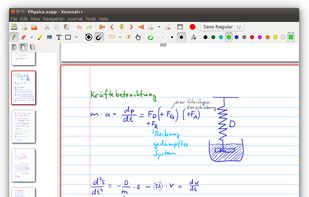
Handwritten note-taking and PDF annotation using pen input and pressure sensitivity, shape drawing, customizable toolbar layouts, image insertion, audio recording, multi-language options, LaTeX integration, and complete export in PDF or PNG formats across all platforms.

Cost / License
- Free
- Open Source (GPL-2.0)
Application typeApplication types
Platforms
- Mac
- Windows
- Linux
- Snapcraft
- Flathub


Features

Highlights All activities
Xournal++ News & Activities
Recent News
No news, maybe you know any news worth sharing?
Share a News Tip
Recent activities
- ZPRMNT liked Xournal++
 rohanvijaykumar added Xournal++ as alternative to Paperwing PDF
- humble-advisor liked Xournal++
 ICI added Xournal++ as alternative to Mementa Notebook
 Lulzim A. added Xournal++ as alternative to FeatherPDF
 romyr1717 added Xournal++ as alternative to Excalidrawz



Progress & Management
A list with 568 apps by AmileyaRyver without a description.


Privacy-friendly apps I've used and liked
This list covers many privacy-friendly apps I really enjoy. My setup is primarily Apple-based, but I've used Linux and Android in the past and tried to add things that work with them as well. For every Apple app listed here, I've also listed alternatives where possible and I expect you to have activated full E2EE on your Apple ID. Apps are listed in a somewhat organized way, usually from most simple/feature rich to most private.


Note Taking
A list with 8 apps by liquidkittehphotography without a description.
Official Links

Install from the command line
winget install -e --id Xournal++.Xournal++flatpak install flathub com.github.xournalpp.xournalpp
Developed by
Xournal++Licensing
Open Source (GPL-2.0) and Free product.Written in
Rating
Average rating of 4.9Alternatives
80 alternatives listedBadge
Get an embeddable badge for Xournal++Supported Languages

AlternativeTo Categories
Office & Productivity, Photos & Graphics, Audio & MusicGitHub repository
- 15,526 Stars
- 1,147 Forks
- 1258 Open Issues
- Updated


Comments and Reviews
free PDF annotation software that is actively developed and cross platform
This combined with a graphic tablet is a straightforward experience for note-taking. Also a tip: if you're on Windows and want to create xopp files quickly through the File Explorer context menu, use the MS PowerToys app and use the New+ feature to create a template for the xopp file.
This is a secret weapon that few know exist.
Simple and productive
Does nice job of scrolling through undivided long pdfs.. nicer than using Windows Paint. Many types of tools to edit the pdfs. Under tools menu, there are ways to mark the pdfs.
it's a simple pdf reader that actually works.
Saved my online class days. Stylus support, PDF annotation, care free save options. Even supports linux made me safe in every environment. Quick bars that can be customizable are easy to use.