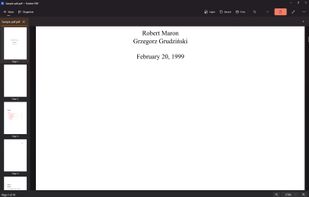
FeatherPDF is a fast, lightweight, and privacy-first PDF utility designed natively for Windows 10 and Windows 11. It runs natively on ARM64 and Built with modern Windwos UI, FeatherPDF delivers instant startup, smooth 60fps scrolling, and intuitive page management without the bloat, slow load times, or subscription costs of traditional PDF software.
Unlike web-based PDF converters that force you to upload sensitive documents to third-party servers, FeatherPDF processes everything 100% locally on your PC. Your files never leave your device. No data collection, no analytics, nothing is ever shared.
FeatherPDF is compiled natively for both Intel/AMD (x64) and ARM64 processors (such as Qualcomm Snapdragon X Elite and Copilot+ PCs), ensuring optimal performance, instant launching, and maximum battery efficiency on modern Windows devices.
Key Features:
• Interactive Page Workbench: Visually reorder pages using intuitive drag-and-drop thumbnails. Rotate pages by 90°, 180°, or 270°, delete unwanted pages, or insert blank pages and pages from other PDF files.
• Fast Merge & Combine: Combine multiple PDF documents into a single organized file with one click.
• Flexible PDF Splitting: Extract custom page ranges (e.g., 1-3, 5, 8) into new files, or split large documents into individual parts every N pages.
• High-Performance Viewer: Enjoy continuous scrolling, fluid zoom (ctrl+wheel and pinch-to-zoom), bookmark tree navigation, text search, and jump-to-page navigation.
• Password Protection & Security: Unlock password-protected PDFs seamlessly on open and export protected PDF files.
• Native Windows & Hardware Architecture: Native ARM64 and x64 execution, full dark mode and light mode support, multi-tab interface with dirty-state indicators, taskbar jump list integration, and native Windows printing.
• One-Time Purchase: No recurring subscriptions, no account registration, and no cloud dependencies.
Whether you are organizing scanned contracts, extracting report pages, merging invoices, or reviewing eBooks, FeatherPDF provides a clean, fast, and secure desktop solution.







 Lulzim A. added FeatherPDF as alternative to Evince, SumatraPDF, Okular, Foxit PDF Reader and 47 more

 SoFloWare LLC


No comments or reviews, maybe you want to be first?