Apps with 'PDF annotation' feature Page 5 of 19

All apps in Apps with 'PDF annotation' feature category. Use the filters below to narrow down your search. 
Copy a direct link to this comment to your clipboard
  1. Verbum is a word processor with all the features a professional word processor should have. It was modeled to closely resemble Microsoft Word, to reduce the learning curve. With Verbum you can load, save and convert to and from today’s most popular text-based document formats...

    Cost / License

    Platforms

    • Windows
    Rizonesoft Office screenshot 1
    31 alternatives
  2. xnotes icon
     3 likes

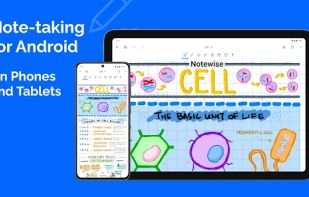
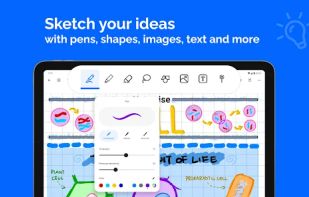
    xnotes is a handwriting-first notebook for phones and tablets, built for pen and stylus. Write, sketch and annotate with pressure-sensitive, variable-width ink, and nothing you draw is ever flattened.

    Cost / License

    • Free
    • Open Source (MIT)

    Platforms

    • Android
    • Android Tablet
    • F-Droid
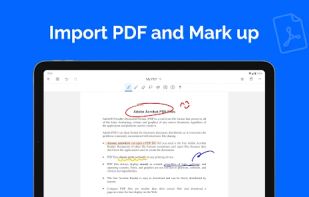
    Annotating a PDF in dark mode with pages inverted
    Browsing your notes and imported PDFs
    50 alternatives
  3. UPDF icon
     4 likes

    UPDF is a PDF editor offering a variety of features such as editing, annotating, converting, protecting, and organizing PDFs. It allows users to modify text and images, apply annotations like highlighter, underline, sticky notes, and links.

    Cost / License

    • Freemium
    • Proprietary

    Application types

    Platforms

    • Mac
    • Windows
    • Online
    • Android
    • iPhone
    • Android Tablet
    • iPad
    Edit PDF
    Convert PDF
    AI chat PDF
    +5
    Annotate PDF
    95 alternatives
  4. PDFill icon
     39 likes

    With PDFill you can create, fill, delete and submit PDF form fields; insert new formatted text, check, image, hyperlink, whiteout, highlight, drawing, comment and annotation anywhere in the document; save, print or email the filled and password-protected PDF; save and resume...

    Cost / License

    • Freemium
    • Proprietary

    Application type

    Platforms

    • Windows
    The only free pdf-software able to split very big pdf-files over 200 pages
    Rotate PDF Pages, but only 90, 180 or 270°
    Split or Reorder PDF
    176 alternatives
  5. Bluebeam Revu icon
     11 likes

    Professional PDF tool for Windows offering editing, markup, batch processing, 3D PDFs, OCR, forms, collaboration, security, file organization, and CAD integration.

    Cost / License

    • Paid
    • Proprietary

    Application types

    Platforms

    • Windows
    • iPad
    Bluebeam Revu screenshot 1
    Bluebeam Revu screenshot 1
    83 alternatives
  6. Ashampoo PDF Free is a software for opening, reading, and creating PDF files. It includes a built-in printer driver for generating PDFs from any Windows application, a compact and fast PDF reader, and the ability to fill out interactive and static forms.

    Cost / License

    • Free
    • Proprietary

    Application type

    Platforms

    • Windows
    Ashampoo PDF Free screenshot 1
    Ashampoo PDF Free screenshot 1
    89 alternatives
  7. RevPDF icon
     3 likes

    Professional PDF tools without the cloud. 100% offline, native performance, and zero data collection. Your documents stay where they belong: on your device.

    Cost / License

    • Freemium
    • Proprietary

    Application types

    Platforms

    • Mac
    • Linux
    • Android
    • Android Tablet
    • Windows
    • iPhone
    • iPad
    RevPDF screenshot 1
    RevPDF screenshot 1
    RevPDF screenshot 2
    +5
    RevPDF screenshot 3
    60 alternatives
  8. Ainee icon
     2 likes

    Your AI-driven notetaking companion for smarter learning. Capture real-time lecture notes and convert audio, text, files, and YouTube videos into formatted notes, mindmaps, flashcards, and more.

    Cost / License

    • Free
    • Proprietary

    Application type

    Platforms

    • Online
    • Android
    • iPhone
    Ainee screenshot 1
    Ainee screenshot 1
    Ainee screenshot 2
    +3
    Ainee screenshot 3
    18 alternatives
  9. Oneflow icon
     3 likes

    Oneflow is a digital contract software that transforms the outdated contract process into a wonderfully connected pre-sign, sign, and post-sign digital experience.

    Cost / License

    • Freemium
    • Proprietary

    Application type

    Platforms

    • Software as a Service (SaaS)
    Oneflow screenshot 1
    Oneflow screenshot 1
    Oneflow screenshot 2
    +4
    Oneflow screenshot 3
    53 alternatives
  10. LightPDF icon
     23 likes

    Cloud-based toolkit offers 20+ PDF editing, conversion, OCR, merge, split, and annotation tools, free online use, no watermarks, multi-platform support.

    Cost / License

    • Freemium
    • Proprietary

    Application types

    Platforms

    • Online
    • Android
    • iPhone
    • Windows
    • Mac
    LightPDF screenshot 1
    LightPDF screenshot 1
    LightPDF screenshot 2
    +5
    LightPDF screenshot 3
    194 alternatives
  11. The Universal Data Tool is a User Interface for editing and annotating Images (Computer Vision, Bounding Boxes, Segmentation), Text (Named Entity Recognition, Classification) or general purpose data entry. to view and edit any data defined in the extensible the .udt.

    Cost / License

    • Free
    • Open Source

    Platforms

    • Mac
    • Windows
    • Linux
    • Online
    UniversalDataTool screenshot 1
    UniversalDataTool screenshot 1
    UniversalDataTool screenshot 2
    23 alternatives
  12. FormatPDF icon
     3 likes

    FormatPDF.com is a PDF converter and editor born in 2021 in the city of Madrid (Spain), within a startup team made up of technology experts who have years of experience in the sector behind them. We want to offer the best PDF tools, and we aspire to be the benchmark for editing...

    Cost / License

    • Freemium
    • Proprietary

    Application type

    Platforms

    • Online
    FormatPDF screenshot 1
    75 alternatives
  13. Nouswise icon
     5 likes

    Nouswise is a new AI-powered search engine that focuses on user-selected sources, reliable, accurate, line-by-line citations for each answer. It integrates the stages of the creative process—reading, researching, note-taking, organizing and writing—into a single, seamless space...

    Cost / License

    • Freemium
    • Proprietary

    Platforms

    • Online
    Nouswise screenshot 1
    Nouswise screenshot 1
    Nouswise screenshot 2
    23 alternatives
  14. Penly icon
     1 like

    Get starting with digital planning and note taking on an Android tablet with a Bluetooth stylus.

    Cost / License

    • Paid
    • Proprietary

    Application type

    Platforms

    • Android
    • Android Tablet
    Penly screenshot 1
    Penly screenshot 1
    Penly screenshot 2
    +5
    Penly screenshot 3
    16 alternatives
  15. Pdfoutliner icon
     1 like

    Auto-magically add a Table of Contents (TOC) to your PDF. Use powerful tools to quickly build and edit a TOC.

    Cost / License

    • Paid
    • Proprietary

    Platforms

    • Mac
    Pdfoutliner screenshot 1
    Pdfoutliner screenshot 1
    Pdfoutliner screenshot 2
    1 alternatives
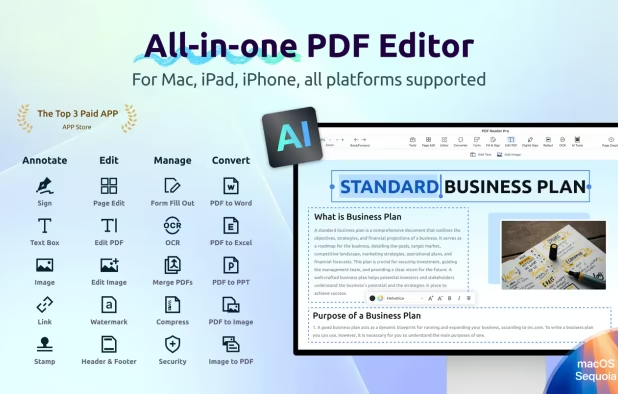
  16. Edit, annotate, sign, and convert PDFs with AI tools, OCR in 50+ languages, offline export, password security, and text-to-speech across all major platforms.

    Cost / License

    • Freemium
    • Proprietary

    Application types

    Platforms

    • Mac
    • Windows
    • Android
    • iPhone
    • Android Tablet
    • iPad
    PDF Reader Pro screenshot 1
    PDF Reader Pro screenshot 1
    PDF Reader Pro screenshot 2
    +7
    PDF Reader Pro screenshot 3
    85 alternatives
  17. linXiv icon
     1 like

    One library you can host yourself: search arXiv and beyond, organise papers into projects, and keep the same paper in several threads without losing context. A Tauri desktop app with a React UI; graph, library, tags, in-app PDFs, and project-scoped notes.

    Cost / License

    Platforms

    • Mac
    • Windows
    • Linux
    linXiv screenshot 1
    18 alternatives
  18. Gnosi icon
     1 like

    A local-first, open-source workspace — a self-hostable alternative to Notion and Obsidian.

    Cost / License

    Platforms

    • Mac
    • Windows
    • Linux
    • Online
    • Self-Hosted
    • Docker
    Block editor:
Markdown notes linked with wikilinks.
    Knowledge graph:
Your ideas connected, just like in the app.
    Calendar:
Google Calendar events alongside your notes.
    +1
    AI assistant:
Ask in natural language with your vault's context.
    44 alternatives
  19. patchworkPDF icon
     1 like

    A free, open-source PDF editor for Windows (Linux and MacOS coming). Merge, reorder, rotate, OCR, redact, sign, add form fields and watermarks — then just save. No account, no paywall.

    Cost / License

    • Free
    • Open Source

    Application type

    Platforms

    • Windows
    • Linux
    patchworkPDF screenshot 1
    patchworkPDF screenshot 1
    patchworkPDF screenshot 2
    +1
    patchworkPDF screenshot 3
    5 alternatives