


Blinko
33 likes
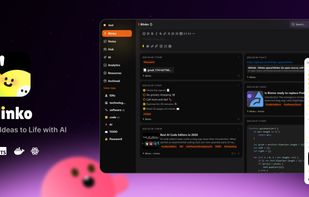
Open-source note-taking tool offering AI-enhanced retrieval with RAG technology, secure self-hosted data storage, Markdown support, and transparent community collaboration on GitHub for efficient, private, and effortless note management.

Cost / License
- Freemium (Subscription)
- Open Source (GPL-3.0)
Application type
Platforms
- Mac
- Windows
- Linux
- Android
- Self-Hosted
- Docker
- Online


Features
Highlights All activities
Blinko News & Activities
Recent News
No news, maybe you know any news worth sharing?
Share a News Tip
Recent activities
 fbianco1981 added Blinko as alternative to gknowledge
 DavidBoissevain added Blinko as alternative to Fyka Notes
- Derek Moore liked Blinko
- Blinko updated Blinko
 Fabio-Falletta added Blinko as alternative to AuroraNote


Developed by
 Blinko
 Licensing
Open Source (GPL-3.0) and Freemium product.Pricing
Subscription ranging between $6 and $11 per month + free version with limited functionality.Written in
Alternatives
127 alternatives listedBadge
Get an embeddable badge for BlinkoSupported Languages

AlternativeTo Categories
Office & Productivity, Security & PrivacyGitHub repository
- 11,076 Stars
- 784 Forks
- 426 Open Issues
- Updated


Comments and Reviews
Great Tool. The workflow is very practical with quick temporary notes that can be reviewed daily and then either converted into notes or archived.
AI integration is cool, but I haven't tested it further.
The only problem is that neither the PWA nor the Android app allow offline note creation or editing. If that were implemented, it would be the perfect note-taking app for me.