A native macOS to-do list and notes app in one window: Today, Daily, Backlog, notes, goals, timers and analytics — all over one timestamped log. No cron, no cloud, no accounts. Open source on GitHub.
The idea
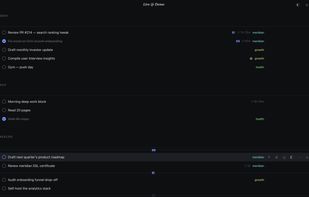
Three sections, drag between them. Every create, complete, move, and edit appends to an actions log — daily resets, backlog sweeps, reminder promotions, the analytics page, and time totals are all just queries over that log. No cron, no background jobs.
The day runs 6am to 6am. Work past midnight and it's still yesterday: nothing resets, nothing falls to Backlog, and a 1am completion counts for the day you're still in.
Analytics
A dashboard built from the log: done / streak / missed stats, a month heatmap, project and priority splits, and a day-by-day ledger — click any day (ledger row, calendar cell, or date field) to open it as its own card. Filter by project or priority. A Done / Created toggle switches what it counts — what you finished, or what you took on.
Journal & quotes
##j in the capture bar writes a journal entry (rendered in the ¶ view); ##q saves a quote. Quotes live in their own ❝ view — every capture, editable and deletable — and after two idle minutes one of them fills the screen on a dim backdrop; any key or click sends it away. The task capture routes the same way: ##t / ##d / ##b send a line to Today / Daily / Backlog.
Notes
Free-form notes with autosave, per-note find, and .txt export. They share the task token grammar — !2 priority, #tag project — typed on the note's last line.
Goals
Direction at three horizons: Timeless (∞, can't be achieved), Long term, Short term. Checking one stamps the month and logs it to the journal.
Priorities & projects
!1–!3 sets a priority (signal bars; the Backlog sorts by tier). #tag links a color-coded project and creates it if the name is new. Both strip out of the text and are never logged.
Delegating to the agent
End a task with @ to mark it as fully delegable — it gets a robot badge, and its details body is the agent's prompt. The CLI marks these rows 🤖, so a remote agent session can claim the task, work it, and complete it.
Time tracking
One timer: ▶ starts, the header chip shows live elapsed, Analytics totals time per day and per task. Completing a task stops its timer.
Reminders
Put a date on a backlog item (◷) and it moves itself to Today on launch once the date comes due. Fires once, no notification.








 POX added DayApp as alternative to Lists & Notes, Todoist, Trilium Notes and CherryTree

 Faraz Shah


No comments or reviews, maybe you want to be first?