
Intessika icon
Intessika icon

Intessika

Local full featured notes (text, md, rich, spreadsheet, draw) that sit next to the PDFs and Office files you already have, without rewriting them.
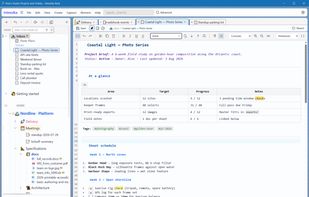
Main workspace on Windows

Cost / License

  • Free
  • Proprietary

Application type

Platforms

  • Windows  Windows 10/11, x64 only (not ARM). Needs Microsoft Edge WebView2. The beta MSI is not code-signed, so SmartScreen may warn on first run — More info → Run anyway.
  • Mac  Apple Silicon only, macOS 12 or later (no Intel). The app is not notarized. Drag Intessika.app into Applications, then in Terminal run: xattr -cr /Applications/Intessika.app — otherwise Gatekeeper may say the file is damaged. Repeat after each update.
1like
0articles

Features

Properties

  1.  Lightweight
  2.  Privacy focused

Features

  1.  PDF annotation
  2.  Full-Text Search
  3.  Web Clipper
  4.  Code Formatting
  5.  OCR
  6.  WYSIWYG Support
  7.  Built-in viewer
  8.  Works Offline
  9.  Support for MarkDown
  10.  Recurring Tasks
  11.  Syntax Highlighting
  12.  Hierarchical Structure
  13.  Subtasks
  14.  Portable
  15.  Ad-free
  16.  No Tracking
  17.  No Coding Required
  18.  No registration required
  19.  Live Preview
  20.  Note organization

Intessika News & Activities

Highlights All activities

Recent activities

Intessika information

AlternativeTo Categories

Office & ProductivityDevelopment

Popular alternatives

View all
Intessika was added to AlternativeTo by SKD-Server on and this page was last updated .
No comments or reviews, maybe you want to be first?

What is Intessika?

Intessika is a local desktop app for notes that have to live next to real files. Point it at a new empty folder. Nothing is imported or converted: Markdown, rich text, spreadsheets, sketches, PDFs and Office documents sit in that tree as ordinary files.

Markup a client PDF or an Office doc without changing the original. Capture text, links and images to Inbox, then file them when you know where they belong. There is no Intessika account and no Intessika cloud. Sync the folder yourself with Drive, Dropbox, OneDrive or Syncthing if you use two machines.

Public beta 0.1.57 (13 September 2026) for Windows 10/11 and macOS 12 or later (Apple Silicon). Personal use is free during the beta and after release. Uninstalling app does not take your folder with it.