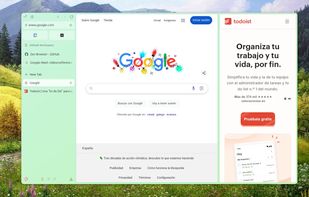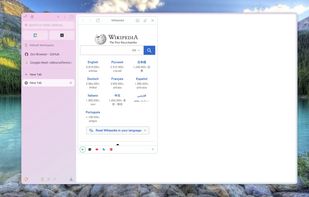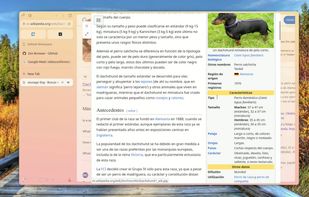

Privacy-centric, open-source browser with unique UI features like vertical tabs, Split View, and Zen Glance, focusing on security and tranquility.
- Web Browser
- Free • Open Source
- Mac
- Windows
- Linux
- Arch Linux
- Flathub
- Flatpak

Privacy-centric, open-source browser with unique UI features like vertical tabs, Split View, and Zen Glance, focusing on security and tranquility.

Fast, secure browser with built-in ad block, privacy controls, and global tracking protections. Optimizes data, speed, and battery life.

Web browser built on an open-source platform featuring multiple account support, integrated password manager, dark mode, real-time translation, and seamless cross-device syncing.

Open-source browser project forming the codebase for other browsers, with strong security, stability, frequent updates, and wide platform compatibility.

The Floorp project is a project that seeks privacy and a balance between anonymity and the public nature of the web.

An advanced browser with a built-in VPN for privacy, ad blocker, Speed Dial, AI, cloud sync, and rich extensions, tailored for various devices.

The Mullvad Browser is a privacy-focused web browser developed in a collaboration between Mullvad VPN and the Tor Project. It’s designed to minimize tracking and fingerprinting. You could say it’s a Tor Browser to use without the Tor Network.

Waterfox is an open-source, privacy-focused browser based on the popular open source browser with a red panda as a mascot. It is designed to be a drop-in replacement for said browser that offers enhanced privacy features, performance improvements, and customizability while...

Open-source browser disables Google integration and background services, increasing privacy, stripping binaries, and offering user control with full transparency.

Chromium-based browser with preinstalled open-source blockers, default anti-tracking features, no data collection, full extension support, and a minimal interface.

The NoScript Firefox extension provides extra protection for Firefox, Seamonkey and other mozilla-based browsers: this free, open source add-on allows JavaScript, Java, Flash and other plugins to be executed only by trusted web sites of your choice (e.g. your online bank).

Cromite is a Chromium fork based on Bromite with privacy-focused features, built-in ad-blocking, user agent switching, and DNS modification to improve security.


Chromium-based browser for Windows, macOS, Linux, iOS, and Android, offering extension support, privacy features, smart security, and cloud sync across devices.

An AI-powered proofreading tool supports over 20 languages, offering free and premium versions with extensive grammar checks across multiple apps.

Lets you sync your data and preferences (such as your bookmarks, history, passwords, open tabs and installed add-ons) across all your devices. It's free to use.

Free software that downloads entire sites to local storage for offline use, maintaining the original link structure for seamless browsing.

Web-browser, advanced e-mail, newsgroup and feed client, IRC chat, and HTML editing in one application. Itis built on the open source Mozilla Gecko engine, the same code which underlies Thunderbird and is the base for the Firefox browser.

Block ads, cookies, popups & other trackers. Ghostery sets you up for a private, transparent, and fast internet.

Station is the first open-source smart browser for busy people. A single place for all of your web applications.

Experience a calmer, more personal internet in this browser designed for you. Let go of the clicks, the clutter, the distractions.

Tampermonkey is a free browser extension and the most popular userscript manager for Blink- and WebKit-based Browsers like Chrome, Opera Next and Safari.

Yandex Browser is a simple and easy-to-use internet browser. Based on the Chromium technology platform, it loads pages quickly, just shows you what you need and gives you plenty of space for viewing webpages.


Gosub is a web browser with its own web engine. This engine is a modular system that allows developers to easily plug in their own components to customize the functionality of the engine. This will result in a more diverse landscape of browsers in the future.

Whenever you find yourself with too many tabs, click the OneTab icon to convert all of your tabs into a list. When you need to access the tabs again, you can either restore them individually or all at once.

Control your cookies! This extension is inspired by Self-Destructing Cookies. When a tab closes, any cookies not being used are automatically deleted. Prevent tracking by other cookies and add only the ones you trust.