Apps tagged with 'System Utilities' Page 2 of 18

All apps in Apps tagged with 'System Utilities' category. Use the filters below to narrow down your search. 
Copy a direct link to this comment to your clipboard
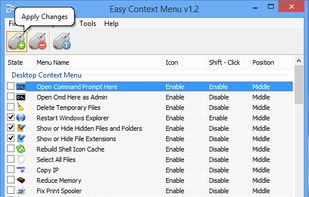
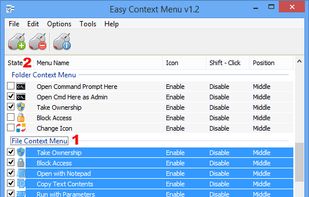
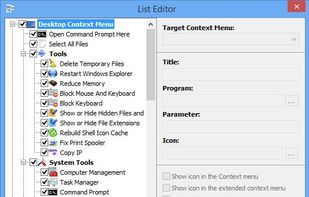
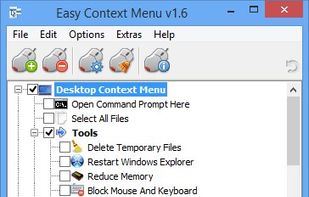
  1. Easy Context Menu enables you to add a variety of useful commands and tweaks for the Desktop, My Computer, drives, file and folder context menus. It helps in accessing most used windows components quickly and easily, it doesn’t get much easier than to check some boxes and set up...

    Cost / License

    • Free
    • Proprietary

    Application type

    Alerts

    • Discontinued

    Platforms

    • Windows
    • File Explorer
    • TR flagTürkiye
    Easy Context Menu screenshot 1
    Easy Context Menu screenshot 1
    Easy Context Menu screenshot 2
    +3
    Easy Context Menu screenshot 3
    18 alternatives
    4.3
    Very Good15 ratings
  2. BusyBox icon
     51 likes

    Lightweight binary combining many Unix utilities for embedded systems, widely used in Linux, Android, FreeBSD, and resource-constrained environments.

    Cost / License

    • Free
    • Open Source

    Platforms

    • Mac
    • Linux
    • Android
    • BSD
    • FreeBSD
    • Android Tablet
    • US flagUnited States
    BusyBox screenshot 1
    9 alternatives
  3. LaunchOS icon
     8 likes

    Emulates the native macOS Launchpad with adjustable icon grid, vertical scrolling, a customizable settings panel, and right-click shortcut support.

    Cost / License

    • Freemium
    • Proprietary

    Application type

    Platforms

    • Mac
    • CN flagChina
    Main Screen
    Settings - Apps
    Settings - Interface
    +1
    Settings - General
    18 alternatives
  4. Reliable partitioning tool to create, resize, copy, and format partitions. Advanced features include merging and redistributing space with no data loss.

    Cost / License

    • Free Personal
    • Proprietary

    Application type

    Platforms

    • Windows
    • DE flagGermany
    • European Union flagEU
    Paragon Partition Manager screenshot 1
    Paragon Partition Manager screenshot 1
    Paragon Partition Manager screenshot 2
    28 alternatives
  5. G-Helper icon
     10 likes

    Lightweight alternative utility for Asus laptops with customizable performance modes, GPU switching, and advanced fan and power management features.

    Cost / License

    Platforms

    • Windows
    • Linux
    • NL flagNetherlands
    • European Union flagEU
    G-Helper screenshot 1
    G-Helper screenshot 1
    unofficial Linux version
    5 alternatives
  6. TWRP icon
     32 likes

    Team Win Recovery Project (TWRP) is a custom recovery image for Android-based devices. It provides a touchscreen-enabled interface which allows users to install third-party firmware and backup the current system, which are often unsupported by stock recovery images.

    Cost / License

    • Free
    • Open Source

    Platforms

    • Android
    • Android Tablet
    • US flagUnited States
    TWRP screenshot 1
  7. Octopi icon
     23 likes

    Octopi is the highest rated graphical user interface for the Arch Linux pacman package management tool in AUR. It is written in C++ using the Qt toolkit and its source code is hosted on GitHub. The first commits date from February 2013.

    Cost / License

    Application type

    Platforms

    • Linux
    • Arch Linux
    • BR flagBrazil
    Octopi screenshot 1
    Octopi screenshot 1
    Octopi screenshot 2
    +1
    Octopi screenshot 3
    9 alternatives
  8. WSCC is a free (for personal use), portable program that allows you to install, update, execute and organize the utilities from various system utility suites. WSCC can install and update the supported utilities automatically.

    Cost / License

    • Free Personal
    • Proprietary

    Platforms

    • Windows
    • DE flagGermany
    • European Union flagEU
    Windows System Control Center screenshot 1
    9 alternatives
  9. ShellExView icon
     44 likes

    Shell Extensions are in-process COM objects which extends the abilities of Windows operating system. Most shell extensions are automatically installed by the operating system, but there are also many other applications that install additional shell extension components.

    Cost / License

    • Free
    • Proprietary

    Application type

    Alerts

    • Discontinued

    Platforms

    • Windows
    • File Explorer
    • IL flagIsrael
    ShellExView screenshot 1
    14 alternatives
  10. Registry Workshop is an advanced registry editor. It is a perfect replacement for RegEdit and RegEdt32 which shipped with Windows.

    Cost / License

    • Paid
    • Proprietary

    Application type

    Alerts

    • Discontinued

    Platforms

    • Windows
    • CN flagChina
    Registry Workshop screenshot 1
    16 alternatives
  11. Rancher icon
     47 likes

    Rancher is an open source container management platform built for organizations that deploy containers in production. Rancher makes it easy to run Kubernetes everywhere, meet IT requirements, and empower DevOps teams.

    Cost / License

    Application type

    Platforms

    • Windows
    • Linux
  12. NetSetMan icon
     48 likes

    Easily switch between up to 6 network profiles with support for IP, DNS, gateway, WINS, printer, network drives, NIC status, scripts, and more for Windows.

    Cost / License

    • Free Personal
    • Proprietary

    Platforms

    • Windows
    • DE flagGermany
    • European Union flagEU
    NetSetMan screenshot 1
    Main Window  All network settings under control at a glance
    Tray Info  Overview over all current IP addresses
    +2
    Map Network Drives  Manage all network drives in one window
    20 alternatives
  13. ShellMenuView icon
     32 likes

    ShellMenuView is a small utility that display the list of static menu items that appeared in the context menu when you right-click a file/folder on Windows Explorer

    Cost / License

    • Free
    • Proprietary

    Application type

    Platforms

    • Windows
    • IL flagIsrael
    ShellMenuView screenshot 1
    17 alternatives
  14. Startup Delayer icon
     57 likes

    Startup Delayer is a Windows startup manager that lets you delay applications and control the order in which they launch when you sign in. Spreading out startup activity helps reduce the number of applications competing for resources at once.

    Cost / License

    • Freemium
    • Proprietary

    Application type

    Alerts

    • Discontinued

    Platforms

    • Windows
    • AU flagAustralia
    Startup Delayer screenshot 1
    Startup Delayer screenshot 1
    Startup Delayer screenshot 2
    +2
    Startup Delayer screenshot 3
    30 alternatives