


LaunchMe
6 likes
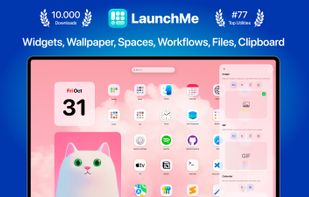
Modern app and workspace manager with app and file customization, dynamic and live wallpapers, intuitive drag & drop, clipboard, calculator, gesture invocation, multi-screen support, file navigation, workflow automation, layout saving, hot corners, and app grouping.

Cost / License
- Freemium (Pay once or Subscription)
- Proprietary
Application type
Platforms
- Mac


Features
Highlights All activities
LaunchMe News & Activities
Recent News
No news, maybe you know any news worth sharing?
Share a News Tip
Recent activities
- Sydney M liked LaunchMe
- serser updated LaunchMe
- serser thinks Live Wallpapers is a important feature of LaunchMe
- serser liked LaunchMe
 UniqueGo added LaunchMe as alternative to BuhoLaunchpad
 Danilo Venom added LaunchMe as alternative to Quick App Launcher, HotLaunch, FolderX and AppHub
- Danilo Venom updated LaunchMe
 Hirsch Studio added LaunchMe as alternative to LaunchDeck LaunchPad


Developed by
 Sergey Kondukov
 Licensing
Proprietary and Freemium product.Pricing
One time purchase ranging between $10 and $25, and / or subscription ranging between $2 and $3 per month + free version with limited functionality.Alternatives
16 alternatives listedBadge
Get an embeddable badge for LaunchMeSupported Languages


No comments or reviews, maybe you want to be first?