





HotLaunch
Like
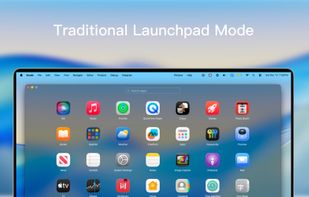
Fast macOS launcher for opening or switching between apps, files, folders, or URLs using customizable shortcuts. Features a switch window, keyboard and mouse navigation, flexible item management, instant access, minimal interface, and supports multitasking workflows.

Cost / License
- Freemium (Subscription)
- Proprietary
Application type
Platforms
- Mac


Features
Highlights All activities
HotLaunch News & Activities
Recent activities
 UniqueGo added HotLaunch as alternative to BuhoLaunchpad
 Danilo Venom added HotLaunch as alternative to Launchy Launchpad, LaunchMe, LaunchOS, Launchie and 10 more
- Danilo Venom updated HotLaunch
- Danilo Venom added HotLaunch


Developed by
 Fang Liu
 Licensing
Proprietary and Freemium product.Pricing
Subscription that costs $10 per month + free version with limited functionality.Alternatives
16 alternatives listedBadge
Get an embeddable badge for HotLaunchSupported Languages


No comments or reviews, maybe you want to be first?