


Launchy Launchpad
2 likes
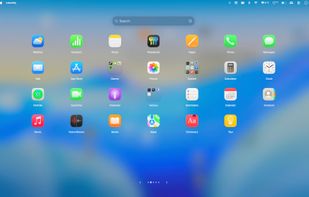
Free open-source macOS launcher offering a fullscreen grid, Floaty Mode HUD for quick launches and toggles, instant bilingual and fuzzy search, custom backgrounds, seamless app organization, keyboard-first navigation, auto-updates, and broad accessibility support.

Cost / License
- Free
- Open Source (MIT)
Application type
 EU
EUPlatforms
- Mac


Features

Highlights All activities
Launchy Launchpad News & Activities
Recent activities
 firefirstfu-Chen added Launchy Launchpad as alternative to Liftoff by firstfu
 Vladyslav Zubkov added Launchy Launchpad as alternative to ModusPad
- Wierzciu liked Launchy Launchpad
 EricMing added Launchy Launchpad as alternative to KidoX
 UniqueGo added Launchy Launchpad as alternative to BuhoLaunchpad
 Danilo Venom added Launchy Launchpad as alternative to Launchpad Manager, LaunchPadder, Launchpad-Control, NovaPadGo and 4 more
- Danilo Venom updated Launchy Launchpad
- Punshnut updated Launchy Launchpad
- Punshnut updated Launchy Launchpad
 Hirsch Studio added Launchy Launchpad as alternative to LaunchDeck LaunchPad


Developed by
 Jan Feuerbacher
 Licensing
Open Source (MIT) and Free product.Written in
Alternatives
18 alternatives listedBadge
Get an embeddable badge for Launchy LaunchpadSupported Languages

AlternativeTo Categories
Office & Productivity, OS & UtilitiesGitHub repository
- 192 Stars
- 11 Forks
- 9 Open Issues
- Updated


No comments or reviews, maybe you want to be first?