Apps tagged with 'document-editor' Page 2 of 2

All apps in Apps tagged with 'document-editor' category. Use the filters below to narrow down your search. 
Copy a direct link to this comment to your clipboard
  1. LetX icon
     1 like

    Real-time collaborative LaTeX editor with 1000+ academic templates, instant PDF compilation, and conflict-free multi-author editing for research teams.

    Cost / License

    • Freemium
    • Proprietary

    Platforms

    • Online
    • Software as a Service (SaaS)
    Landing Page
    Landing Page
    Project page
    +3
    Editor
    6 alternatives
  2. Memeo Connect icon
     5 likes

    Memeo Connect for Google Apps is a new desktop application that offers an easy way to access, migrate, and synchronize files to Google Docs across multiple computers.

    Cost / License

    • Paid
    • Proprietary

    Alerts

    • Discontinued

    Platforms

    • Mac
    • Windows
    • Online
    • iPhone
    • iPad
    Memeo Connect screenshot 1
    Memeo Connect screenshot 1
    Memeo Connect screenshot 2
    +4
    Memeo Connect screenshot 3
    5 alternatives
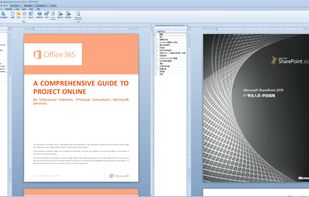
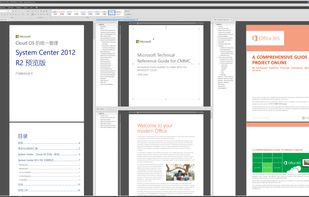
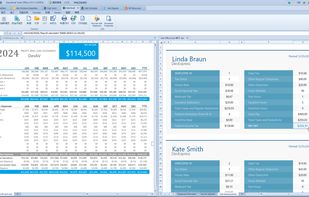
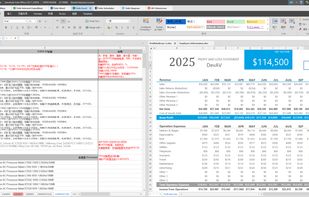
  3. APIs to view, convert, annotate, compare, sign, assemble, and search documents in your .NET or Java applications. Free 30-day trial.

    Cost / License

    • Paid
    • Proprietary

    Platforms

    • Online
    3 alternatives
  4. Simple NotePad is a basic and easy-to-use text editor for writing and saving articles, memos, papers and speeches. Simple NotePad allows importing, saving and editing txt, html documents formats. Also allows exporting as PDF document.

    Cost / License

    • Paid
    • Proprietary

    Platforms

    • Mac
    Simple NotePad screenshot 1
    Simple NotePad screenshot 1
    Simple NotePad screenshot 2
  5. Plotiar icon
     Like

    The writing app for authors, academics, and worldbuilders who need to plan, write, and collaborate - all in one place.

    Cost / License

    • Freemium
    • Proprietary

    Platforms

    • Online
    • Software as a Service (SaaS)
    Editor page
    Analyze page
    Flowcharts page
    +1
    Plotgrid page
    53 alternatives
  6. CapLinked icon
     Like

    CapLinked is a central platform for enterprises and outside collaborators to come together and share sensitive information easily and securely. Industry-recognized security credentials and robust activity tracking to keep all your data safe.

    Cost / License

    • Paid
    • Proprietary

    Platforms

    • Mac
    • Windows
    • Online
    Access CapLinked from any device, including mobile, directly from your browser.
    Setup your Workspace in under 10 minutes, and customize granular user permissions for accessing files.
    Robust activity tracking lets you know exactly who viewed or downloaded which files and when.
    3 alternatives
  7. Aspose PowerPoint Editor App is used to create and edit PowerPoint presentations (PPT or PPTX), templates and layouts. Load your presentation and observe the slides. Choose the element on a slide and modify its properties, color, size, layout, etc.

    Cost / License

    • Free
    • Open Source (MIT)

    Platforms

    • Online
    Aspose Presentation Editor
    10 alternatives
  8. Folio Student is a browser-based academic writing tool that takes care of formatting so students can focus on writing.

    Cost / License

    • Freemium
    • Proprietary

    Platforms

    • Online
    • Software as a Service (SaaS)
    Dashboard: list of your dissertations and theses with progress, level and a one-click new project.
    Chapter editor with a sidebar for sections (Acknowledgements, Introduction, Methodology, Results, Discussion) and a clean writing canvas.
    Live preview: standards-compliant cover page rendered exactly as the final PDF, with side navigation across all sections.
    +8
    Automatic table of contents with section labels and page numbers, regenerated on every preview.
  9. A secure file sync & share solution built for enterprises. It offers end-to-end encryption, real-time collaboration, and dedicated deployment options — giving you full control over your data.

    Cost / License

    • Paid
    • Proprietary

    Platforms

    • Online
    • Software as a Service (SaaS)
    File history
    Edit history
    Share link
    +2
    Upload link
    19 alternatives
  10. A self-hosted office suite for viewing, editing, and collaborating on DOCX, XLSX, and PPTX files. It also enables LLMs and AI applications to generate, edit, and automate Office documents.

    Cost / License

    • Paid
    • Proprietary

    Platforms

    • Online
    • Self-Hosted
    • Kubernetes
    • Docker
    Thinkfree Office running across desktop, tablet, and mobile devices, with browser-based word processing, spreadsheet, and presentation applications.
    Create and edit professional documents online with familiar word processing and formatting capabilities.
    Build and refine presentations in a browser using flexible layouts, visual elements, and collaborative tools.
    +2
    Organize, calculate, and analyze business data with a full-featured browser-based spreadsheet application.
    43 alternatives
  11. Open and edit almost any file on Android, fully offline. PDF, Word, Excel, PowerPoint, archives, images, audio/video, code, SQLite and more, in one ~5 MB app with no INTERNET permission.

    Cost / License

    • Freemium
    • Proprietary

    Application types

    Platforms

    • Android
    Universal File Opener screenshot 1
    Universal File Opener screenshot 1
    Universal File Opener screenshot 2
    +5
    Universal File Opener screenshot 3
    13 alternatives
  12. Free, on-premise suite for your Synology NAS enabling secure real-time collaboration on docs, sheets, and slides. It offers full data ownership, unlimited versioning, and integrated AI.

    Cost / License

    • Free
    • Proprietary

    Platforms

    • Online
    • Synology C2
    Synology Office screenshot 1
    Synology Office screenshot 1
    Synology Office screenshot 2
    +2
    Synology Office screenshot 3
    14 alternatives
  13. A privacy-focused Microsoft Word add-in that highlights mechanical writing patterns, overused phrases, and formatting inconsistencies so users can edit and polish text in their own voice.

    Cost / License

    • Paid
    • Proprietary

    Application type

    Platforms

    • Mac
    • Windows
    • Microsoft Word
    A view of the native Microsoft Word document editing interface showing mechanical writing patterns and overused phrases highlighted locally by the AI AutoClean add-in taskpane.
    A view of the Taskpane showing Industry Pack selection for AI Phrases
    A view of the Taskpane showing common AI traits found for your reference
    4 alternatives
  14. A free, offline PDF editor for Windows that lets you edit text in place, place images freeform, sign documents, and OCR scanned papers — with a portable build that runs from a USB stick.

    Cost / License

    • Free
    • Proprietary

    Platforms

    • Windows
    Main editor view. Click any word with the Edit Text tool to make it editable in place. Multiple PDFs open as tabs across the top; thumbnails on the left for quick page navigation.
  15. DocCafe icon
     Like

    DocCafe is a native .docx editor for Mac and Windows that opens, edits, and saves Microsoft Word files offline — no account and no separate subscription. Documents round-trip with Word and Google Docs. DocCafe is included in every getapps.cafe subscription.

    Cost / License

    • Paid
    • Proprietary

    Application type

    Platforms

    • Mac
    • Windows
    DocCafe screenshot 1
    DocCafe screenshot 1
    DocCafe screenshot 2
    +1
    DocCafe screenshot 3
    5 alternatives