LetX icon
LetX icon

LetX

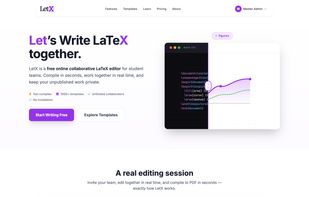
Real-time collaborative LaTeX editor with 1000+ academic templates, instant PDF compilation, and conflict-free multi-author editing for research teams.

Landing Page

Cost / License

  • Freemium (Subscription)
  • Proprietary

Platforms

  • Online
  • Software as a Service (SaaS)
1like
0comments
0articles

Features

Properties

  1.  Privacy focused
  2.  Lightweight
  3.  AI-Powered

Features

  1. LaTeX icon  Support for LaTeX
  2.  Real time collaboration
  3.  Ad-free
  4.  No Coding Required
  5.  No Tracking
  6.  Full-Text Search
  7.  Goal Tracking
  8.  LaTeX Editor
  9.  Team Collaboration

LetX News & Activities

Highlights All activities

Recent activities

  • sa-shahrier13 updated LetX
  • sa-shahrier13 updated LetX
  • sa-shahrier13 updated LetX
  • Maoholguin updated LetX
  • sa-shahrier13 liked LetX
  • sa-shahrier13 added LetX
  • App icon
    sa-shahrier13 added LetX as alternative to Overleaf, OpenAI Prism, TeXstudio and Authorea + 2 similar activities

LetX information

  • Developed by

    BD flagShahriar Labs
  • Licensing

    Proprietary and Freemium product.
  • Pricing

    Subscription ranging between $9 and $18 per month + free version with limited functionality.
  • Alternatives

    6 alternatives listed
  • Supported Languages

    • English
LetX was added to AlternativeTo by Shihab Shahriar on and this page was last updated .
No comments or reviews, maybe you want to be first?

What is LetX?

LetX is a modern, real-time collaborative LaTeX editor built for research teams, academics, and students. Multiple authors edit the same document simultaneously with zero merge conflicts, powered by Yjs CRDT synchronization with live cursor presence.

Key features: • 1000+ ready-to-use templates — IEEE, ACM, Springer, Nature, university theses, CVs/resumes, and Beamer presentations • Instant PDF compilation with pdflatex, xelatex, and lualatex engines. • Bidirectional SyncTeX — click code to jump to the PDF, or click the PDF to jump to the code • Multi-file project workspaces with drag-and-drop file tree, image uploads, and BibTeX support • Full ZIP import/export for easy migration from Overleaf or other editors • Role-based access control (Owner, Editor, Viewer) + invite by email or shareable magic links • Modern CodeMirror 6 editor with syntax highlighting, autocomplete, and split-pane preview • Privacy-first: your documents are never used to train AI models

Runs in any browser on Mac, Windows, and Linux. No installation required.

Official Links