OS & Utilities Software for Mac Page 58 of 76

All apps in OS & Utilities Software for Mac category. Use the filters below to narrow down your search. 

Popular filters:

Copy a direct link to this comment to your clipboard
  1. TildaZ icon
     Like

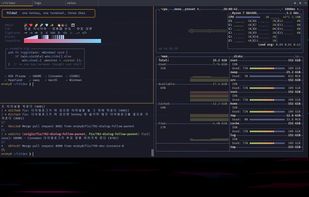
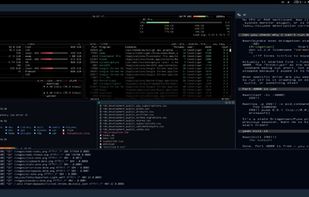
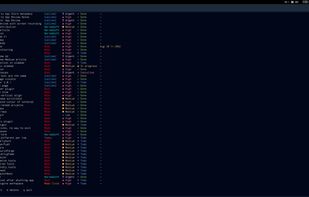
    TildaZ is a Quake-style drop-down terminal for Linux, macOS, and Windows. Press one global hotkey and a terminal drops over your current workspace. Press it again and it hides.

    Cost / License

    Application type

    Since

    • New

    GitHub

    • GitHub stars: 21

    Platforms

    • Windows
    • Mac
    • Linux
    • KR flagSouth Korea
    TildaZ screenshot 1
    9 alternatives
  2. MacSweep icon
     Like

    A macOS disk cleaner that reclaims storage space safely by sending everything to Trash first, with a three-layer safety engine.

    Cost / License

    • Freemium (Pay once)
    • Proprietary

    Application type

    Since

    • Since 2026

    Platforms

    • Mac
    MacSweep screenshot 1
    3 alternatives
  3. Klicky icon
     Like

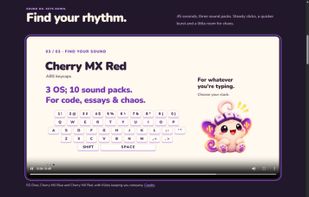
    Klicky adds mechanical keyboard sounds to your existing keyboard. It runs in the background and plays a sound as you type, whether you're writing code, taking notes or chatting with friends.

    Cost / License

    • Free
    • Open Source (MIT)

    Application type

    Since

    • New

    GitHub

    • GitHub stars: 3

    Platforms

    • Windows
    • Mac
    • Linux
    • IN flagIndia
    Sound-pack demo playing on Klicky’s official website. This animated keyboard illustration previews bundled sounds; it is not the desktop app interface.
    17 alternatives
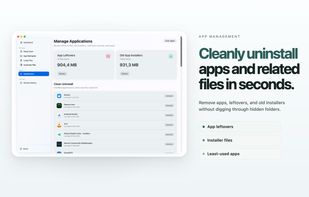
  4. Xcode could store tens of gigabytes in ~/Library/Developer folder. Most of those cached files & symbols are not reclaimed over time and could consume a large amount of your storage, which is especially important if you have a relatively small SSD.

    Cost / License

    • Freemium (Pay once)
    • Proprietary

    Application type

    Since

    • Since 2022

    Platforms

    • Mac
    DevCleaner for Xcode screenshot 1
    6 alternatives
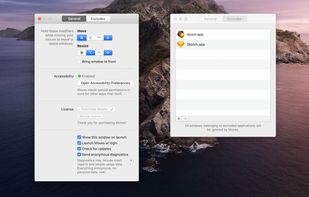
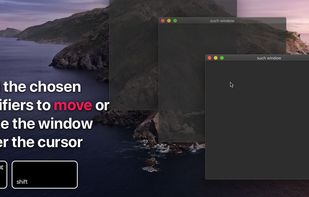
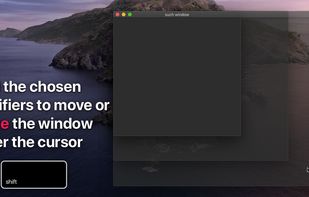
  5. ?? Moves makes it easier than ever to position your windows juuust right.

    ? Just hold down your chosen modifier keys and move the mouse. No need to fiddle with 3px wide window edges or far way title bars.
    Cost / License

    • Pay once
    • Proprietary

    Application type

    Since

    • Since 2020

    Platforms

    • Mac
    Moves for macOS screenshot 1
    Moves for macOS screenshot 1
    Moves for macOS screenshot 2
    36 alternatives
  6. pikapik icon
     1 like

    pikapik started with one wish: playing Minecraft on a Mac with Control working properly. Holding Control to sprint and pressing Space to jump also switches the input language, so the game kept freezing mid-run.

    Cost / License

    • Free
    • Open Source (MIT)

    Since

    • New

    GitHub

    • GitHub stars: 1

    Platforms

    • Mac
    • MD flagMoldova
    Everything in one place. Each tool has its own switch, and everything stays off until you turn it on.
    Game Mode: play without interruptions. Spotlight, Mission Control and an accidental ⌘Q stay out of your game.
    Keep Awake: your Mac stays awake for as long as you choose, from one second to a whole year.
    +3
    Finder: cut files with ⌘X and paste them with ⌘V to move them, no dragging needed.
  7.  Like

    MEGAcmd provides non UI access to MEGA services. It intends to offer all the functionality with your MEGA account via commands. It features synchronization , backup of local folders into your MEGA account and a webdav/streaming server.

    Cost / License

    • Free
    • Open Source

    Since

    • Since 2022 (updated Sep 2025)

    GitHub

    • GitHub stars: 2.1k

    Platforms

    • Windows
    • Mac
    • Linux
    • MEGA
    2 alternatives
  8. Wacchi icon
     Like

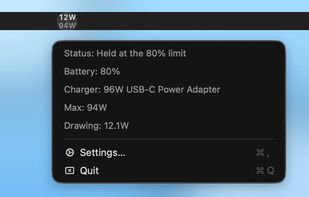
    A tiny macOS menu bar app that shows how many watts your Mac is drawing from its charger, stacked above the charger's max.

    Cost / License

    • Free
    • Open Source (MIT)

    Application type

    Since

    • New

    Platforms

    • Mac
    • JP flagJapan
    Wacchi screenshot 1
    8 alternatives
  9. As the best iPhone Data Recovery software, Apeaksoft iPhone Data Recovery means to recover the lost/deleted SMS, Contacts, Call History, Notes, Photos, etc. from iPhone, iPad and iPod. It helps to recover lost data from iTunes/iCloud backup files.

    Cost / License

    • Pay once
    • Proprietary

    Application type

    Since

    • Since 2018

    Platforms

    • Windows
    • Mac
    Apeaksoft iPhone Data Recovery screenshot 1
    Apeaksoft iPhone Data Recovery screenshot 1
    Apeaksoft iPhone Data Recovery screenshot 2
    +2
    Apeaksoft iPhone Data Recovery screenshot 3
    19 alternatives
  10. Realign icon
     Like

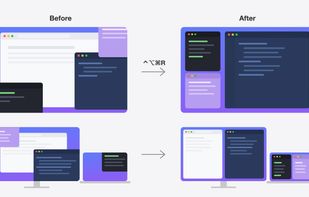
    Save your Mac window layout and restore it with a keyboard shortcut, or automatically when you plug in or unplug a monitor.
    Cost / License

    • Free
    • Open Source (MIT)

    Application type

    Since

    • New

    GitHub

    • GitHub stars: 12

    Platforms

    • Mac
    Realign screenshot 1
    5 alternatives
  11. Sleep Aid Tracker works like a health tracker, for tracking your Mac's sleeping habits. It is based upon the popular Mac sleep utility "Sleep Aid", while being designed exclusively for the App Store.

    Cost / License

    • Free
    • Proprietary

    Since

    • Since 2024

    Platforms

    • Mac
    • GB flagUnited Kingdom
    Sleep Aid Tracker screenshot 1
    Sleep Aid Tracker screenshot 1
    Sleep Aid Tracker screenshot 2
    1 alternative
  12. Lifespan icon
     Like

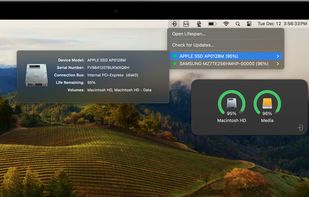
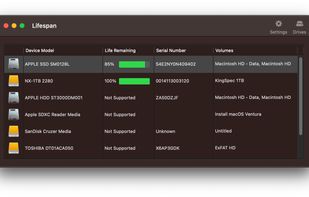
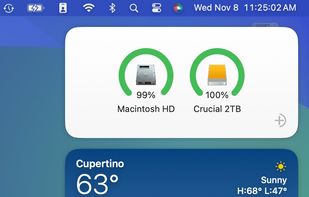
    Lifespan is an innovative macOS Menu Bar application designed to monitor the remaining useful life of flash-based storage devices. Our software conveniently displays the remaining lifespan of your solid state drive (SSD).

    Cost / License

    • Pay once
    • Proprietary

    Since

    • Since 2026

    Platforms

    • Mac
    • US flagUnited States
    Lifespan screenshot 1
    Lifespan screenshot 1
    Lifespan screenshot 2
    46 alternatives
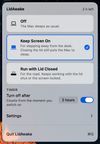
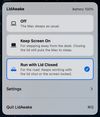
  13. LidAwake keeps your Mac working with the lid closed, without an external display. The free, open-source version (MIT) has Keep Screen On and Run with Lid Closed, Sleep when idle that lets the Mac sleep once your build, render or AI agent is done, Wake at for scheduled tasks, and...

    Cost / License

    • Freemium
    • Open Source (MIT)

    Application type

    Since

    • New

    GitHub

    • GitHub stars: 33

    Platforms

    • Mac
    Run with Lid Closed is on: the Mac keeps running after the lid is closed.
    LidAwake App screenshot 2
    Keep Screen On with a two-hour timer.
    4 alternatives
  14. OrbitRing icon
     Like

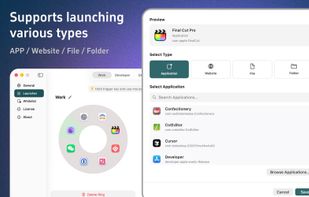
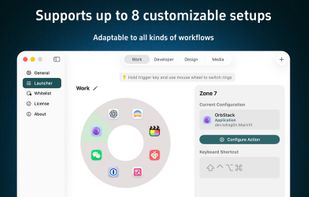
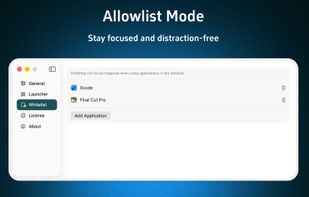
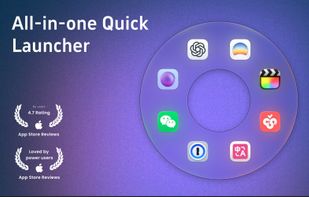
    OrbitRing is a sleek and lightweight macOS launcher, featuring a unique ring design that surrounds your mouse with apps for a highly efficient and intuitive start-up experience.

    Cost / License

    • Pay once
    • Proprietary

    Application type

    Since

    • Since 2026

    Platforms

    • Mac
    • CN flagChina
    OrbitRing screenshot 1
    OrbitRing screenshot 1
    OrbitRing screenshot 2
    +1
    OrbitRing screenshot 3
    17 alternatives
  15. HotKeys icon
     Like

    HotKeys controls your Mac or PC from your iPad. It can send keyboard shortcuts to instantly activate difficult to remember shortcuts with a single buttom.

    Cost / License

    • Free
    • Proprietary

    Since

    • Since 2017

    Platforms

    • Windows
    • Mac
    • iPad
    HotKeys screenshot 1
    HotKeys screenshot 1
    HotKeys screenshot 2
    6 alternatives
  16. DiskMaid icon
     Like

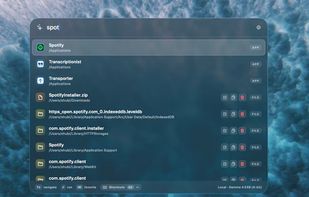
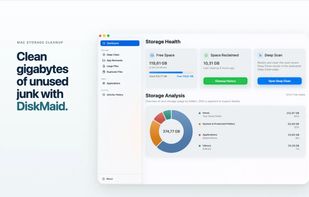
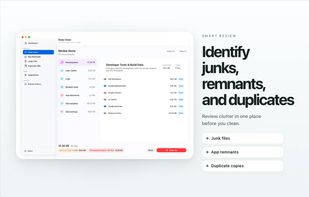
    A native macOS storage manager that helps you reclaim disk space by identifying and removing unnecessary files. Features smart scanning and privacy-first local processing.
    Cost / License

    • Free
    • Proprietary

    Application type

    Since

    • Since 2026

    Platforms

    • Mac
    DiskMaid Main Interface
    DiskMaid Scan Results
    DiskMaid screenshot 2
    8 alternatives
  17. Termshark icon
     Like

    If you're debugging on a remote machine with a large pcap and no desire to scp it back to your desktop, termshark can help!

    Cost / License

    • Free
    • Open Source (MIT)

    Since

    • Since 2019 (updated Apr 2024)

    GitHub

    • GitHub stars: 9.7k

    Platforms

    • Windows
    • Mac
    • Linux
    • BSD
    54 alternatives
  18. A productivity application that brings all your favorite applications, folders, and files right at your fingerprints (on a menu bar).

    Cost / License

    • Pay once
    • Proprietary

    Application type

    Since

    • Since 2018

    Platforms

    • Mac
    • US flagUnited States
    Launch Menu screenshot 1
    Launch Menu screenshot 1
    Launch Menu screenshot 2
    +1
    Launch Menu screenshot 3
    1 alternative
  19. Jailkit icon
     Like

    Jailkit is a set of chroot jail utilities, it's to limit user accounts to specific files using chroot() and or specific commands.

    Cost / License

    • Free
    • Open Source

    Since

    • Since 2018

    Platforms

    • Mac
    • Linux
    • BSD
  20. Vehla icon
     Like

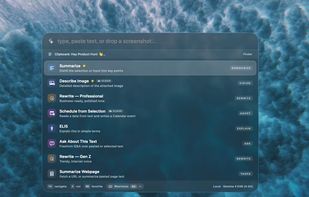
    Vehla is a native macOS command center that combines app launching, file search, smart clipboard history, window management, notes, local AI, BYOK cloud AI, MCP tools, and everyday Mac utilities behind one keyboard-driven palette.

    Cost / License

    • Pay once
    • Proprietary

    Application type

    Since

    • Since 2026

    Platforms

    • Mac
    • CA flagCanada
    Vehla screenshot 1
    Vehla screenshot 1
    Vehla screenshot 2
    2 alternatives
  21. Mado is an open source terminal multiplexer for macOS and Linux. Split your terminal into panes, switch between projects, and extend it with sidebar plugins — all with a polished, themeable interface.

    Cost / License

    • Free
    • Open Source (MIT)

    Application type

    Since

    • New

    GitHub

    • GitHub stars: 4

    Platforms

    • Mac
    • GB flagUnited Kingdom
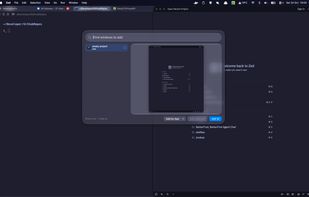
    Full width Mado for full productivity.
    Tasku inside Mado. Track your project tasks and backup and sync them to the cloud.
    Simple time and weather plugin.
    +6
    Taku priorities.
    2 alternatives
  22. TabWM icon
     Like

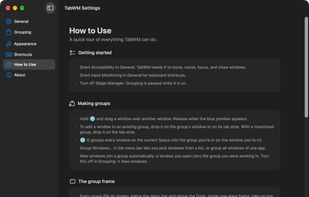
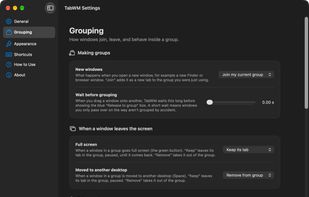
    Tabs for any window on your Mac. Put windows from different apps into one group and switch between them like browser tabs.
    Cost / License

    • Free
    • Open Source (MIT)

    Application type

    Since

    • New

    Platforms

    • Mac
    TabWM screenshot 1
    TabWM screenshot 1
    TabWM screenshot 2
    +6
    TabWM screenshot 3
    4 alternatives