





Lifespan
Like
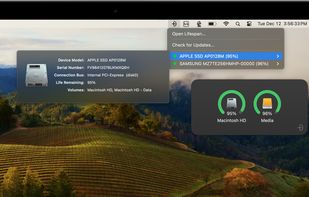
Lifespan is an innovative macOS Menu Bar application designed to monitor the remaining useful life of flash-based storage devices. Our software conveniently displays the remaining lifespan of your solid state drive (SSD).

Cost / License
- Pay once
- Proprietary
Platforms
- Mac


Features
Highlights All activities
Lifespan News & Activities
Recent activities
 Paul added Lifespan as alternative to CrystalDiskInfo, GSmartControl, Hard Disk Sentinel, Stats and 42 more
- Paul added Lifespan

Developed by
 Micromat
 Licensing
Proprietary and Commercial product.Pricing
One time purchase (perpetual license) ranging between $55 and $175.Alternatives
46 alternatives listedBadge
Get an embeddable badge for LifespanSupported Languages


No comments or reviews, maybe you want to be first?