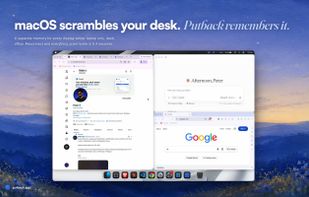
Putback is a menu bar window manager for macOS that solves a specific problem: every
time your display setup changes, macOS moves your windows and does not move them back.
Undock from a monitor and everything piles onto the laptop screen. Dock again and it
stays piled.
Putback learns where your windows sit while you work, keeps a separate memory for
every display setup, and restores each window to the screen and position it was on
the moment that setup comes back. Nothing to save, nothing to configure.
Scenes go further. Name an arrangement, or draw one in Scene Studio with boxes for
each app, even apps that are not running yet, give it its own wallpaper, and apply it
with one hotkey. Putback opens the missing apps and seats each window where you drew
it. A trigger can apply a Scene for you: 9am applies Coding, a calendar video call
applies Meeting. Off until you turn it on.
What it does:
- Restores every window when your displays change, with a separate memory per desk
- Named Scenes you switch to with one hotkey, drawn in Scene Studio
- A wallpaper per Scene, and Scenes that open the apps they need
- Triggers that apply a Scene by time or calendar, off by default
- Stash tucks every window aside and brings them all back
- Undo for the whole desk, and a history of every restore with the reason for it
- Per app rules for which display a window belongs on
- Works with any number of displays, including Sidecar and DisplayLink docks
- Lives in the menu bar, no dock icon
Privacy and trust: your window data never leaves your Mac. Putback is signed and
notarized by Apple, and updates arrive through Sparkle, the standard macOS update
framework. It needs the macOS Accessibility permission, the same one Rectangle and
Magnet use, because that is the only way any app is allowed to move a window.
Requires macOS 14 Sonoma or later, on Apple silicon or Intel. Free for 7 days with no
card, then a one time $19 for one Mac, $29 for five, or $79 for twenty. No subscription
and no account: the licence key is the account, and you can move it between Macs
yourself.







 petersindex

No comments or reviews, maybe you want to be first?