File Management Page 51 of 53

All apps in File Management category. Use the filters below to narrow down your search. 

Popular filters:

Copy a direct link to this comment to your clipboard
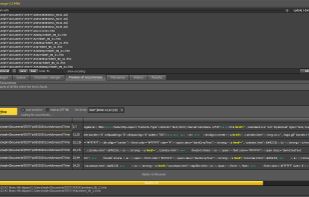
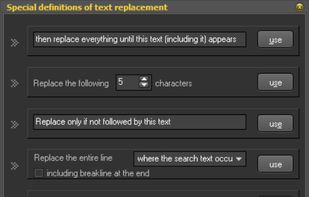
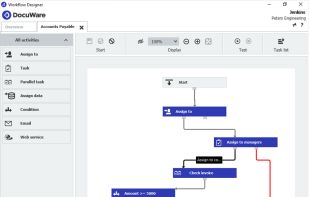
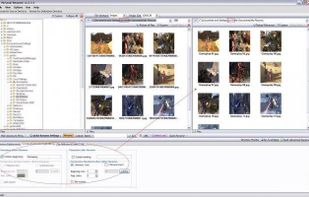
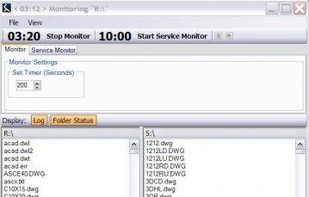
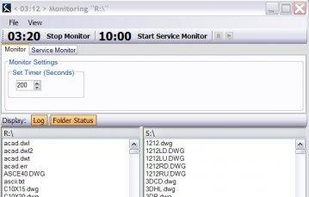
  1. WinExt Batch Operator is used to perform bulk operations for your files / folders, such as: move to recycle bin, permanently delete, copy / move to other place, output information, change properties and rename resources.

    Cost / License

    • Freemium
    • Proprietary

    Alerts

    • Discontinued

    Platforms

    • Windows
    WinExt Batch Operator screenshot 1
  2. CZIP X icon
     Like

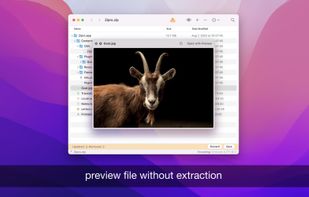
    CZIP X uses state-of-the-art encryption techniques in order to offer total protection from any perspective, also thanks to the several tests conducted while developing the application.

    Cost / License

    • Paid
    • Proprietary

    Platforms

    • Mac
    • Windows
    • Linux
    • Android
    • Android Tablet
    CZIP X screenshot 1
    CZIP X screenshot 1
    CZIP X screenshot 2
    +2
    CZIP X screenshot 3
    20 alternatives
  3. PinchDeck icon
     Like

    PinchDeck is a desktop application for shrinking PowerPoint pptx files. Available for MacOS and Windows it analyzes all the media in your presentation deck and intelligently encodes each file based on its individual size and properties; removing unused data such as cropped...

    Cost / License

    • Freemium
    • Proprietary

    Platforms

    • Windows
    • Mac
    PinchDeck screenshot 1
    PinchDeck screenshot 1
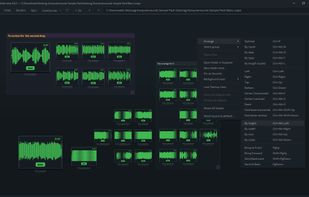
  4. Merge Audio Online is a convenient and efficient tool for combining multiple audio files into one. This free online service supports various audio formats and offers a simple, user-friendly interface, making it easy for anyone to use.

    Cost / License

    • Free
    • Proprietary

    Platforms

    • Online
    Merge Audio Online screenshot 1
    5 alternatives
  5. MacSonik MSG Converter is an advanced and easy-to-use software designed for both macOS and Windows users to convert MSG files into multiple file formats and email clients.

    Cost / License

    • Paid
    • Proprietary

    Platforms

    • Mac
    • Windows
    MacSonik MSG Converter screenshot 1
    MacSonik MSG Converter screenshot 1
    MacSonik MSG Converter screenshot 2
  6. Files Board icon
     1 like

    Find, use, and share virtually any type of file quickly and easily - documents, photos, music, videos, bookmarks, and more.

    Cost / License

    • Paid
    • Proprietary

    Application type

    Platforms

    • iPhone
    • iPad
    Files Board screenshot 1
    Files Board screenshot 1
    Files Board screenshot 2
    +3
    Files Board screenshot 3
    23 alternatives
  7. RenomeeAi icon
     Like

    Rename 1000+ files by just talking to AI. Supports PDF/Word/Excel content extraction, OCR for scanned documents, and high-speed batch processing.

    Cost / License

    • Freemium
    • Proprietary

    Platforms

    • Windows
    • Mac
    Add a prefix by renomee
    19 alternatives
  8. Introducing Photonator: Photo Cleaner, Delete Photos & Photo Swipe – the ultimate photo storage savior that'll keep your precious memories safe while freeing up that coveted space on your iPhone!

    Cost / License

    • Freemium
    • Proprietary

    Platforms

    • iPhone
    • iPad
    Storage cleaner Photonator AI screenshot 1
    Storage cleaner Photonator AI screenshot 1
    Storage cleaner Photonator AI screenshot 2
    +3
    Storage cleaner Photonator AI screenshot 3
    14 alternatives
  9. Files App icon
     Like

    Access and organize your files no matter where they’re located — on your device, in the cloud, on an external drive or file server— with Files. The Recents view displays the files you’ve been working on lately in high-resolution thumbnails.

    Cost / License

    • Free
    • Proprietary

    Platforms

    • iPhone
    • iPad
    • visionOS
    Files App screenshot 1
    Files App screenshot 1
    Files App screenshot 2
    +6
    Files App screenshot 3
    51 alternatives
  10. Sortio icon
     Like

    Sortio is an AI file organizer for Mac, Windows, and Linux. Drop a folder onto Sortio and it reads each file's contents, renames it intelligently (for example, 20260514 Acme $1,240.pdf), and routes it into the correct folder, creating any missing directories.

    Cost / License

    • Freemium
    • Proprietary

    Application type

    Platforms

    • Mac
    • Windows
    • Linux
    Sortio screenshot 1
    Sortio screenshot 1
    Sortio screenshot 2
    +6
    Sortio screenshot 3
    2 alternatives
  11. A portable file rename tool. File rename tool can rename, lowcase, upcase large numbers of files. It's a quick and powerful tool written in C with extended regular expression supporting for searching and substituting pattern strings in filenames.

    Cost / License

    • Free
    • Proprietary

    Application type

    Platforms

    • Windows
    • Linux
    • BSD
    Rename Tool screenshot 1
    Rename Tool screenshot 1
    Rename Tool screenshot 2
    +1
    Rename Tool screenshot 3
    73 alternatives
  12. Video Locker application is fully functional and very secure mobile application which allows you to protect your private videos from Others.

    Cost / License

    • Freemium
    • Proprietary

    Platforms

    • Android
    • iPhone
    This is the folder inside the video thum display you can play that
    This is the video locker home screen manage all folders
    This is the pic view where you enter the pin to unlock app
    +2
    this is the splash screen
    7 alternatives
  13. SnapView icon
     Like

    SnapView is a fast, intuitive image viewer for macOS, built to make photo viewing and comparison feel easy.

    Cost / License

    • Free
    • Proprietary

    Application type

    Platforms

    • Mac
    SnapView screenshot 1
    SnapView screenshot 1
    SnapView screenshot 2
    +3
    SnapView screenshot 3
    9 alternatives
  14. Every File Explorer is a dynamic tool to browse, edit, view, explore and modify Nintendo DS and Nintendo 3DS files. It is plugin-based, so you can make your own plugins for it aswell!.

    Cost / License

    • Free
    • Open Source

    Platforms

    • Windows
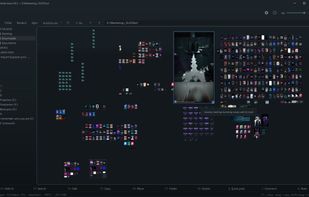
    Every File Explorer screenshot 1
  15. Squirrel by SmiKar is an automated document archiving solution for SharePoint Online, optimizing storage costs by transferring documents to Azure Blob Storage based on custom lifecycle policies, with robust encryption and easy rehydration features.

    Cost / License

    • Paid
    • Proprietary

    Platforms

    • Software as a Service (SaaS)
    Squirrel by SmiKar screenshot 1
    Squirrel by SmiKar screenshot 1
    Squirrel by SmiKar screenshot 2
    +2
    Squirrel by SmiKar screenshot 3
    1 alternatives
  16. CybervoreQuery™ works as a simple Microsoft Outlook add-in, and allows to find effectively and quickly 400% more misplaced documents, email, images, and any content across PCs/laptops, external storage devices, and virtual-attached cloud services. All for less than $2.

    Cost / License

    • Paid
    • Proprietary

    Application type

    Platforms

    • Windows
    • Microsoft Office Outlook
    • Outlook
    CybervoreQuery™ screenshot 1
    CybervoreQuery™ screenshot 1
    CybervoreQuery™ screenshot 2
    +2
    CybervoreQuery™ screenshot 3
  17. Nutbox icon
     Like

    Nutbox is a simple tool to save and organize content you come across in any app or browser on your phone.

    Cost / License

    • Freemium
    • Proprietary

    Platforms

    • iPhone
    Nutbox screenshot 1
    Nutbox screenshot 1
    Nutbox screenshot 2
    +1
    Nutbox screenshot 3
  18. K8 Bionic icon
     Like

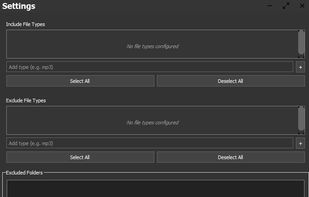
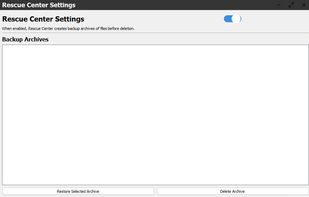
    A local, private duplicate file and photo finder for Windows that quarantines everything before deleting, so you can't lose a file by accident.

    Cost / License

    • Paid
    • Proprietary

    Platforms

    • Windows
    A finished scan — duplicates grouped, with the exact space you can reclaim. Smart Rules suggest what to keep; you stay in control.
    Inside a duplicate group: K8 marks one copy to keep and the rest to remove, with full file paths and dates so you can see exactly what's what.
    K8's safety net — anything removed sits here for 30 days so you can restore it. Nothing is ever instantly deleted.
    +1
    Finds burst shots and near-duplicates, not just exact copies — it suggests which to keep, and you choose.