
Kepter icon
Kepter icon

Kepter

Displays files from selected folders in a visual drawer at the screen edge, letting you find them by their contents, scanned text, receipt amounts and dates, or words spoken in audio and video. It keeps an encrypted index, groups duplicates, and supports drag-and-drop.
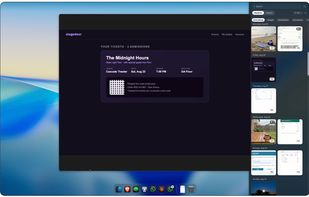
See your files, any files, visually. You can search each file and find them anywhere

Cost / License

  • Pay once or Subscription
  • Proprietary

Application type

Platforms

  • Mac  macOS 26 or later on an Apple Silicon Mac (M1 or newer)
0likes
0articles
Save

Features

Properties

Features

Highlights All activities

Kepter News & Activities

Recent activities

Kepter information

  • Developed by

    US flagMaltby Ventures LLC
  • Licensing

    Proprietary and Commercial product.
  • Pricing

    One time purchase ranging between $39 and $40, and / or subscription that costs $2 per month.
  • Alternatives

    51 alternatives listed
  • Badge

    Get an embeddable badge for Kepter
  • Supported Languages

    • English

AlternativeTo Category

File Management
Kepter was added to AlternativeTo by Burk-Jackson on and this page was last updated .

No comments or reviews, maybe you want to be first?

Official Links

What is Kepter?

You saved the file. You just can't remember what you called it or where it went. Finder makes you remember where you put it. Kepter doesn't.

Kepter is a Mac app that reads every file you save and shows it to you visually, in one drawer at the edge of your screen. Scroll and you'll spot the thing you're after without knowing its name or its folder. Or type what you remember. "My flight" finds the boarding pass. Kepter reads what's inside your files, including scanned pages, receipts, and the words spoken in voice memos and videos.

Because it read them, it can do things Finder can't. Sort receipts by the dollar amount on them. Set a reminder from the due date printed on a bill. Find a file whose contents iCloud moved off your Mac, without triggering a download.

New screenshots, downloads and exports show up at the top the moment they land. Duplicates collapse into one tile. Drag any tile straight into an email or a doc, and it's the real file, never a copy.

All of it happens on your Mac. There's no account, no upload and no tracking. Kepter uses Apple's on-device models, keeps its index encrypted on your disk, and never moves or copies your files. Quit using it and everything is exactly where it always was.

It isn't a chatbot. It doesn't summarize or generate anything. You ask, and it shows you the real file.

We built Kepter at Maltby Ventures because we were tired of losing files we knew we had.
