Joplin AlternativesOnly apps categorised as Note-taking Tools

The best Note-taking alternative to Joplin is Obsidian, which is free. If that doesn't suit you, our users have ranked more than 100 alternatives to Joplin and loads of them are Note-taking Tools so hopefully you can find a suitable replacement. Other interesting Note-taking Tool alternatives to Joplin are Logseq, Standard Notes, Anytype and Zettlr.

filter to find the best alternatives

Joplin alternatives are mainly Note-taking Tools, but if you're looking for Todo List Managers or Task Management Tools you can filter on that. Other popular filters include Android + Open Source, Self-Hosted, Open Source, Free and Note-taking. These are just examples - use the filter bar below to find more specific alternatives to Joplin.
Copy a direct link to this comment to your clipboard
Get a badge for your siteJoplin alternatives page was last updated

Alternatives list

  1. Workspace with end-to-end encryption, zero-knowledge security, rich notes, private journal, encrypted file storage, password management, cross-platform browser access, open-source cryptography, optional Pro features, and no recurring subscription fees.

    • Mac
    • Windows
    • Linux
    • Online
    • Android
    • iPhone
    • iPad
    • Google Chrome
    • Software as a Service (SaaS)
    • US flagUnited States
  2. Obsidian icon
     1213 likes

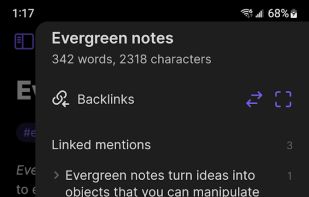
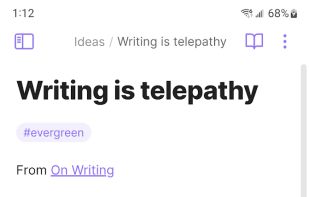
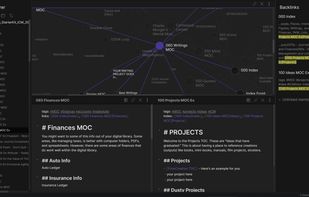
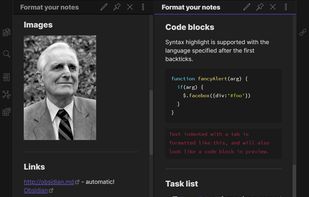
    Privacy-oriented note-taking app for non-linear thinking, blending knowledge graph creation with wiki-style linking. Supports Markdown, end-to-end encryption, and plugins for customization. Offers distraction-free mode, tags, themes, syntax highlighting, and operates offline without tracking.

    333 Obsidian alternatives

    Cost / License

    • Freemium
    • Proprietary

    Platforms

    • Mac
    • Windows
    • Linux
    • Android
    • iPhone
    • Android Tablet
    • iPad
    • Snapcraft
    • Microsoft Edge
    • Google Chrome
    • Flathub
    • Safari
    • AppImage
    • Mozilla Firefox
     
    |
    3
    Obsidian vs Joplin Comments
    Ako Mahmoodi
    Negative
    8

    The free plan doesn't include synchronisation.

    MANOJ91
    Negative
    2

    The free plan doesn't include synchronisation.

    civ4
    Positive
    0

    Works on top of a normal folder, so all data always remains readable even without Obsidian.

    • Obsidian is Freemium and ProprietaryJoplin is Freemium and Open Source
  3. Logseq icon
     356 likes

    Local-first, privacy-focused notebook supporting Markdown and Emacs Org mode. Offers offline use, encrypted backups, plugin extensibility, LaTeX support, real-time collaboration, and hierarchical organization for personal knowledge management.

    253 Logseq alternatives

    Cost / License

    Platforms

    • Mac
    • Windows
    • Linux
    • Android
    • iPhone
    • iPad
    • Self-Hosted
    • Flathub
    • F-Droid
     
    |
    1
    Logseq vs Joplin Comments
    bentsoft
    Negative
    2

    no folders :(, all your notes are just thrown together

    • Logseq is Free and Open SourceJoplin is Freemium and Open Source
    • Logseq is CustomizableJoplin is not according to our users
  4. Standard Notes icon
     708 likes

    Secure note-taking app with end-to-end encryption, unlimited syncing across all platforms, offline access, detailed organization through tags, strong passcode and biometric protections, and premium features like encrypted files, themes, web clipper, super note types, and hardware key support.

    214 Standard Notes alternatives

    Cost / License

    Platforms

    • Mac
    • Windows
    • Linux
    • Online
    • Android
    • iPhone
    • Chrome OS
    • Android Tablet
    • iPad
    • Self-Hosted
    • F-Droid
     
    |
    5
    Standard Notes vs Joplin Comments
    Top Positive Comment
    garrry
    6

    basic features are paywalled and the cost has doubled over the years

    Top Negative Comment
    bentsoft
    7

    folders & themes are paywalled. it only allows for plain text notes in the free plan

    ztdzyvhb
    Positive
    -1

    It’s a lot more simple and easy to use. The security is better than Joplin thanks to on-device storage encryption.

    3 of 5 comments
    • Standard Notes is Freemium and Open SourceJoplin is also Freemium and Open Source
    • Standard Notes is Security-focused and CustomizableJoplin is not according to our users
  5. Anytype icon
     310 likes

    Manage notes, tasks, and projects offline with Markdown support. Enjoy encrypted storage, P2P syncing, and powerful dynamic collections across all devices, while allowing redistribution and modification for non-commercial uses.

    231 Anytype alternatives

    Cost / License

    • Freemium
    • Source Available

    Platforms

    • Mac
    • Windows
    • Linux
    • Android
    • iPhone
    • Android Tablet
    • iPad
    • Self-Hosted
    • Google Chrome
    • Flathub
    • Flatpak
    • Docker
     
  6. Zettlr icon
     266 likes

    Unified writing platform offering note-taking, easy citations with Zotero integration, LaTeX/Word templates, snippets, themes, dark modes, code highlighting, multi-language support, and knowledge management with Zettelkasten for seamless writing from notes to books.

    243 Zettlr alternatives

    Cost / License

    Application types

    Platforms

    • Mac
    • Windows
    • Linux
    • Flathub
    • PortableApps.com
     
  7. Notion icon
     678 likes

    Enhance team collaboration and content organization with Notion. Experience real-time access, intuitive drag-and-drop functionalities, and visually simple interfaces designed for productivity in managing tasks, notes, and databases effectively. Ideal for teams of every size.

    396 Notion alternatives

    Cost / License

    • Freemium
    • Proprietary

    Platforms

    • Mac
    • Windows
    • Online
    • Android
    • iPhone
    • Android Tablet
    • iPad
    • Software as a Service (SaaS)
     
  8. Notesnook icon
     219 likes

    Offers open-source, end-to-end encrypted notes with device-based privacy, cross-platform support, private vault, secure sync, offline access, markdown editor, exports to multiple formats, automatic backups, organizational tools, and strong encryption.

    389 Notesnook alternatives

    Cost / License

    Platforms

    • Mac
    • Windows
    • Linux
    • Online
    • Android
    • iPhone
    • Android Tablet
    • iPad
    • Google Chrome
    • Flathub
    • F-Droid
    • Software as a Service (SaaS)
    • Flatpak
    • Self-Hosted
     
  9. AppFlowy icon
     213 likes

    Open-source workspace offering complete data control, deep customization via themes, plugins, and templates, native multi-platform support using Flutter and Rust, offline access, privacy features, collaborative tools, and easy extensibility for all users.

    151 AppFlowy alternatives

    Cost / License

    Platforms

    • Mac
    • Windows
    • Linux
    • Android
    • iPhone
    • Self-Hosted
    • Snapcraft
    • Rust
    • Flathub
     
  10. Simplenote icon
     612 likes

    Cloud-based, open-source note-taking app supporting plain text notes, lists, and ideas with real-time sync, multi-device support, version history, markdown, tagging, collaborative editing, no ads, and free registration required for all cloud features.

    189 Simplenote alternatives

    Cost / License

    Alerts

    • Discontinued

    Platforms

    • Mac
    • Windows
    • Linux
    • Online
    • Android
    • iPhone
    • Android Tablet
    • iPad
     
    |
    2
    Simplenote vs Joplin Comments
    bentsoft
    0

    Good app by itself, but not as comprehensive as Joplin, it's much simpler and lighter

    Guest
    Positive
    1

    Unlike Joplin, this has a web-based version. The Android version is also very lightweight.

    • Simplenote is Free and Open SourceJoplin is Freemium and Open Source
  11. Google Keep icon
     847 likes

    Google Keep is a multifunctional tool that merges note-taking with browsing, allowing capture of thoughts, checklists, or voice notes, with cross-device synchronization. Features include color-coded notes, voice transcription, geo-fencing, collaboration, cloud storage, and seamless Google integration.

    172 Google Keep alternatives

    Cost / License

    • Free
    • Proprietary

    Platforms

    • Mac
    • Windows
    • Linux
    • Online
    • Android
    • iPhone
    • Chrome OS
    • Android Tablet
    • iPad
    • Google Chrome
    • Android Wear
     
    |
    3
    Google Keep vs Joplin Comments
    sharemind
    Negative
    4

    The notes are not End to end encrypted

    Guest
    Negative
    13

    It's not open source and secure

    Guest
    Negative
    1

    Google Keep is neither end-to-end encrypted nor open-source. It also does not respect your privacy

    • Google Keep is Free and ProprietaryJoplin is Freemium and Open Source
  12. Microsoft OneNote icon
     1148 likes

    Comprehensive digital notebook offering organizers, shared notes, multi-device syncing, and optical character recognition, plus cloud-based data management for efficient information handling and accessibility.

    230 Microsoft OneNote alternatives

    Cost / License

    • Freemium
    • Proprietary

    Platforms

    • Mac
    • Windows
    • Online
    • Android
    • iPhone
    • Chrome OS
    • Windows Phone
    • iPad
    • Apple Watch
    • Android Wear
    • Kindle Fire
     
    |
    1
    Microsoft OneNote vs Joplin Comments
    bentsoft
    Negative
    1

    There is little to none markdown support, multi-device sync is awful. Joplin is FOSS and OneNote is owned by Microsoft

    • Microsoft OneNote is Freemium and ProprietaryJoplin is Freemium and Open Source
  13. Zim icon
     519 likes

    Zim brings the concept of a wiki to your desktop. Store information, link pages and edit with WYSISYG markup or directly typing some lightweight markup syntax and see it previewed as-you-type. Creating a new page is easy by either clicking on the "Create new note"...

    360 Zim alternatives

    Cost / License

    Platforms

    • Mac
    • Windows
    • Linux
    • BSD
    • Flathub
    • Flatpak
     
    |
    3
    Zim vs Joplin Comments
    Sam Lander
    Positive
    1

    Zim is more lightweight, less buggy, saves in plain text. So you don't have to worry about any bloated configurations and high attack surfaces. Just put your folder in a VeraCrypt vault in a cloud drive.

    Guest
    Negative
    2

    Zim is a desktop Wiki System and wiki editor, not a multifunction note taking and data synchronizing platform. Joplin and Zim may be complimentory in use and apear to have similar fuctions, but they serve very different purposes. It is like comparing a text editor (e.g. Emacs) to a word processor (MS Word). One can use either to write program code or a novel; however, it is best to match the tool to the job (i.e. a text ditor for the code and a word processor for the novel).

    Harvey Williams
    Negative
    -11

    Joplin offers syncing functionality with other services (such as OwnCloud/Nextcliud) where as Zim only gives you access to the files so you can sync them.

    • Zim is Free and Open SourceJoplin is Freemium and Open Source
12 of 174 Joplin alternatives