Apps tagged with 'resize-windows'

All apps in Apps tagged with 'resize-windows' category. Use the filters below to narrow down your search. 
Copy a direct link to this comment to your clipboard
  1. Magnet icon
     28 likes

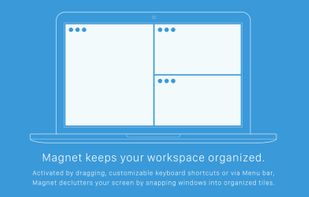
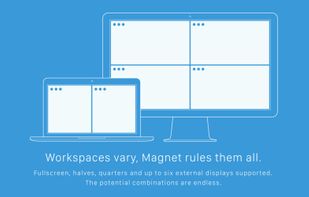
    Every time you multitask with many apps open, you need all the windows arranged accordingly. Magnet makes this process swift and easy.

    Cost / License

    • Paid
    • Proprietary

    Application type

    Platforms

    • Mac
    Magnet screenshot 1
    Magnet screenshot 1
    Magnet screenshot 2
    73 alternatives
  2. Magpie icon
     10 likes

    Magpie is a lightweight window scaling tool that comes equipped with various efficient scaling algorithms and filters. Its primary purpose is to enhance game graphics and enable non-fullscreen games to display in fullscreen mode.

    Cost / License

    Application type

    Platforms

    • Windows
    Magpie screenshot 1
    4 alternatives
  3. DeskPad icon
     3 likes

    Certain workflows require sharing the entire screen (usually due to switching through multiple applications), but if the presenter has a much larger display than the audience it can be hard to see what is happening.

    Cost / License

    • Free
    • Open Source (MIT)

    Application type

    Platforms

    • Mac
    • Homebrew
    DeskPad screenshot 1
    27 alternatives
  4. WindowGrid icon
     53 likes

    WindowGrid is a modern window management program that allows the user to quickly and easily layout their windows on a dynamic grid.

    Cost / License

    • Free
    • Proprietary

    Application type

    Alerts

    • Discontinued

    Platforms

    • Windows
    WindowGrid screenshot 1
    Example
    System tray menu
    72 alternatives
  5. Divvy icon
     65 likes

    Divvy is an entirely new way of managing your workspace. It allows you to quickly and efficiently "divvy up" your screen into exact portions.

    Cost / License

    • Paid
    • Proprietary

    Application type

    Alerts

    • Discontinued

    Platforms

    • Mac
    • Windows
    Divvy screenshot 1
    Divvy screenshot 1
    Divvy screenshot 2
    +4
    Divvy screenshot 3
    94 alternatives
  6. Scaling windowed games to full screen using state-of-the-art spatial scaling algorithms, sharpening algorithms and machine learning.

    Cost / License

    • Paid
    • Proprietary

    Application type

    Platforms

    • Windows
    • Steam
    Dark Mode
    Settings
    Upscaling Modes
    +2
    Main Interface
    6 alternatives
  7. Moom icon
     24 likes

    Moom makes window management as easy as clicking a mouse button—or using a keyboard shortcut, if you're one of those types of people.

    Cost / License

    • Paid
    • Proprietary

    Application type

    Platforms

    • Mac
    Pop-up positioning
    Click in the empty box below the pop-up palette, move the mouse to where you'd like the window to be, then click-and-drag out its new dimensions.
    Grab a window, drag it to an edge or corner, and release the mouse.
    +8
    Save and restore window layouts
    82 alternatives
  8. altdrag icon
     38 likes

    AltDrag allows you to move and resize windows much easier. When you have it running you can simply hold down the Alt key and then use your mouse to drag any window, and it doesn't matter where in the window you click.

    Cost / License

    • Free
    • Open Source

    Application type

    Alerts

    • Discontinued

    Platforms

    • Windows
    altdrag screenshot 1
    altdrag screenshot 1
    87 alternatives
  9. HyperDock icon
     27 likes

    HyperDock adds Windows 7 like features and more to Mac OS X.

    Select individual application windows & tabs just by moving the mouse on a dock item, use mouse clicks to quickly open new windows and many more."

    Window Previews Ever wondered how to activate a single wind.

    Cost / License

    • Paid
    • Proprietary

    Application type

    Alerts

    • Discontinued

    Platforms

    • Mac
    Window preview
    iTunes Control
    iCal events
    12 alternatives
  10. AutoSizer icon
     27 likes

    AutoSizer automatically resizes programs for you, keeping them at a specific size or keeping them maximized. One popular use is to keep Internet Explorer maximized when you go on the web. It works with most software programs, and supports maximizing to specific monitors on...

    Cost / License

    • Free
    • Proprietary

    Alerts

    • Discontinued

    Platforms

    • Windows
    Main Window
    The main window of Autosizer, really intuitive.
    The "Autosize" window, here with the menu list and all the commands.
    +2
    here, the most used option, resize/position !
You can resize ANY window, ANY programm ! it's tested and work, you can compare with the CLASS NAME, or the Window Name, you can Change the name of the class and window, if you like a custom group of autosized windows !
    27 alternatives
  11. ActiveDock 2 icon
     4 likes

    ActiveDock 2 is a customizable alternative to the standard macOS Dock, offering advanced features for app launching, window management, appearance customization, and more. It fully replaces the classic Apple Dock and Launchpad while preserving their familiar look and behavior...

    Cost / License

    • Paid
    • Proprietary

    Application type

    Platforms

    • Mac
    ActiveDock 2 screenshot 1
    ActiveDock 2 screenshot 1
    ActiveDock 2 screenshot 2
    +1
    ActiveDock 2 screenshot 3
    95 alternatives
  12. DM2 icon
     26 likes

    DM2 provides several Windows enhancements that may help in every-day work. One of the nicest and most popular features of DM2 is minimizing windows to floating icons® (unique feature!) freeing both task bar and tray bar space.

    Cost / License

    Application type

    Alerts

    • Discontinued

    Platforms

    • Windows
    • PortableApps.com
    Enhanced system menu
    Open/Save dialog favorites & recent
    40 alternatives
  13. MaxTo icon
     18 likes

    MaxTo is a small Windows program that divides your monitors into regions. When you maximize a window, it will no longer fit the entire screen, but only the region it was maximized into. Your windows are neatly organized into the grid you have defined when they are maximized.

    Cost / License

    • Paid
    • Proprietary

    Platforms

    • Windows
    MaxTo screenshot 1
    17 alternatives
  14. BetterSnapTool icon
     25 likes

    BetterSnapTool is a utility that mimics Windows 7 Aero snap, allowing you to easily manage your window positions and sizes by either dragging them to one of your screens corners or to the top, left or right side of your screen.

    Cost / License

    • Paid
    • Proprietary

    Application type

    Platforms

    • Mac
    BetterSnapTool screenshot 1
    BetterSnapTool screenshot 1
    BetterSnapTool screenshot 2
    58 alternatives
  15. WinDock icon
     17 likes

    WinDock is a window manager ideal for large, or multi-monitor setups.

    Features: -Easy and intuitive drag-and-drop action to simplify moving and resizing Windows. -Highly customizable docking rules that specify how you want your windows to behave. -Multiple rule profiles/layouts.

    Cost / License

    • Free
    • Proprietary

    Application type

    Platforms

    • Windows
    WinDock screenshot 1
    WinDock screenshot 1
    17 alternatives
  16. WinSize2 icon
     9 likes

    WinSize2 can move windows automatically to a predefined place and / or resize the width and/or height to a predefined size.

    Cost / License

    • Free
    • Open Source

    Application type

    Alerts

    • Discontinued

    Platforms

    • Windows
    Moving and resizing window
    WinSize2 screenshot 1
    WinSize2 screenshot 2
    +2
    WinSize2 screenshot 3
    21 alternatives
  17. Taekwindow icon
     9 likes

    Taekwindow is a simple, lightweight and free Windows program that allows you to move and resize windows by dragging them with the Alt key, similar to many X11 window managers.

    Cost / License

    • Free
    • Open Source

    Application type

    Alerts

    • Discontinued

    Platforms

    • Windows
    Taekwindow screenshot 1
    75 alternatives
  18. Cinch icon
     24 likes

    Cinch is Aero Snap for Macs- it offers simple, mouse-driven window management by defining the left, right, and top edges of your screen as hot zones. Cinching to the left or right edges of the screen will resize the window to fill exactly half the screen, allowing you to easily...

    Cost / License

    • Paid
    • Proprietary

    Application type

    Platforms

    • Mac
    Cinch screenshot 1
    65 alternatives
  19. QuickTile icon
     5 likes

    A lightweight utility for allowing you to quickly snap windows to a tiling grid under your existing Linux window manager. Can be triggered via keyboard shortcuts, the command line, or D-Bus calls.

    Cost / License

    • Free
    • Open Source

    Application type

    Platforms

    • Linux
    • X11
    46 alternatives
  20. Slate icon
     7 likes

    Slate is a window management application similar to Divvy and SizeUp (except better and free!). Originally written to replace them due to some limitations in how each work, it attempts to overcome them by simply being extremely configurable.

    Cost / License

    • Free
    • Open Source

    Application type

    Platforms

    • Mac
    39 alternatives
  21. Penc icon
     6 likes

    Penc is a window manager app for macOS designed for use with the trackpad. It lets you use trackpad gestures along with the Command key to move, resize and snap windows to the screen.

    Cost / License

    • Free
    • Open Source (MIT)

    Application type

    Platforms

    • Mac
    Penc screenshot 1
    64 alternatives