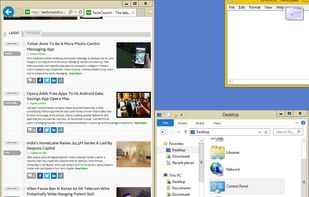
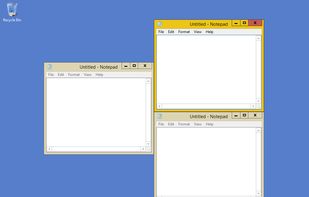
Optimize your desktop environment with this management tool offering window docking, snapping, multi-monitor support, and keyboard shortcuts for enhanced productivity.


Magnet is described as 'Every time you multitask with many apps open, you need all the windows arranged accordingly. Magnet makes this process swift and easy' and is a Window Manager in the os & utilities category. There are more than 50 alternatives to Magnet for a variety of platforms, including Mac, Windows, Linux, PortableApps.com and File Explorer apps. The best Magnet alternative is Microsoft PowerToys, which is both free and Open Source. Other great apps like Magnet are Rectangle, DisplayFusion, Loop - Window Management and Putback.
Optimize your desktop environment with this management tool offering window docking, snapping, multi-monitor support, and keyboard shortcuts for enhanced productivity.


Open-source utilities for Windows include FancyZones for window management, PowerRename for bulk renaming, and Keyboard Manager for custom shortcuts. Ad-free, supports multi-monitor setups, no registration needed, lightweight resource usage, and works offline.


Move and resize windows on macOS with keyboard shortcuts. Rectangle is a window management app based on Spectacle Wndow Manager, written in Swift (programming language).

free and does the same thing


Enables multi-monitor taskbars with advanced wallpaper management, scripted macros, remote access, screen savers, and desktop profile features; offers window snapping, customizable hotkeys, logon backgrounds, and multi-language support for home or business use.


Loop is a macOS app that simplifies window management for you! You can effortlessly choose your window direction using a radial menu triggered by a simple key press, and customize it according to your preferences with personalized colors and settings.


Automatically restores window layouts on macOS when display setups change, offering instant position recovery, desk scene customization with app placement and wallpaper settings, hotkey triggers, undo feature, strong privacy protections, and no subscription needed.


Optimize your desktop environment with this management tool offering window docking, snapping, multi-monitor support, and keyboard shortcuts for enhanced productivity.


I could never get it to work, it would just sit on my taskbar tray but never did anything remotely similar to Magnet on OSX. As a matter of fact, the only thing it did was prompt me to buy stuff.


Every window where it belongs. AI analyzes your open windows and organizes them into project-focused stages automatically. Then switch your entire multi-monitor setup between them instantly — no animations, no lag.


Keep Organized with an easier and powerful snapping for windows. Create custom layouts, snap windows using customizable keyboard shortcuts or mouse buttons.


WindowGrid is a modern window management program that allows the user to quickly and easily layout their windows on a dynamic grid.


Divvy is an entirely new way of managing your workspace. It allows you to quickly and efficiently "divvy up" your screen into exact portions.


Moom makes window management as easy as clicking a mouse button—or using a keyboard shortcut, if you're one of those types of people.


These are all features I personally use frequently, unified through right-click mouse gestures and double-tap hotkeys — so the whole experience feels like adding an extra productivity layer on top of macOS that you can invoke effortlessly.


Features: Magnet. Price: $0. Also open-source.