Microsoft PowerToys AlternativesApplication Launchers & File Search Utilities like Microsoft PowerToys

Microsoft PowerToys is described as 'Set of open-source tools enhancing Windows with features like FancyZones, PowerRename, and Keyboard Manager. Lightweight and ad-free' and is a very popular application launcher in the os & utilities category. There are more than 100 alternatives to Microsoft PowerToys for a variety of platforms, including Windows, Mac, Linux, iPad and iPhone apps. The best Microsoft PowerToys alternative is AutoHotkey, which is both free and Open Source. Other great apps like Microsoft PowerToys are Flow Launcher, Unlocker, Launchy and Raycast.

filter to find the best alternatives

Microsoft PowerToys alternatives are mainly Window Managers, but if you're looking for File Search Utilities or Application Launchers you can filter on that. Other popular filters include Mac, Linux and Window Manager. You can also filter by region, for example EU-based alternatives if you prefer software developed in the European Union. These are just examples - use the filter bar below to find more specific alternatives to Microsoft PowerToys.
Copy a direct link to this comment to your clipboard
Microsoft PowerToys alternatives page was last updated

Alternatives list

  1. AquaSnap icon
    Sponsored

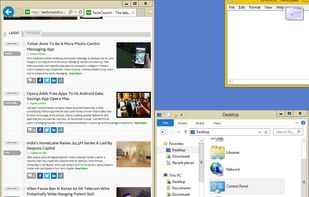
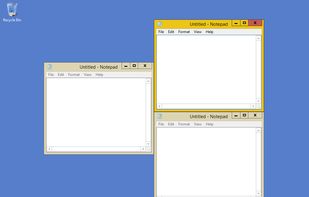
    Optimize your desktop environment with this management tool offering window docking, snapping, multi-monitor support, and keyboard shortcuts for enhanced productivity.

    105 AquaSnap alternatives

    Cost / License

    • Freemium
    • Proprietary

    Application type

    Platforms

    • Windows
    • PortableApps.com
  2. AutoHotkey icon
     918 likes

    AutoHotkey is an open-source Windows scripting language for task automation. It crafts scripts for operations like form filling and auto-clicking, initially starting with hotkeys yet evolving into a complete script language. Converts scripts to executables, works offline, and supports debugging.

    170 AutoHotkey alternatives

    Cost / License

    Platforms

    • Windows
     
    |
    1
    AutoHotkey vs Microsoft PowerToys Comments
    Guest
    Negative
    0

    The app just doesn't do the same

    • AutoHotkey is Free and Open SourceMicrosoft PowerToys is also Free and Open Source
    • AutoHotkey is a Task Automation Microsoft PowerToys is an Application Launchers
  3. Flow Launcher icon
     105 likes

    Dedicated to make your workflow flow more seamlessly. Aimed at being more than an app launcher, it searches, integrates and expands on functionalities. Flow will continue to evolve, designed to be open and built with the community at heart.

    69 Flow Launcher alternatives

    Cost / License

    • Free
    • Open Source (MIT)

    Platforms

    • Windows
    • Chocolatey
     
    |
    1
    Flow Launcher vs Microsoft PowerToys Comments
    AnonymousUser4353643
    Positive
    0

    So much more customizable than Powertoys's version.

    • Flow Launcher is Free and Open SourceMicrosoft PowerToys is also Free and Open Source
    • Flow Launcher is Customizable and Privacy focusedMicrosoft PowerToys is not according to our users
  4. Unlocker icon
     550 likes

    Get rid of error message like Error deleting or renaming file or folder, cannot delete folder: its being used by another person or program Unlocker application was designed to be a very useful Windows Explorer extension allowing users with a simple right-click on a file or...

    20 Unlocker alternatives

    Cost / License

    • Free
    • Proprietary

    Application type

    Alerts

    • Discontinued
    • Bundleware

    Platforms

    • Windows
     
  5. Launchy icon
     649 likes

    Launchy is a free Windows and Linux utility designed to help you forget about your start menu, the icons on your desktop, and even your file manager. Launchy indexes the programs in your start menu and can launch your documents, project files, folders, and bookmarks with just a...

    114 Launchy alternatives

    Cost / License

    • Free
    • Open Source

    Alerts

    • Discontinued

    Platforms

    • Mac
    • Windows
    • Linux
     
  6. Raycast icon
     78 likes

    Raycast revolutionizes Mac productivity with AI-driven task automation, command shortcuts, and customizable workflows. Create snippets, manage clipboard history, translate text, and maintain sync across devices. Discover day planning, distraction-free focus, and versatile virtual assistance.

    124 Raycast alternatives

    Cost / License

    • Freemium
    • Proprietary

    Platforms

    • Mac
    • Windows
    • iPhone
    • iPad
    • Google Chrome
    • Safari
     
  7. Alfred icon
     306 likes

    Alfred is a productivity application for macOS, which boosts your efficiency with hotkeys, keywords and text expansion. Search your Mac and the web, and control your Mac using custom actions with the Powerpack.

    172 Alfred alternatives

    Cost / License

    • Freemium
    • Proprietary

    Platforms

    • Mac
    • iPhone
    • iPad
     
  8. Listary icon
     287 likes

    Listary is a revolutionary search utility for Windows that makes finding your files and launching applications blazing fast, for casual and power users alike!.

    135 Listary alternatives

    Cost / License

    • Freemium
    • Proprietary

    Platforms

    • Windows
    • PortableApps.com
    • File Explorer
     
    |
    1
    Listary vs Microsoft PowerToys Comments
    Vyom Mengar
    0

    Good UI/UX: This is also possible in "Everything," including filtering particular file types in the search and filter settings.

    • Listary is Freemium and ProprietaryMicrosoft PowerToys is Free and Open Source
    • Listary is a File Search Microsoft PowerToys is an Application Launchers
    • Listary is CustomizableMicrosoft PowerToys is not according to our users
  9. Keypirinha icon
     216 likes

    A lightning fast and flexible keystroke launcher for Windows. No installation required (portable). Extensible with Python3 plugins.

    173 Keypirinha alternatives

    Cost / License

    • Free
    • Proprietary

    Alerts

    • Discontinued

    Platforms

    • Windows
     
    |
    1
    Discontinued

    The latest version (2.26) was released in November 2020.

    Keypirinha vs Microsoft PowerToys Comments
    Guest
    Positive
    0

    It remembers frequently used commands, which makes it easier to launch application

    • Keypirinha is Free and ProprietaryMicrosoft PowerToys is Free and Open Source
    • Keypirinha is CustomizableMicrosoft PowerToys is not according to our users
  10. AutoIt icon
     197 likes

    Use a straightforward BASIC-like scripting language to automate your Windows GUI. Simulate key presses, mouse movement, window attributes and much more.

    130 AutoIt alternatives

    Cost / License

    • Free
    • Proprietary

    Application type

    Platforms

    • Windows
     
12 of 108 Microsoft PowerToys alternatives