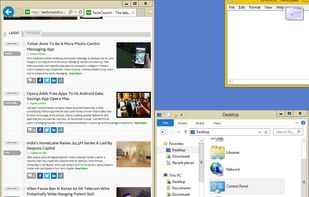
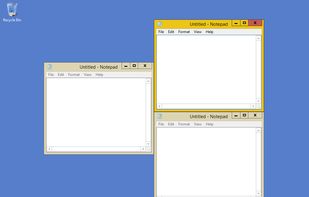
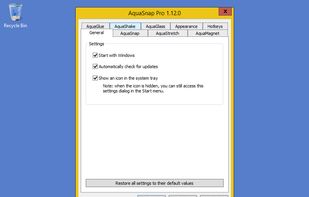
Optimize your desktop environment with this management tool offering window docking, snapping, multi-monitor support, and keyboard shortcuts for enhanced productivity.


The best alternative to Microsoft PowerToys is Unlocker, which is free. If that doesn't suit you, our users have ranked more than 50 alternatives to Microsoft PowerToys and 14 are so hopefully you can find a suitable replacement. Other interesting alternatives to Microsoft PowerToys are Keypirinha, WindowSill, SnapZones and AquaSnap.
Optimize your desktop environment with this management tool offering window docking, snapping, multi-monitor support, and keyboard shortcuts for enhanced productivity.


Get rid of error message like Error deleting or renaming file or folder, cannot delete folder: its being used by another person or program Unlocker application was designed to be a very useful Windows Explorer extension allowing users with a simple right-click on a file or...


A lightning fast and flexible keystroke launcher for Windows. No installation required (portable). Extensible with Python3 plugins.


AI-powered command bar for Windows 10 and 11 unifies productivity tools with media and browser controls, clipboard history, reminders, image batching, QR code generation, customizable extensions, and an AI writing assistant for rewriting, translation, and grammar.


Organize windows with ease using SnapZones. Enjoy magnetic snapping, predefined and custom layouts, multiple display configuration, and seamless transitioning between workspaces. SnapZones auto-starts at login, ensuring streamlined productivity for macOS users in any environment.


Optimize your desktop environment with this management tool offering window docking, snapping, multi-monitor support, and keyboard shortcuts for enhanced productivity.


Every time you multitask with many apps open, you need all the windows arranged accordingly. Magnet makes this process swift and easy.


If you ever liked tools like Raycast and Alfred, but wanted to own them and tweak them yourself, then SOL is the tool for you. All the affordances of complex tools now made open source.


Moom makes window management as easy as clicking a mouse button—or using a keyboard shortcut, if you're one of those types of people.


Split screen and organize windows on Mac with keyboard shortcuts, drag-and-drop zones, and professional layouts. Better than native Split View. Multi-monitor support.


Automates macOS Shortcuts with seven configurable triggers, including application launch or quit, system wake or sleep, scheduled times, login and logout, custom hotkeys, appearance mode changes, and power events, supporting complex automation for daily workflows.