Ctrl Deck icon
Ctrl Deck icon

Ctrl Deck

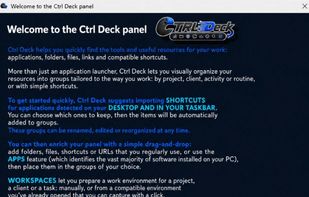
Visual panel for Windows offering a centralized way to launch applications, open files and folders, run commands, access workflow actions, and keep shortcuts organized in one interface. Includes a free version with limited shortcuts and optional one-time upgrade.

Main panel, triggred by a shorcut, either on keyboard, or configured on mouse

Cost / License

  • Freemium (Pay once)
  • Proprietary

Platforms

  • Windows  Requires Windows 10 or Windows 11, 64-bit. Ctrl Deck is a desktop application for Windows and is not a web app.
0likes
0comments
0articles

Features

Properties

  1.  Privacy focused
  2.  Lightweight

Features

  1.  No Coding Required
  2.  No Tracking
  3.  No registration required
  4.  Ad-free
  5.  Workflow Automation
  6.  Multiple languages
  7.  Keyboard Shortcuts
  8.  Application Launchers

Ctrl Deck News & Activities

Highlights All activities

Recent activities

Ctrl Deck information

  • Developed by

    FR flagCOM'BOX
  • Licensing

    Proprietary and Freemium product.
  • Pricing

    One time purchase (perpetual license) ranging between $16 and $21 + free version with limited functionality.
  • Alternatives

    11 alternatives listed
  • Supported Languages

    • English
    • German
    • Chinese
    • French
    • Italian
    • Spanish
Ctrl Deck was added to AlternativeTo by Bruno Schuhmacher on and this page was last updated .
No comments or reviews, maybe you want to be first?

What is Ctrl Deck?

Ctrl Deck is a visual shortcut panel for Windows designed to make everyday desktop workflows faster and easier to organize.

It lets you create a clean panel of shortcuts for launching applications, opening files and folders, running commands and triggering selected Windows actions. Instead of relying only on a crowded taskbar, scattered desktop icons or repeated Alt+Tab switching, Ctrl Deck keeps frequently used tools and actions visible in one place.

Ctrl Deck is useful for users who work with many applications, client folders, documents, tools or repeated desktop actions during the day. It is designed to reduce repetitive clicking and make common Windows actions easier to access without requiring a complex automation setup.

Supported shortcut types include applications, .lnk shortcuts, files, folders, commands and selected Windows actions.

Ctrl Deck is not intended to replace advanced automation platforms, and it is not designed as a browser bookmark manager. Its purpose is more direct: provide a simple visual launcher for recurring desktop actions and help users keep their Windows workflow cleaner and faster.

The app includes a 7-day full-feature trial. After the trial period, it remains available in a free limited mode with 2 editable active shortcuts. The full version can be unlocked with a one-time license purchase. No subscription.

Ctrl Deck Videos

Official Links