SuperCommands is a keyboard-first browser productivity tool designed to help people work faster across the web with less friction.
Modern browser workflows are often scattered across tabs, bookmarks, notes, files, websites, AI tools, extensions, and repetitive browser actions. SuperCommands brings these different parts together into one fast command interface so users can quickly search, launch, access, and manage what they need without constantly switching context.
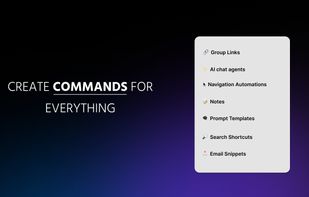
With SuperCommands, users can access links, notes, files, browser sessions, AI tools, automations, screenshots, and common browser actions from one place. Instead of remembering where something is located or navigating through multiple menus, users can simply open SuperCommands and reach the required resource in a few keystrokes.
The product is built around a keyboard-first experience, making it especially useful for developers, designers, founders, researchers, students, marketers, and anyone who spends a large part of their day working in the browser.
SuperCommands also helps reduce tab overload. Users can organize browser sessions around projects or workflows, making it easier to save, restore, and switch between groups of tabs without losing their workspace.
Another key focus is reducing repetitive navigation. Actions such as opening frequently used websites, locating resources, switching between tools, finding existing tabs, or repeating the same browser workflows can consume time throughout the day. SuperCommands is designed to make those actions faster and more direct.
AI tools and automations can also be brought into the same workflow, helping users move between navigation, organization, search, and action without needing separate interfaces for everything.
The product is designed around simplicity rather than adding another complex dashboard. SuperCommands provides one clean command-based entry point for accessing a wide range of browser capabilities.
Its core principles are speed, keyboard-first interaction, reduced context switching, clean organization, and focus.
The long-term vision for SuperCommands is to become a universal command layer for the browser — one place where users can access and control their tools, resources, workflows, sessions, and browser actions instantly.
SuperCommands is designed for anyone who wants to spend less time navigating the browser and more time getting meaningful work done.








 SuperCommands added SuperCommands as alternative to Microsoft PowerToys, Vicinae, Flow Launcher, Alfred and 47 more
 supercommands


No comments or reviews, maybe you want to be first?