Microsoft PowerToys Alternatives for Mac

Microsoft PowerToys is not available for Mac but there are plenty of alternatives that runs on macOS with similar functionality. The best Mac alternative is Raycast, which is free. If that doesn't suit you, our users have ranked more than 100 alternatives to Microsoft PowerToys and many of them are available for Mac so hopefully you can find a suitable replacement. Other interesting Mac alternatives to Microsoft PowerToys are Launchy, Alfred, Rectangle and Wox Launcher.

Copy a direct link to this comment to your clipboard
Microsoft PowerToys alternatives page was last updated

Alternatives list

  1. Raycast icon
     80 likes

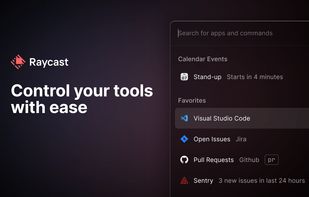
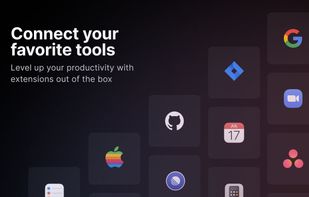
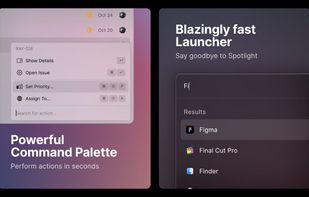
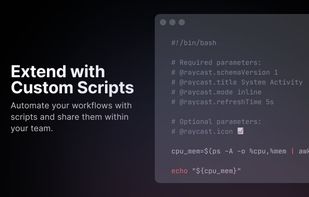
    Raycast revolutionizes Mac productivity with AI-driven task automation, command shortcuts, and customizable workflows. Create snippets, manage clipboard history, translate text, and maintain sync across devices. Discover day planning, distraction-free focus, and versatile virtual assistance.

    124 Raycast alternatives

    Cost / License

    • Freemium
    • Proprietary

    Platforms

    • Mac
    • Windows
    • iPhone
    • iPad
    • Google Chrome
    • Safari
     
  2. Launchy icon
     649 likes

    Launchy is a free Windows and Linux utility designed to help you forget about your start menu, the icons on your desktop, and even your file manager. Launchy indexes the programs in your start menu and can launch your documents, project files, folders, and bookmarks with just a...

    114 Launchy alternatives

    Cost / License

    • Free
    • Open Source

    Alerts

    • Discontinued

    Platforms

    • Mac
    • Windows
    • Linux
     
  3. Alfred icon
     307 likes

    Alfred is a productivity application for macOS, which boosts your efficiency with hotkeys, keywords and text expansion. Search your Mac and the web, and control your Mac using custom actions with the Powerpack.

    Cost / License

    • Freemium
    • Proprietary

    Platforms

    • Mac
    • iPhone
    • iPad
     
  4. PhraseExpress icon
     205 likes

    Autotext and snippet expander organizes reusable phrases in folders, inserts text by shortcuts or abbreviations, syncs phrase libraries across devices, includes macros, clipboard management, email integration, dynamic templates, and supports AES encryption for data.

    Cost / License

    • Free Personal
    • Proprietary

    Application type

    Platforms

    • Mac
    • Windows
    • iPhone
    • iPad
     
  5. ueli icon
     78 likes

    Developed with the Electron framework, ueli is the type of tool that adopts simplicity, leaving out any unnecessary options and configuration settings. It creates an icon in the system tray at startup, where it sits silently throughout its runtime, without disturbing you with...

    Cost / License

    • Free
    • Open Source (MIT)

    Platforms

    • Mac
    • Windows
    • Linux
     
  6. RustCast icon
     9 likes

    Open-source launcher offering blazing speed, customisable interface, app launching, web search, built-in calculator, clipboard history, no native AI, and native macOS support, with Linux and Windows compatibility planned for future releases.

    Cost / License

    • Free
    • Open Source (MIT)

    Platforms

    • Mac
     
  7. SuperCmd icon
     9 likes

    Open-source macOS launcher featuring direct Raycast extension compatibility, voice dictation, AI actions, inline suggestions, text-to-speech, clipboard manager, snippet vault, quick links, file search, notes, freeform canvas, window tiling, system controls, and localization.

    Cost / License

    • Free
    • Open Source (MIT)

    Platforms

    • Mac
    • Homebrew
     
  8. Magnet icon
     31 likes

    Every time you multitask with many apps open, you need all the windows arranged accordingly. Magnet makes this process swift and easy.

    85 Magnet alternatives

    Cost / License

    • Paid
    • Proprietary

    Application type

    Platforms

    • Mac
     
  9. SnapZones icon
     9 likes

    Organize windows with ease using SnapZones. Enjoy magnetic snapping, predefined and custom layouts, multiple display configuration, and seamless transitioning between workspaces. SnapZones auto-starts at login, ensuring streamlined productivity for macOS users in any environment.

    70 SnapZones alternatives

    Cost / License

    • Paid
    • Proprietary

    Application type

    Platforms

    • Mac
     
  10. Hammerspoon icon
     28 likes

    This is a tool for powerful automation of OS X. At its core, Hammerspoon is just a bridge between the operating system and a Lua scripting engine.

    Cost / License

    • Free
    • Open Source

    Application type

    Platforms

    • Mac
     
12 of 41 Microsoft PowerToys alternatives