





LaSearch
1 like
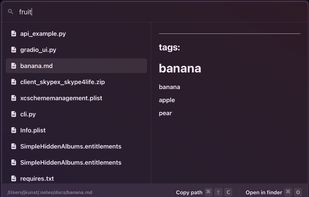
Lightweight, privacy-focused tool provides instant, semantic file search on personal devices. Indexes local folders and connected Gmail, lets users filter sources using @, has real-time filename matching, and ensures no external data transfer.

Cost / License
- Free
- Proprietary
Application type
 EU
EUPlatforms
- Mac

Features
LaSearch News & Activities
Highlights All activities
Recent News
No news, maybe you know any news worth sharing?
Share a News Tip
Recent activities
 SuperCommands added LaSearch as alternative to SuperCommands
 Danilo Venom added LaSearch as alternative to BeaconFind, Pronto Search, FilesDesk and PixaFind
 ch996811 added LaSearch as alternative to Snip2Field
 Paul added LaSearch as alternative to QuickKeyLauncher
- Paul updated LaSearch
- Sum Guy updated LaSearch


LaSearch information
Developed by
 Joel Mislav Kunst
 Licensing
Proprietary and Free product.Alternatives
34 alternatives listedBadge
Get an embeddable badge for LaSearchSupported Languages
AlternativeTo Categories
File Management, Online ServicesGitHub repository
- 14 Stars
- 0 Forks
- 2 Open Issues
- Updated


Comments and Reviews
Not open source at all. repo contains no code and dev states so in reddit thread; also musing on paid options (search "lasearch_local_private_semantic_search").
App should not be trusted until the dev can clarify cost and roadmap.