




MaxTo
19 likes
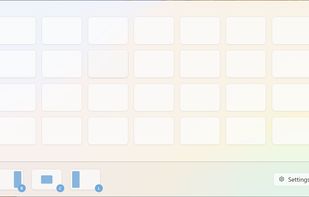
Keyboard-first window manager for Windows. Build your own grid on every monitor, then snap any window into place with one hotkey.

Cost / License
- Pay once or Subscription
- Proprietary
Application type
Platforms
- Windows



Features
MaxTo News & Activities
Highlights All activities
Recent activities
 Mauricio B. Holguin added MaxTo as alternative to Always On Dock
 ostapondo added MaxTo as alternative to Plonk Window Manager
 Vegard Larsen added MaxTo as alternative to Rectangle, Ultramon, MacsyZones and NVIDIA RTX Desktop Manager
- Vegard Larsen thinks Privacy focused is a important feature of MaxTo
- Vegard Larsen thinks Lightweight is a important feature of MaxTo
- Vegard Larsen updated MaxTo
- Vegard Larsen updated MaxTo
- Vegard Larsen liked MaxTo


MaxTo information
Developed by
 Domi.no AS
 Licensing
Proprietary and Commercial product.Pricing
One time purchase that costs $112, and / or subscription ranging between $3 and $4 per month.Alternatives
25 alternatives listedBadge
Get an embeddable badge for MaxToSupported Languages


Comments and Reviews
Simple to setup and use, I really like the "alternative" regions. I have an ultrawide 34" curved and prefer 3 regions for most things but sometimes want something wider. Win-key-numpad moves a window into a regular region, Adding the alt key uses the alternative layout. Using the normal maximize button on a window is overridden to go to a region unless you hold the shift key which ignores the regions and does normal layout.