Apps with 'Quick Look' feature

All apps in Apps with 'Quick Look' feature category. Use the filters below to narrow down your search. 
Copy a direct link to this comment to your clipboard
  1. A native Mac productivity suite for files, clipboard history, media controls, system HUDs, live activities, lock screen customization and more.

    Cost / License

    • Paid
    • Proprietary

    Application type

    Platforms

    • Mac
    Meet Droppy, a native Mac productivity suite with a customizable shelf, lock screen, media controls, and more.
    Move files without breaking your flow with Droppy's floating file basket.
    Choose from 24 optional Droplets for notes, timers, windows, meetings, file tools, and more.
    84 alternatives
  2. QuickLook icon
     87 likes

    The Quick Look feature from Mac OS X, which allows users to preview file contents quickly by pressing the Space key, is missed. Windows doesn't have this feature. While alternatives like WinQuickLook and Seer exist, the decision was made to create a new version because the...

    Cost / License

    Application type

    Platforms

    • Windows
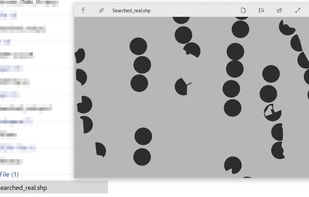
    Preview of a shapefile (.shp) using the shapefile viewer plugin https://github.com/birderyu/QuickLook.Plugin.ShapefileViewer
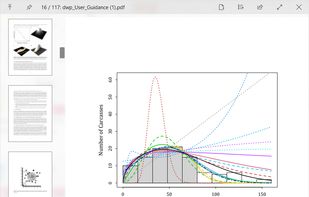
    Preview of a PDF file
    Preview of a .docx file using the office plugin at https://github.com/QL-Win/QuickLook.Plugin.OfficeViewer
    +16
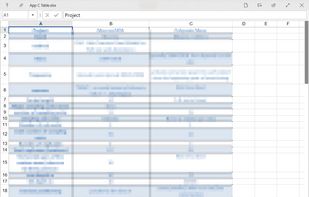
    Preview of an excel .xlsx file using the office plugin at https://github.com/QL-Win/QuickLook.Plugin.OfficeViewer
    20 alternatives
    5.0
    Excellent11 ratings
  3. CoverFlowFinder icon
     12 likes

    macOS file browser featuring classic 3D Cover Flow carousel, dual pane mode, Quick Look previews, sidebar navigation, instant sorting, and robust search.

    Cost / License

    • Free
    • Open Source (MIT)

    Application type

    Platforms

    • Mac
    CoverFlowFinder screenshot 1
    58 alternatives
  4. Folder Quick Look is a macOS extension that enhances the system’s Quick Look feature by allowing users to instantly preview the contents of folders and compressed archives without opening them. Once installed, you can simply select a folder or supported archive format (such as...

    Cost / License

    • Paid
    • Proprietary

    Platforms

    • Mac
    Folder Quick Look screenshot 1
    Folder Quick Look screenshot 1
    Folder Quick Look screenshot 2
    +1
    Folder Quick Look screenshot 3
    29 alternatives
  5. Downright icon
     5 likes

    Native macOS Markdown reader and editor offering Document, Split, and Source views, Finder integration, customizable themes, real-time file tracking, and broad Markdown rendering.

    Cost / License

    • Free
    • Open Source (MIT)

    Application type

    Platforms

    • Mac
    • Homebrew
    Downright screenshot 1
    Downright screenshot 1
    Downright screenshot 2
    51 alternatives
  6. SpacePeek icon
     5 likes

    SpacePeek enriches Finder Quick Look for folders and archives. Select a folder or supported archive in Finder and press Space to understand its size and contents without opening a separate disk utility.

    Cost / License

    • Freemium
    • Proprietary

    Application type

    Platforms

    • Mac
    SpacePeek screenshot 1
    SpacePeek screenshot 1
    SpacePeek screenshot 2
    +5
    SpacePeek screenshot 3
    53 alternatives
  7. Grizzly icon
     2 likes

    Grizzly is an open-source macOS application designed for browsing and extracting ZIP archives with speed and ease. It provides a clean, Finder-style interface with native system integrations to simplify ZIP file management.

    Cost / License

    • Free
    • Open Source (MIT)

    Platforms

    • Mac
    Grizzly screenshot 1
    20 alternatives
  8. Fast file manager for macOS with Windows-like workflow, cut and paste features, tabbed interface, deep tree navigation, multi-panel browsing, and advanced search.

    Cost / License

    • Paid
    • Proprietary

    Application type

    Platforms

    • Mac
    Trove File Explorer screenshot 1
    Trove File Explorer screenshot 1
    Trove File Explorer screenshot 2
    +7
    Trove File Explorer screenshot 3
    57 alternatives
  9. App Trust Preview helps you inspect Mac software before opening it. It explains signing, notarization, sandboxing, permissions, network access, installers, disk images, executables, scripts, and helpers in plain language, with Quick Look, custom reports, AI agent support and CLI export

    Cost / License

    • Paid
    • Proprietary

    Platforms

    • Mac
    App Trust Preview screenshot 1
    App Trust Preview screenshot 1
    App Trust Preview screenshot 2
    +4
    App Trust Preview screenshot 3
    4 alternatives
  10. BetterZip icon
     34 likes

    Supports over 30 archive formats, enables archive editing and AES-256 encryption, includes password manager, macOS Finder integration, and file preview.

    Cost / License

    • Paid
    • Proprietary

    Platforms

    • Mac
    BetterZip screenshot 1
    BetterZip screenshot 1
    BetterZip screenshot 2
    +8
    BetterZip screenshot 3
    84 alternatives
  11. Kiview icon
     4 likes

    Kiview gives the user the ability to quickly preview different file types without the need to launch the default application.

    Cost / License

    Platforms

    • Linux
    • Flathub
    • Dolphin File Manager
    • Flatpak
    Kiview screenshot 1
    Kiview screenshot 1
    Kiview screenshot 2
    +1
    Kiview screenshot 3
    20 alternatives
  12. Fover icon
     6 likes

    Introducing Fover, a fresh approach to file management on your macOS device. With Fover, moving files and folders becomes a breeze, taking just three simple steps: drag and drop files into the app, specify the destination folder, and click the move button.

    Cost / License

    • Freemium
    • Proprietary

    Application types

    Platforms

    • Mac
    Fover screenshot 1
    Fover screenshot 1
    Fover screenshot 2
    +3
    Fover screenshot 3
    70 alternatives
  13. QLStephen icon
     1 like

    QLStephen is an Apple OSX Quick Look plugin that lets you view plain text files without a file extension. It is useful for reading files like README, INSTALL, CHANGELOG, Makefile, Rakefile and CapFile (files that the default Quick Look plugins don't handle).

    Cost / License

    • Free
    • Open Source (MIT)

    Platforms

    • Mac
    8 alternatives
  14. By default, macOS doesn't provide previews and thumbnails for WebP, a modern image format providing superior, lossless and lossy compression for images on the web. WebPQuickLook fills this gap by allowing you to see previews and thumbnails of .webp images on your Mac.

    Cost / License

    • Free
    • Open Source

    Application type

    Platforms

    • Mac
    WebPQuickLook screenshot 1
    20 alternatives
  15. Looq icon
     1 like

    Adds advanced preview to Quick Look, with Markdown and KaTeX rendering, syntax highlights for 200+ languages, TSV/SQLite tables, archive browsing, and theme customization.

    Cost / License

    • Paid
    • Proprietary

    Platforms

    • Mac
    Looq screenshot 1
    Looq screenshot 1
    Looq screenshot 2
    +4
    Looq screenshot 3
    8 alternatives
  16. This application offers a quicklook extension for MacOS 10.15 Catalina or later for previewing source files. Inside it uses Highlight to render source code with syntax highlighting. The application is distributed with a version of the highlight.

    Cost / License

    Platforms

    • Mac
    Syntax Highlight Quicklook screenshot 1
    Syntax Highlight Quicklook screenshot 1
    Syntax Highlight Quicklook screenshot 2
    +4
    Syntax Highlight Quicklook screenshot 3
    12 alternatives
  17. This package allows macOS Finder to display thumbnails, static QuickLook previews, cover art and metadata for most types of video files.

    Cost / License

    Platforms

    • Mac
    • Finder
    QuickLook Video screenshot 1
    QuickLook Video screenshot 1
    QuickLook Video screenshot 2
    10 alternatives
  18. Quick Eye icon
     1 like

    Quick Eye is a quick look application for Windows. Just press the space bar to quickly preview files. This software is also recommended for people who are used to macOS.

    Cost / License

    • Paid
    • Proprietary

    Platforms

    • Windows
    Quick Eye screenshot 1
    Quick Eye screenshot 1
    Quick Eye screenshot 2
    +9
    Quick Eye screenshot 3
    10 alternatives
  19. The app lets you create groups of related files on your desktop. You can freely move groups of files around on your desktop and add or remove files via drag & drop.

    Cost / License

    • Paid
    • Proprietary

    Platforms

    • Mac
    Desktop Groups screenshot 1
    Desktop Groups screenshot 1
    20 alternatives
  20. FilePop icon
     Like

    FilePop is a file browser that lives in your menu bar. Hit the global shortcut, the picker pops down from the menu-bar icon, and you're already there — at your favorites, your recents, your home folder, ready to drag a file out, drop one in, or jump to a path with a...

    Cost / License

    • Paid
    • Proprietary

    Platforms

    • Mac
    FilePop screenshot 1
    FilePop screenshot 1
    1 alternatives