




SpacePeek
5 likes
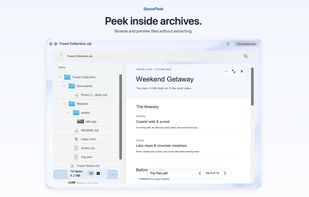
Native Quick Look add-on for macOS lets you preview folder size, largest files and subfolders, item counts, storage breakdown, and hidden files directly in Finder. On-demand, local scans ensure no cloud uploads or tracking, with upgrade for further folder inspection.

Cost / License
- Freemium (Pay once)
- Proprietary
Platforms
- Mac


Features
Highlights All activities
SpacePeek News & Activities
Recent activities
 Georg Wacker added SpacePeek as alternative to TreemapScan
- wangfu91 updated SpacePeek
- wangfu91 updated SpacePeek
- wangfu91 updated SpacePeek
 Josh-Auriemma added SpacePeek as alternative to MacDirStat
 wangfu91 added SpacePeek as alternative to FolderVitrine, Folder Quick Look and FolderPlus
 Cosmovex-Apps added SpacePeek as alternative to LighterMac


Developed by
 Fu Wang
 Licensing
Proprietary and Freemium product.Pricing
One time purchase (perpetual license) that costs $4 + free version with limited functionality.Alternatives
64 alternatives listedBadge
Get an embeddable badge for SpacePeekSupported Languages


No comments or reviews, maybe you want to be first?