App Trust Preview helps you understand Mac software before you open or install it.
In plain language, not developer jargon, it shows what macOS can verify about software identity, protections, permissions, bundled code, installer contents, disk images, executables, scripts, and other technical signals. The goal is simple: help you decide whether trusting a file looks reasonable.
Everything happens locally:
- Inspects apps, installer packages, disk images, executables, and scripts on your Mac
- Never uploads the inspected file
- Never launches or modifies the inspected software
- Makes no network requests of its own
You can:
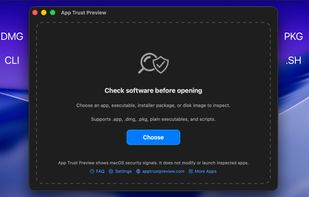
- Drop a supported file onto the window
- Choose a file from Finder
- Use Quick Look preview from Finder
- Open multiple reports at the same time
- Customize report sections in Settings
- Export reports from the command line
Each report starts with a clear verdict, then explains the most important findings before you open or install the software.
The report can show:
- Whether it is signed and who signed it
- Developer name, Team ID, bundle identifier, and version when available
- Sandbox and Hardened Runtime status
- Certificate chain, revocation status, and notarization indicators
- Internet access declarations
- Privacy access the software may request
- Saved macOS privacy decisions when available
- Internal helpers, nested apps, XPC services, frameworks, dynamic libraries, plug-ins, and app extensions
- Whether bundled helpers are signed, unsigned, invalidly signed, or sandboxed
Privacy access includes camera, microphone, location, contacts, calendar, photos, Bluetooth, Apple Events, screen recording, accessibility, input monitoring, local network, and other sensitive capabilities.
If an app has not declared the required purpose string in its Info.plist, macOS will refuse to grant that permission. App Trust Preview shows that clearly instead of turning it into unnecessary fear.
For installer packages, App Trust Preview can inspect package components, install locations, authorization requirements, install scripts, and package contents.
For disk images, it can inspect the disk image container and the app inside it when available.
For binary executables and readable scripts, it can show Mach-O metadata, linked libraries, runtime search paths, code signature information, and readable script source preview.
Advanced details include CDHashes, designated requirement, embedded provisioning profile, entitlements, quarantine status, private API indicators, package contents, and script previews.
Reports export as PDF, PNG image, JSON, or plain text. The CLI can export JSON or text reports for apps, packages, disk images, executables, and scripts, making it useful for automation, support notes, security review, and external AI analysis
App Trust Preview is not antivirus and does not guarantee that software is safe. It shows macOS security signals from files on disk and explains what those signals mean in everyday words







 Ihor July added App Trust Preview as alternative to WhatsYourSign
 Ihor July added App Trust Preview as alternative to Suspicious Package and KnockKnock
 Ihor July added App Trust Preview as alternative to Apparency


 Ihor July

No comments or reviews, maybe you want to be first?