Apps with 'Voice dictation' feature Page 4 of 6

All apps in Apps with 'Voice dictation' feature category. Use the filters below to narrow down your search. 
Copy a direct link to this comment to your clipboard
  1. Speakey icon
     Like

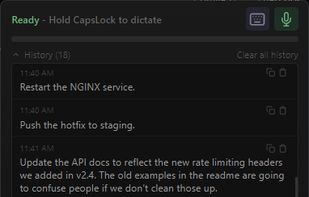
    Local, GPU-accelerated dictation for Windows. Hold CapsLock (finally a use for that key), speak, text appears at your cursor. Fully offline — no cloud, no subscription.

    Cost / License

    • Pay once
    • Proprietary

    Since

    • Since 2026

    Platforms

    • Windows
    • US flagUnited States
    Speakey screenshot 1
    Speakey screenshot 2
    40 alternatives
  2. Seam icon
     Like

    A productivity-first Dynamic Island for Mac. Turn your MacBook Pro notch into a control center with focus timer, music controls, calendar, voice-to-text, battery monitoring, and more. Native Apple Silicon app. One-time purchase, no subscription.

    Cost / License

    • Pay once
    • Proprietary

    Application type

    Since

    • Since 2026

    Platforms

    • Mac
    • FR flagFrance
    • European Union flagEU
    Seam screenshot 1
    Seam screenshot 2
    Seam screenshot 3
    Seam screenshot 4
    11 alternatives
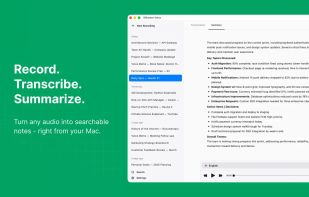
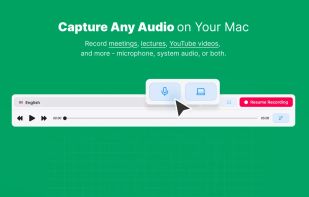
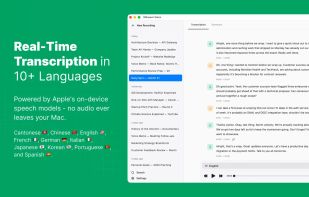
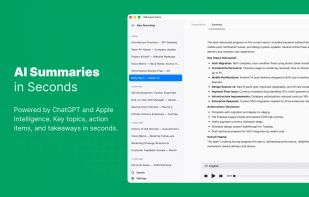
  3. Record meetings, lectures, and podcasts. Transcribe in 10+ languages with on-device Apple models. Get ChatGPT-powered summaries via Apple Intelligence — no subscriptions.

    Cost / License

    • Freemium (Pay once)
    • Proprietary

    Application type

    Since

    • Since 2026

    Platforms

    • Mac
    • AM flagArmenia
    Silkwave Voice screenshot 1
    Silkwave Voice screenshot 2
    Silkwave Voice screenshot 3
    +3
    Silkwave Voice screenshot 4
    59 alternatives
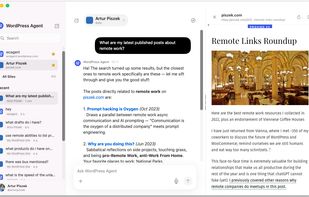
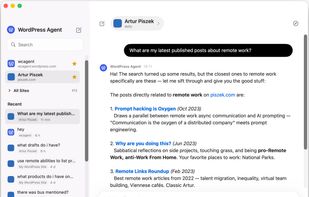
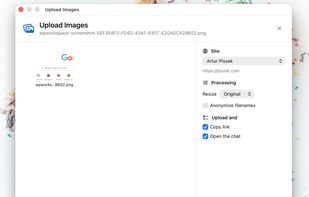
  4. WordPress Workspace is an macOS companion that turns your website into a full productivity suite. Ask the WordPress Agent, dictate, upload images, capture screenshots, and transform text with the voice, history, media, and structure your site already contains.

    Cost / License

    • Free
    • Proprietary

    Since

    • Since 2026

    Platforms

    • Mac
    • Wordpress
    • US flagUnited States
    WordPress Workspace screenshot 1
    WordPress Workspace screenshot 2
    WordPress Workspace screenshot 3
    +2
    WordPress Workspace screenshot 4
  5. Wordwand icon
     Like

    WordWand is a system-wide AI assistant for macOS that works in any app through a single keyboard shortcut. No copy-pasting, no tab switching — just select text, press a hotkey, and transform it instantly.

    Cost / License

    • Freemium (Subscription)
    • Proprietary

    Application type

    Since

    • Since 2026

    Platforms

    • Mac
    • IT flagItaly
    • European Union flagEU
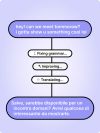
    Type less, say more. Speak your thoughts and let AI transcribe instantly. Then fix grammar, adjust tone, or translate to 40+ languages. Your voice or keyboard — your message always lands perfectly.
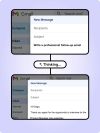
    Ask AI anything. Need a polite decline email? A creative headline? A quick reply? Just type what you need, press a shortcut, and let AI write it for you. No more staring at blank pages.
    Listen to your text. Turn any text into audio. Full read, smart summaries, or even a two-person podcast conversation. Learn while you commute, review while you exercise.
    111 alternatives
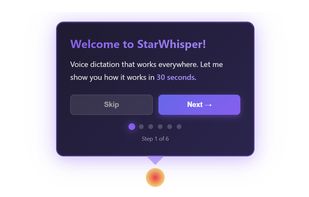
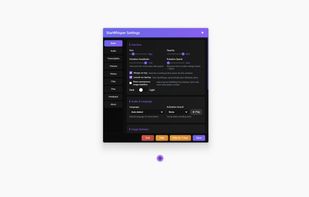
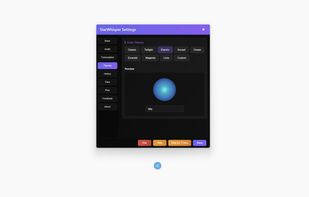
  6. StarWhisper is a Windows voice-to-text app with private offline transcription, optional cloud transcription, dictation, file transcription, and GPU acceleration.

    Cost / License

    • Freemium (Subscription)
    • Proprietary

    Application type

    Since

    • Since 2025

    Platforms

    • Windows
    • CH flagSwitzerland
    StarWhisper screenshot 1
    StarWhisper screenshot 2
    StarWhisper screenshot 3
    StarWhisper screenshot 4
    18 alternatives
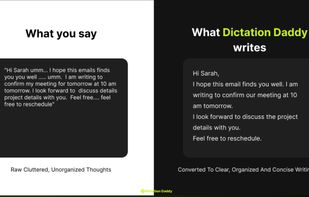
  7. AI speech-to-text tool that types auto-punctuated, formatted text into any app and includes custom vocabulary, templates, and file transcription.

    Cost / License

    • Freemium (Subscription)
    • Proprietary

    Since

    • New

    Platforms

    • Windows
    • Mac
    • Android
    • IN flagIndia
    Dictation Daddy screenshot 1
    Dictation Daddy screenshot 2
    Dictation Daddy screenshot 3
    Dictation Daddy screenshot 4
    9 alternatives
  8. Voice typing app for Mac, Windows, iPhone and Android that keeps mixed-language speech as you said it, English work terms included.
    Cost / License

    • Freemium (Subscription)
    • Open Source (MIT)

    Since

    • Since 2025 (updated Nov 2026)

    GitHub

    • GitHub stars: 138

    Platforms

    • Windows
    • Mac
    • Android
    • iPhone
    AI Dictation screenshot 1
    3 alternatives
  9. Holos icon
     Like

    Mac dictation that identifies the language sentence by sentence, so you can switch mid-paragraph without changing a setting.

    Cost / License

    • Subscription
    • Proprietary

    Application type

    Since

    • New

    Platforms

    • Mac
    • CA flagCanada
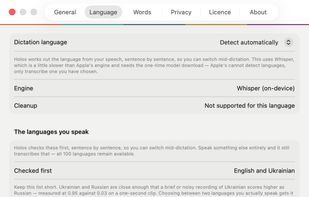
    Holos works out the language from your speech, sentence by sentence, so you can switch mid-dictation without changing a setting.
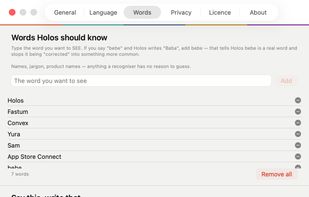
    Teach it words it keeps getting wrong, or set a short phrase that expands into a whole sentence.
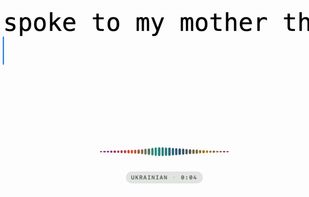
    The indicator names the language while you are still speaking. Here it has heard Ukrainian, one sentence after English.
    17 alternatives
  10. voibe icon
     Like

    Voibe is the fastest dictation app for Mac, built for developers and AI power users. It’s highly accurate, runs locally, and is fully private—working entirely offline across all apps. With deep Cursor integration, it resolves files and folders you speak.

    Cost / License

    • Freemium (Subscription)
    • Proprietary

    Since

    • Since 2025

    Platforms

    • Mac
    • GB flagUnited Kingdom
    voibe screenshot 1
    voibe screenshot 2
    voibe screenshot 3
    +1
    voibe screenshot 4
    10 alternatives
  11. AuraScribe icon
     1 like

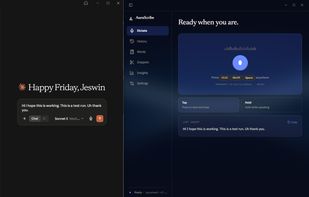
    AuraScribe is a free and open-source voice dictation app for Windows. You press a hotkey, speak, and the transcribed text is typed into whatever application has focus: browsers, editors, terminals, chat boxes, or form fields.

    Cost / License

    • Free
    • Open Source (MIT)

    Since

    • Since 2026 (updated Oct 2026)

    GitHub

    • GitHub stars: 9

    Platforms

    • Windows
    • IN flagIndia
    Home Page view of AuraScribe
    Recording working for the AuraScribe on windows
    Automatically the text dictation happens on where it is pointed properly.
    24 alternatives
  12. Willow is an AI dictation keyboard built for people who live in email, chat and documents all day. Instead of typing, press the microphone, talk once and get polished text ready to send.

    Cost / License

    • Freemium (Subscription)
    • Proprietary

    Since

    • Since 2026 (updated Apr 2026)

    Platforms

    • Windows
    • Mac
    • iPhone
    • iPad
    • US flagUnited States
    Willow Voice screenshot 1
    Willow Voice screenshot 2
    Willow Voice screenshot 3
    +5
    Willow Voice screenshot 4
    24 alternatives
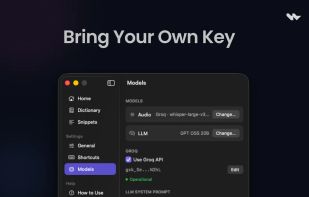
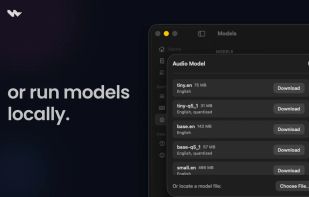
  13. Wave is a lightweight, native macOS dictation app focused on fast voice-to-text workflows with minimal UI overhead. Press a shortcut, speak, and your words are instantly pasted at the cursor. Supports on-device transcription via Whisper and cloud transcription via Groq, plus an...

    Cost / License

    • Free Personal
    • Proprietary

    Application type

    Since

    • Since 2026

    Platforms

    • Mac
    • IN flagIndia
    Wave Dictation screenshot 1
    Wave Dictation screenshot 2
    Wave Dictation screenshot 3
    51 alternatives
  14. Keyspoken icon
     Like

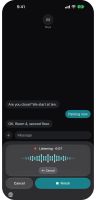
    Keyspoken turns speech into text in any iPhone app. iOS treats it as a keyboard, but it has no letter keys. It is a short strip with one large button. Switch to it with the globe key, tap Dictate and talk. When you pause, your words are typed at the cursor.

    Cost / License

    • Free
    • Proprietary

    Since

    • New

    Platforms

    • iPhone
    Dictating into a message. The strip sits where the keyboard would be.
    The words are typed at the cursor, with one Undo for the whole dictation.
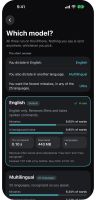
    Three on-device speech models: English, Multilingual and Ultra.
    7 alternatives
  15. Talkhawk icon
     Like

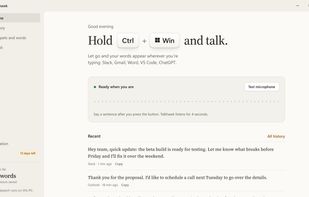
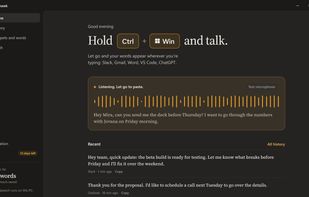
    Talkhawk is a dictation app for Windows 11. Hold Ctrl + Win, talk and let go: your words appear in whatever app you're typing in. Speech recognition runs on your PC with NVIDIA Parakeet, so dictation is free, unlimited and works offline, in 25 European languages.

    Cost / License

    • Freemium (Subscription)
    • Proprietary

    Application type

    Since

    • New

    Platforms

    • Windows
    • RS flagSerbia
    Hold Ctrl + Win and talk. Let go and your words appear wherever you're typing.
    Speech becomes text on your PC. Your audio never leaves it.
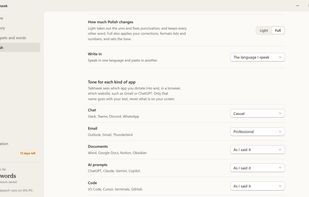
    Polish removes the ums, keeps your corrections and adds punctuation. Pick a tone for each kind of app.
    10 alternatives
  16. Dictano icon
     Like

    Dictano is a dictation app for macOS that runs the speech recognition on the Mac itself. Nothing is uploaded, there is no account, and it works with the network off.
    Cost / License

    • Pay once
    • Proprietary

    Since

    • New

    Platforms

    • Mac
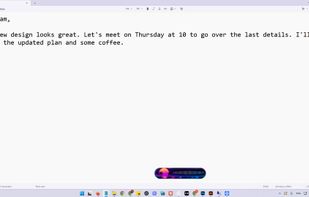
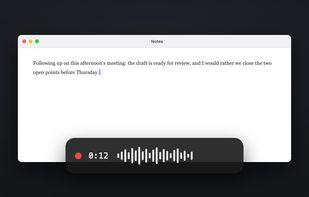
    The app while dictating: a floating bar with a timer and a live audio meter, and the text typed straight into the app the cursor was in.
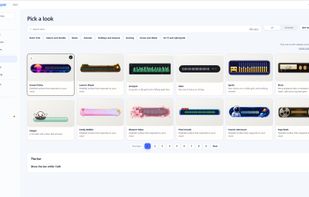
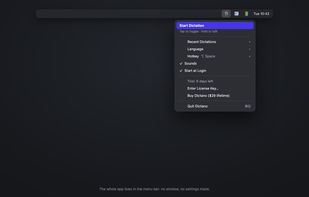
    The whole app is the menu bar item: recent dictations, language, hotkey, sounds and start at login. There is no settings window.
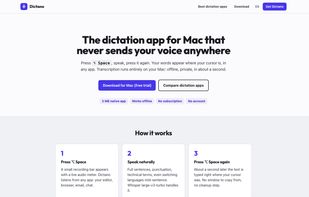
    dictano.com home page: press the hotkey, speak, the text is typed where the cursor is.
    +1
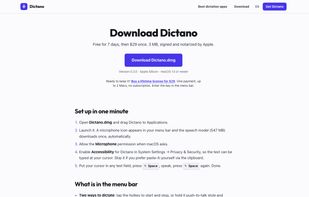
    The download page, with the system requirements and the license.
    17 alternatives
  17. Cloud-based speech recognition software that converts spoken words into text in real time across Windows applications and web platforms.

    Cost / License

    • Freemium (Subscription)
    • Proprietary

    Since

    • Since 2026

    Platforms

    • Online
    • Software as a Service (SaaS)
    • AU flagAustralia
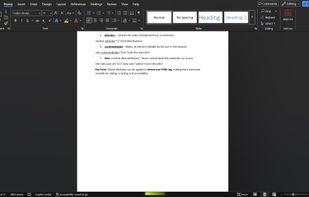
    Speech Recognition Cloud Speech-to-Text working in Windows 11 in Microsoft Word.
    6 alternatives