

Wave Dictation icon
Wave Dictation icon

Wave Dictation

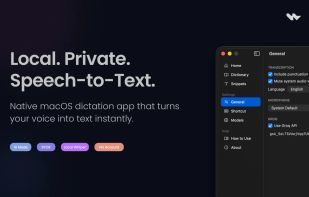
Wave is a lightweight, native macOS dictation app focused on fast voice-to-text workflows with minimal UI overhead. Press a shortcut, speak, and your words are instantly pasted at the cursor. Supports on-device transcription via Whisper and cloud transcription via Groq, plus an...
Wave Dictation screenshot 1

Cost / License

  • Free Personal
  • Proprietary

Application type

Platforms

  • Mac
0likes
0comments
0articles

Features

Properties

  1.  Lightweight

Features

  1.  No Tracking
  2.  Ad-free
  3.  No registration required
  4.  Dark Mode
  5.  Works Offline
  6.  Voice dictation
  7.  Voice to Text
  8.  Speech to text
  9.  Dictation
  10.  Support for Keyboard Shortcuts
  11.  Push to talk

Wave Dictation News & Activities

Highlights All activities

Recent activities

Wave Dictation information

  • Developed by

    IN flagMonawwar Abdullah
  • Licensing

    Proprietary and Free Personal product.
  • Alternatives

    51 alternatives listed
  • Supported Languages

    • English

AlternativeTo Category

AI Tools & Services
Wave Dictation was added to AlternativeTo by Paul on and this page was last updated .
No comments or reviews, maybe you want to be first?

What is Wave Dictation?

Wave is a lightweight, native macOS dictation app focused on fast voice-to-text workflows with minimal UI overhead. Press a shortcut, speak, and your words are instantly pasted at the cursor. Supports on-device transcription via Whisper and cloud transcription via Groq, plus an AI Mode that sends your voice to an LLM and pastes the response directly.

Features:

  • Dictation — global shortcut triggers recording; transcription is pasted at the active cursor
  • Push to Talk or Toggle — hold to record and release, or press once to start and again to stop
  • Local transcription — on-device Whisper inference, no internet required
  • Groq cloud transcription — faster cloud-based transcription via the Groq API
  • AI Mode — separate shortcut sends your voice to an LLM and pastes a direct answer
  • Snippets — save reusable text snippets; AI Mode is aware of them
  • Dictation history — recent transcriptions with right-click copy
  • Language selection — auto-detect or set a specific language (ISO 639-1)
  • Custom vocabulary — bias the model toward specific words and names
  • Microphone selection — choose any input device or use the system default

Official Links