Cadence is a native voice workspace. Because our AI model runs on-device, your voice never leaves your Mac.
One private workspace for everything you speak
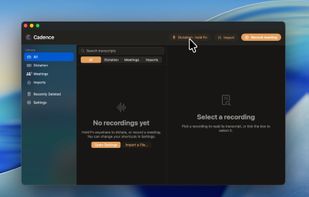
Cadence covers the three places voice turns into work: quick dictation, long meetings, and recordings you already have.
- Write by talking: Hold your shortcut and speak into Mail, Notes, Slack, ChatGPT, your editor, or any text field. Cadence types the finished text at your cursor and preserves your clipboard.
- Leave calls with notes: Record your microphone and system audio as separate tracks, then get one chronological transcript with speaker labels instead of a raw wall of words.
- Turn files into transcripts: Drag in a voice memo, interview, lecture, or old call recording. Cadence links to the original file and transcribes a copy, so your source stays where it is.
- Built not to lose recordings: Audio is written to disk while you speak. If the app or Mac crashes mid sentence, Cadence can recover the recording on the next launch.
- Local AI, included: The transcription model ships with Cadence and runs on your Mac. No upload step, no remote queue, no per-minute cloud meter.
- Cleaner text when you want it: Optional on-device AI can create a one-line summary and polish stutters, filler words, and false starts. Cadence still works normally when that is off.
Three inputs. One searchable transcript library.
Cadence is simple at the surface, but it is organized around the way spoken work actually arrives on a Mac.
- Dictation: Hold Fn or your own shortcut and speak into the app you are already using.
- Meetings: Capture your mic and system audio, then merge both sides into a readable transcript.
- Imports: Drop in existing audio without moving the original file.
Local model. Transcribed on your Mac.
Cadence turns audio into text locally, keeps every transcript in your library, and can copy, polish, summarize, restore, or delete when you decide.
Your recordings are not a cloud product.
Cadence was built local-first from the start. The transcription model comes with the app and runs on your Mac. Optional cleanup and summaries use Apple Intelligence on-device. Your audio and transcripts stay in a folder you own.
- No account required to start using the app.
- No audio upload step, ever.
- No per-minute transcription billing.
- Background music can be ducked while call apps are left alone.







 Paul added Cadence AI as alternative to Vibe Transcribe, OpenWhispr, FUTO Voice Input, Voxtral and 47 more

No comments or reviews, maybe you want to be first?