


TypeWhisper
26 likes
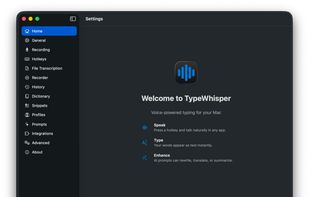
Runs privacy-focused speech-to-text locally on macOS, enabling system-wide dictation, batch audio and video file transcription, multi-engine support, drag-and-drop workflows, per-app profiles, searchable history, subtitle export with timestamps, and automation integration.

Cost / License
- Freemium (Subscription)
- Open Source (GPL-3.0)
Application type
 EU
EUPlatforms
- Mac
- Windows
- iPhone
- iPad


Features
TypeWhisper News & Activities
Highlights All activities
Recent News
No news, maybe you know any news worth sharing?
Share a News Tip
Recent activities
 Paul added TypeWhisper as alternative to Reed Dictation
 Louis Klinke added TypeWhisper as alternative to Earnote
 jayz added TypeWhisper as alternative to Typewave
 Paul added TypeWhisper as alternative to Vocatim
 Paul added TypeWhisper as alternative to Wordmate
 Andrey-Chmerev added TypeWhisper as alternative to Kekoso
 dansc added TypeWhisper as alternative to SweetWhisper
 Vitalii Yemets added TypeWhisper as alternative to HoldToType
 Paul added TypeWhisper as alternative to FnScribe
 Nicolas-Gustavo-Melian added TypeWhisper as alternative to Dictano


TypeWhisper information
Developed by
 TypeWhisper
 Licensing
Open Source (GPL-3.0) and Freemium product.Pricing
Subscription ranging between $5 and $999 per month + free version with limited functionality.Alternatives
108 alternatives listedBadge
Get an embeddable badge for TypeWhisperSupported Languages


No comments or reviews, maybe you want to be first?