See your words appear as you speak, translate them live, and turn every recording into a summary, notes and answers.
Free to try. No account needed.
ThinkScribe records and transcribes meetings, lectures, calls and ideas on iPhone, iPhone Duo, iPad, Mac and Apple Watch, and adds a voice keyboard to every app. Recording and transcription happen on your device and work offline.
WHAT YOU CAN DO
Live Text
Your words appear while you record, sentence by sentence, on your device and offline. Turn on Your name and ThinkScribe marks it whenever someone says it.
Translate Live
See each sentence translated under the original while you record. Translate a finished transcript too, and export subtitles in both languages. Translation is provided by Apple.
AI for Your Recordings
Summary, Meeting Minutes, Executive Brief, Mind Map, Clean Transcript and Translate, one tap each. Chat with a recording or a whole collection and get answers that point to the moment in the transcript and the audio. Ask, in its own tab, is a general assistant. ThinkScribe AI runs on your device; Apple Intelligence is provided by Apple.
A Summary When You Stop
With Pro, each new recording gets its summary as soon as it is transcribed. Its key moments show up as dots on the player.
Voice Keyboard: Type Anywhere
Switch to the ThinkScribe keyboard and dictate in any app: Messages, Mail, Notes, WhatsApp, Safari. Your speech is transcribed on your iPhone, even with no connection. Word suggestions and autocorrect follow your language, and with Apple Intelligence you can tidy rough speech with one tap.
Record and Transcribe
- Record meetings, lectures and ideas with your microphone
- Import audio from Voice Memos, WhatsApp, Telegram or any app through the share sheet
- Transcription in 90+ languages
- Word-synced playback: tap any word to hear that moment
Know Who Said What
Speaker detection gives every voice its own color. Name a voice once and ThinkScribe can recognize that person in later recordings.
Mind Maps, Drawn as a Map
Topics branch out from the title. Tap one to jump to where it was said. Mind maps need iPhone 15 Pro or newer, or an iPad with 8 GB of memory or more.
Export and Share
TXT, SRT, VTT, JSON, Markdown and PDF. Optional iCloud sync keeps your transcripts on all your devices.
App Lock
ThinkScribe can ask for Face ID, Touch ID or your passcode when it opens. Recording and voice typing keep working while it is locked.
ON ALL YOUR DEVICES
Works with iPhone Duo
Closed or open, it fits: the same recordings on both displays. Open iPhone Duo, hold it sideways and choose Side by Side to read a transcript beside its summary. The voice typing keyboard works on iPhone Duo too.
iPad
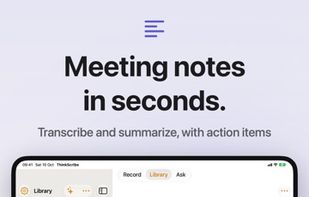
On iPad, your Library sits beside the open transcript, with keyboard shortcuts and drag and drop.
Apple Watch
Record from your wrist. Recordings go to your iPhone for transcription.






 EU


 Thinkscribe added Thinkscribe as alternative to Otter.ai, Wispr Flow, MacWhisper, Superwhisper and 22 more

 Sejalben Bahadursingh Bihola



No comments or reviews, maybe you want to be first?