


Wispr Flow
5 likes
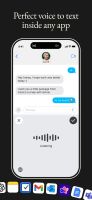
Voice dictation software for Windows transcribes speech to text up to three times faster than typing, offers real-time auto-edits and tone matching, supports over 100 languages, minimizes manual editing, and allows hands-free use for a wide range of tasks.



+2

Cost / License
- Freemium (Subscription)
- Proprietary
Application type
Platforms
- Mac
- Windows
- Android
- iPhone

Features
Highlights All activities
Wispr Flow News & Activities
Recent News
- Mauricio B. Holguin published news article about Wispr Flow
- Fla published news article about Wispr Flow


Recent activities
 a9voice added Wispr Flow as alternative to A9 Voice
 L-o-Martin added Wispr Flow as alternative to Speak Plume
 Voktik-Support added Wispr Flow as alternative to Voktik
 EdwardAsh added Wispr Flow as alternative to Murmr
 tobymarks added Wispr Flow as alternative to inlaut
 Lee Kit added Wispr Flow as alternative to Cadenza (voice input)
 Silvio Lindstedt added Wispr Flow as alternative to WhisPaste
 conrader added Wispr Flow as alternative to Plainsay
- vibetyper replied to a comment / review on Wispr Flow


Best STT app
A list with 5 apps by scorpion7slayer without a description.



Developed by
 Wispr AI, Inc.
 Licensing
Proprietary and Freemium product.Pricing
Subscription ranging between $12 and $15 per month + free version with limited functionality.Alternatives
177 alternatives listedBadge
Get an embeddable badge for Wispr FlowSupported Languages


Comments and Reviews
I used Wispr Flow as my primary dictation tool for months and it earned that spot. Straight up: it beat everything else I had tried, by a lot. If you are on a platform it supports and you write by talking, it is the best thing in this category and I would still recommend it.
What it does well: the accuracy is the point. It works system-wide into any app. The auto-editing and tone matching are real, it strips the false starts before the text lands. And it's polished, you can tell it's a funded product with people on it.
Two honest problems, different sizes. The small one: it's a subscription, $12 to $15 a month. Worth it if you dictate daily, which I did.
The larger one is architectural, and it's why I eventually left. It's a closed system. Your audio leaves your machine and the transcription happens on infrastructure you don't own or control. They say they handle it responsibly and I have no evidence otherwise. But it's a dependency, in the exact place where I stopped being willing to have one.
On iPhone, the Action Button integration is the weak spot. I used it on my phone and it never felt like it belonged to the OS. It needs tighter integration, and here's the thing: that's not really their fault, it's iOS. Apple doesn't hand third parties the press-and-release events you'd need to make a hardware button behave like a real hold-to-talk key. So every dictation app on iOS is working around the same wall. Worth knowing before you buy based on the button.
And the practical problem for anyone on Linux: there is no Linux build. Not a beta, not a workaround. I moved my whole desktop to Linux this year and Wispr Flow could not come with me. That's not a knock on them, it's a platform decision, and they may change it. But if you're on Linux today, this isn't an option, and the page here should say so.
I still think it's a genuinely good product. I just needed it to run where I work.
Thank you for your recommendation Christian. Really appreciate it!