





Vibe Typer
5 likes
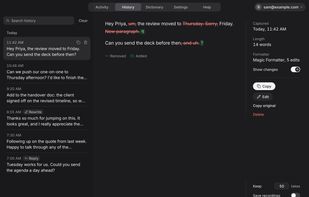
Vibe Typer is voice typing for Linux, Windows, Mac, iPhone and Android. Press a hotkey, speak, and clean, punctuated text is typed at your cursor in any app, terminals and code editors included. No window to copy from and no per-app setup.


Features
Highlights All activities
Vibe Typer News & Activities
Recent activities
 vibetyper added Vibe Typer as alternative to Speech Note
- vibetyper updated Vibe Typer
- vibetyper replied to a comment / review on Vibe Typer
- vibetyper replied to a comment / review on Vibe Typer
- vibetyper replied to a comment / review on Vibe Typer
 Paul added Vibe Typer as alternative to Smart Voice Recorder Offline
- Macmaster14 liked Vibe Typer
 dolcenota added Vibe Typer as alternative to Dolcenota
- vibetyper updated Vibe Typer
- vibetyper replied to a comment / review on Vibe Typer





Best Linux setup
As a Windows user since its inception, starting with Windows 3.0, it's taken me many many many years to switch over to Linux. What held me back was proper software for me to be able to do in Linux what I did in Windows. this list is a list of the best Linux programs to do what I used to do in Windows most effectively quickly and without any schlepp


Developed by
 Abram Industries Pty Ltd
Licensing
Proprietary and Freemium product.Pricing
Subscription ranging between $8 and $10 per month + free version with limited functionality.Alternatives
58 alternatives listedBadge
Get an embeddable badge for Vibe TyperSupported Languages



Comments and Reviews
I use this every day. If it wasn't for this I would not have made the transition to Linux as easily.
Thank you so much for your recommendation and support, Christian. Really appreciate it.
I´ve been using speech recognition for decades, including several AI powered ones. Reformatting my garbled English, excellent recognition in sub-optimal environments. Vibe Typer blows everyone else out of the water. Support is very responsive and next-level, I can't wait for the Android version!
Hi Ger, lovely to see you here too! It means a lot that it beat everything else you've tried. Android is on the way, and I'll post here when it's ready.
Ger, as promised: Android is here. It's in open beta on Google Play and anyone can install it: https://play.google.com/store/apps/details?id=com.vibetyper.android
It's brand new, so if anything breaks, email support@vibetyper.com and I'll get on it.
Best linux voice dictating app.
It is the best voice dictating app on linux so far. Very effective and precise translation of voice to text.
Keep doing a great job and adding more features. The most important ones are voice commands that will allow more control over text formatting, ie. going to next line, entering bullet points, etc.
I am hoping to see Android version soon.
Great to hear it's the best you've found on Linux! Line breaks already work: add "new line" in the Dictionary, press the New line button next to it, and Vibe Typer starts a new line whenever you say it. Bullet points by voice is a good idea, and Android is on the way.
Good news on Android: it's in open beta on Google Play now. https://play.google.com/store/apps/details?id=com.vibetyper.android
If anything's off, email support@vibetyper.com and I'll sort it out.
I've used at least 5 other transcribers and Vibe Typer is easily the most accurate one. Even though I don't always speak clearly, it picks up from context the words I was speaking. I'm waiting anxiously for it to come to Android so I can replace Gemini and Wispr Flow.
Hey Don, thanks for sharing this here too! Really glad it's the most accurate one you've tried. Android is on the way, and I can't wait to get it to you.
Don, you said you were waiting on Android, so I wanted you to know it's out in open beta now: https://play.google.com/store/apps/details?id=com.vibetyper.android
I'd love to hear how it goes on your phone.
The only S2T that actually just works and does everything you want it to, esp. on Linux, affordable, and constantly getting useful updates.
Really appreciate you taking the time to leave your recommendation. Thank you so much, Max.