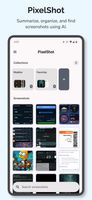
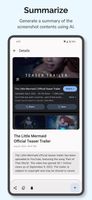
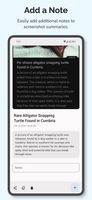
AI-driven app that categorizes, summarizes, and tags screenshots for streamlined management while ensuring local privacy and secure cloud processing.
Cost / License
- Free
- Proprietary
Application typeApplication types
Platforms
- Android

India


AI-driven app that categorizes, summarizes, and tags screenshots for streamlined management while ensuring local privacy and secure cloud processing.


Instantly edit screenshots online with MakeShot Pro. Upload your screenshot. Add a background, text, rounded corners, or emojis. Download or share on social media. Simple, fast, and free!.


Frset is an all-in-one macOS productivity app combining clipboard management, screenshots, OCR, translation, AI shortcuts, and useful utilities in one place.


Web tool for wrapping screenshots in customizable browser or mobile frames, exporting in PNG, JPG, or SVG, with plentiful styles, backgrounds, and no ads.


Screenshot tool with local storage, editing after capture, precision tools, grouping, collage creation, and full history, requiring no login or cloud.


PrintScreen.ly is a desktop-first screenshot and screen recording app for macOS, Windows, and Linux, with web, iOS, and Android versions. Capture regions, windows, fullscreen, or entire scrolling pages with pixel precision.


Capture2Text enables users to quickly OCR a portion of the screen using a keyboard shortcut.


Capture full-screen, window, or region screenshots with built-in editing for cropping, resizing, arrows, text, and effects. Integrates with online services.


CleanSnap is a cutting-edge AI Images maker that allows you to effortlessly transform your screenshots into stunning images in just seconds. With CleanSnap, you can create professional-looking visuals without any watermarks and share your creations on popular social media...


Snipaste is a simple but powerful snipping tool, and also allows you to pin the screenshot back onto the screen. Snip. Then paste. Free. Customizable. Portable.


A free Mac screen recorder and screenshot editor with automatic zooms, redrawn cursor motion, local captions, voiceover and editable annotations.


Get to know Game Bar on Windows Open Game Bar to take control of all your favorite gaming activities while playing on your Windows 10/11 device.
Extract text from anywhere on your screen (OCR). Perfect for capturing text from videos, PDFs, presentations, or any app where copying isn't possible.


Capture full web page screenshots in Firefox, Chrome, Opera, Pale Moon or Internet Explorer Quick screenshots and annotations!


Use SocialScreenshots to quickly transform your screenshots into visuals suitable for your favorite social networks.


Flamory remembers things, so you don't have to. Make snapshots of web pages, files and desktop apps. You can find snapshots later using full-text search and thumbnails. Paste them anywhere as links or screenshots.


Screenshot and screen recorder app for macOS. One app instead of four. Capture multiple windows, annotate, zoom, add transitions, and drop your recording onto a 3D MacBook with a simulated lens. Everything stays local.


An all-in-one screenshot app for Windows: capture, annotate, read text with offline OCR, and sync between your own devices without a cloud.
Website


Screen capture and recording for macOS with audio, built-in editor for shapes, blur, redaction, plus video and screenshot editing, offline use, and no ads.


Modern macOS screenshot tool offers instant capture, robust annotation and privacy features, with 14 advanced editing tools, export options and native sharing.


Beautiful screenshots with stunning backgrounds and powerful annotation tools. Create, edit, and share professional-quality screenshots with ease.