

iSkitch
Native macOS tool for fast region, window or full screen capture, 14 annotation tools including arrows, text and highlight, image overlay, export to multiple formats, full undo/redo, privacy-first operation—no tracking or data collection, native share integration.
Features
Properties
- Privacy focused
Features
- No Coding Required
- Annotate Screenshot
- No registration required
- Custom Brushes
- Full-page Screenshot
- Non Destructive Editing
- No Tracking
Tags
iSkitch News & Activities
Recent activities
- pushpendersingh added iSkitch as alternative to PageShotter
devacxx01 added iSkitch as alternative to FletchShot- dcarrero liked iSkitch
- Maoholguin updated iSkitch
- dcarrero added iSkitch
- dcarrero added iSkitch as alternative to ShareX, Flameshot, Lightshot and Snipping Tool
iSkitch information
What is iSkitch?
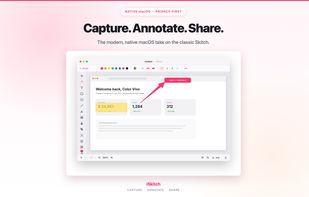
iSkitch is a modern, native macOS recreation of the classic Skitch — capture any region, window or your full screen, annotate it instantly, and share the result with one click.
Built for the macOS you use today: lives quietly in your menu bar, always one keyboard shortcut away, and uses the native share sheet so your screenshots land wherever you need them.
WHAT YOU CAN DO
• Capture a region (??4), a window, or your full screen — opens straight in the editor • Annotate with 14 tools: – Tapered Skitch-style arrows (plus filled, open and concave styles), with optional double-headed – Text with system fonts, sizes, bold and italic – Rectangles, ellipses (outline or filled) and lines – Highlighter (multiply blend, just like a real marker) – Freehand pen – Stamps: check, cross, star and dot – Obscure (pixelate, blur, solid block, stripes) — to hide sensitive info reliably – Spotlight — dim everything except the areas you want to focus on – Sticker emojis – Image-over-image overlay – Non-destructive crop with aspect ratio presets and proportional lock • Full undo/redo on every change • Export to PNG, JPEG, PDF or TIFF • Copy to clipboard, share via the native macOS share sheet, or drag straight into any app • Choose your default save format and folder — iSkitch remembers them
DESIGNED LIKE A NATIVE APP
• Lives in the menu bar — keep it always available or run on demand • Light, Dark or System appearance • Universal Binary (Apple Silicon + Intel) • English and Spanish (more languages coming)
PRIVACY FIRST
• Works completely offline — no accounts, no tracking, no analytics • No data collected • Captures stay on your device; we never see them • Screen recording permission is requested only when you choose to capture
iSkitch is built by Color Vivo Internet, S.L.




