


dpScreenOCR
11 likes
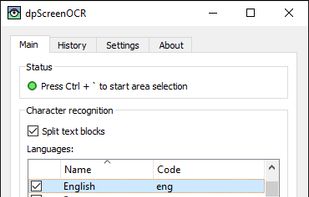
A program to recognize text on the screen.

Cost / License
- Free
- Open Source (Zlib)
Application typeApplication types
Platforms
- Windows
- Linux
- BSD

Features
dpScreenOCR News & Activities
Highlights All activities
Recent News
No news, maybe you know any news worth sharing?
Share a News Tip
Recent activities
 Graziella added dpScreenOCR as alternative to OddSnap
 LVLE added dpScreenOCR as alternative to Glyfo
 Jabrail added dpScreenOCR as alternative to Click'n'Translate
 Paul removed dpScreenOCR as alternative to Adobe Scan
- Robin_P liked dpScreenOCR
 Jon-Vargas added dpScreenOCR as alternative to OneScribe - Document Scanner
 primedocu added dpScreenOCR as alternative to PrimeDocu
 taoo425 added dpScreenOCR as alternative to ZenOCR
 IncreoScale added dpScreenOCR as alternative to Stik – Screenshot Capture
 tottetec added dpScreenOCR as alternative to Playto


Featured in Lists


Win: Screen OCR
Similar to TextGrabber (MacOS).
Not tested yet (2026-09)


Murz favorite software on Windows
My software

What is dpScreenOCR?
dpScreenOCR information
Developed by
Danyl PlakhotychLicensing
Open Source (Zlib) and Free product.Written in
Rating
Average rating of 4.3Alternatives
64 alternatives listedBadge
Get an embeddable badge for dpScreenOCRSupported Languages

AlternativeTo Categories
Office & Productivity, OS & Utilities, Photos & GraphicsGitHub repository
- 296 Stars
- 18 Forks
- 11 Open Issues
- Updated


Comments and Reviews
It's the best OCR reader based on tesseract5, also it can detect different languages without hassle. It has more accuracy than powertoy's text grab feature as both on English and other languages.
Have you tried Capture2text, How does it compare to it?
With old typewriter texts it works almost like ABBYY Screenshot Reader for ten bucks. The main difference being that it cripples the same symbols in a different way. But the overall percentage of crippled symbols is almost identical. By scanning with both means and loading texts into WinMerge or AraxisMerge you can instanly see all the crippled symbols at once this way.
Probably the best "OCR capture" application available for the average Windows user (like me). Installation and setup are so straightforward that you may skip the manual at first.
What was it that I intended? Being able to perform an OCR on any element of the display (screen) of my computer that contains text, in a direct way, i.e., without having to previously create an image and then import that same image into the OCR app. I've been looking for and testing apps that have this feature for a long time and that do it with i) simplicity, ii) flexibility and iii) reliability/accuracy. This app (dpSreenOCR) was, among the apps tested so far, the one that best fulfilled the aforementioned characteristics, with the possibility of performing OCR of text in multiple languages (without having to toggle your selection) and with the ability to perform correctly OCR, on display elements, on text in various colors and on different background colors.
Hence my well-deserved 5* for this simple "little gem"!
NB: i) Works perfectly on my Windows 11 system. ii) I advise you to read the small manual available on the website