





Stik – Screenshot Capture
Like
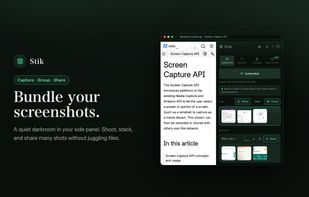
Stik is a Chrome & Brave side-panel extension that captures visible, full-page, or screen-area screenshots, bundles them into groups, and pastes many images into Slack, Notion, and X in a single paste.

Cost / License
- Freemium
- Proprietary
Application type
Platforms
- Google Chrome


Features
Stik – Screenshot Capture News & Activities
Highlights All activities
Recent activities
- IncreoScale added Stik – Screenshot Capture
 taoo425 added Stik – Screenshot Capture as alternative to ZenOCR
 IncreoScale added Stik – Screenshot Capture as alternative to ShareX, Greenshot, Flameshot, Shutter and 47 more

Stik – Screenshot Capture information
Developed by
 IncreoScale
 Licensing
Proprietary and Freemium product.Pricing
free version with limited functionality.Alternatives
52 alternatives listedBadge
Get an embeddable badge for Stik – Screenshot CaptureSupported Languages


No comments or reviews, maybe you want to be first?