Mobile PDF Scanner turns your iPhone and iPad into a document scanner and PDF editor. Scan documents to PDF, compress PDF files, sign and fill out PDF forms, edit scanned text, merge PDFs, delete pages and print.
SCAN DOCUMENTS TO PDF
Scan multiple pages into one PDF with live edge tracking and automatic capture. Remove shadows with an on-device machine learning model, straighten pages and clean them up with filters such as White Paper. Card mode puts the front and back of an ID or bank card on one page. Import photos and files from other apps, or pages from a compatible network scanner.
EDIT SCANNED DOCUMENTS
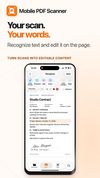
Free unlimited on-device text recognition (OCR) turns printed text into editable text. Correct words, change fonts and colors, edit tables, or rebuild a page as a clean document. Create searchable PDFs that keep the original scan.
SIGN AND FILL OUT PDF FORMS
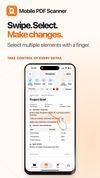
Draw your signature or capture it from paper, then add it to a PDF. Fill out PDF forms, including fields detected on scanned pages. Redact sensitive content in a separate copy.
FILL FORMS FROM YOUR DOCUMENTS
Turn on My data and the app learns your details from your own passports, ID cards, licenses, residence permits and the forms you have filled. It stays on this device, encrypted. One tap then fills a new form for you or a family member, and you check each value before saving.
COMPRESS PDF AND EDIT PAGES
Reduce PDF size for email and messaging apps. Merge scans, photos and PDFs; reorder, rotate, delete or split pages. Add page numbers, a date or a watermark.
CONVERT, PRINT AND SHARE
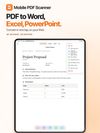
Export to PDF, Word, PowerPoint, Excel, CSV or TXT; tables become spreadsheets. Protect PDFs with a password, print, and share anywhere.
FIND AND ORGANIZE
Search for words inside documents and scans, also from Spotlight. Use folders, colored tags and automatic names. Free iCloud sync, app lock with Face ID, Shortcuts, widgets, Control Center and the Action button.
PREMIUM
• Digital signature: sign PDFs with your certificate in a standard format that PDF readers can verify.
• Translate documents on your device and save a translated copy that keeps the layout.
• Handwriting to text: turn a handwritten page into editable text.
• Smart folders sort personal documents, invoices, receipts and contracts automatically.
• Ask the document: answers with links to the right pages, on iPhones with Apple Intelligence in a supported language.
• Fill from my documents and Translate: three times free, then unlimited with Premium.
• Unlimited saved signatures, custom filters and no ads.
Premium is an auto-renewable subscription; prices are shown in the app.
Terms of Use: https://mobilepdfscanner.com/term-of-use/
Privacy Policy: https://mobilepdfscanner.com/privacy-policy/
Text recognition, translation and answers depend on document quality, language and device support. Certificate signing requires a compatible certificate file.








 Stepan-Maksymov added Mobile PDF Scanner as alternative to Adobe Scan, CamScanner, Genius Scan, Scanner Pro and 17 more
 Stepan Maksymov


No comments or reviews, maybe you want to be first?