GIMP AlternativesOnly apps categorised as Digital Painting Tools

The best Digital Painting alternative to GIMP is Krita, which is both free and Open Source. If that doesn't suit you, our users have ranked more than 100 alternatives to GIMP and loads of them are Digital Painting Tools so hopefully you can find a suitable replacement. Other interesting Digital Painting Tool alternatives to GIMP are Paint.NET, Adobe Photoshop, Photopea and Pixlr.

filter to find the best alternatives

GIMP alternatives are mainly Digital Painting Tools, but if you're looking for Image Editors or Photo Editors you can filter on that. Other popular filters include iPad, Android, Linux, iPad + Free, Android + Free, Online and Mac. You can also filter by region, for example EU-based alternatives if you prefer software developed in the European Union. These are just examples - use the filter bar below to find more specific alternatives to GIMP.
Copy a direct link to this comment to your clipboard
GIMP alternatives page was last updated

Alternatives list

  1. Krita icon
     1487 likes

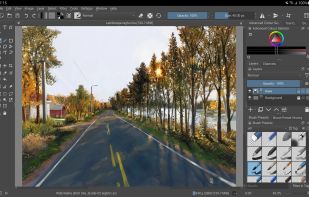
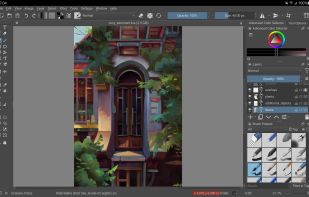
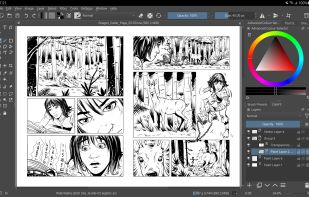
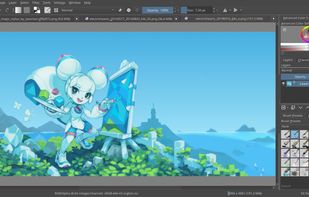
    Free, open-source painting software designed by artists for artists. Offers customizable UI, 9 brush engines, color management, tablet support, non-destructive editing, and privacy features. Portable and available on major platforms, supporting seamless texture creation.

    154 Krita alternatives

    Cost / License

    • Free
    • Open Source

    Application type

    Platforms

    • Mac
    • Windows
    • Linux
    • Android Tablet
    • KDE Plasma
    • Epic Games Store
    • PortableApps.com
    • F-Droid
    • Steam
    • AppImage
     
    |
    17
    Krita vs GIMP Comments
    Top Positive Comment
    tuva-hayabi
    3

    I disagree with most of the negative comments because you can actually do image manipulation/photo editing as well, at least the basic stuff like auto contrast, color balance, saturation, blur, sharpness, image size, canvas size and so on.

    Top Negative Comment
    Mosrod
    44

    Krita doesn't have photo editing tools and focuses on painting

    Richie Scassellati
    Positive
    2

    Krita is definitely a great alternative if you want something easier for digital art.

    3 of 17 comments
    • Krita is Free and Open SourceGIMP is also Free and Open Source
    • Krita is a Digital Painting GIMP is an Image Editor
  2. Paint.NET icon
     1670 likes

    Free Windows image editor with support for layers, plugins, and special effects. Offers intuitive interface, works offline, ad-free, and portable, consuming fewer resources.

    172 Paint.NET alternatives

    Cost / License

    • Free
    • Proprietary

    Platforms

    • Windows
    • .NET Framework
     
    |
    10
    Paint.NET vs GIMP Comments
    Top Positive Comment
    ichimitch
    1

    Paint.net has a much more intuitive UI than GIMP and can be used in a pinch to do many of the same tasks but it also feels kind of sloppy and under-developed. The way it handles palettes, for example, is really hacky. I would choose Paint.net over GIMP; but I would choose Krita over Paint.net

    Top Negative Comment
    Duplicake
    2

    Proprietary and Windows only

    Guest
    Positive
    6

    Excellent Software lightweight, easy to use for fast editing.

    3 of 10 comments
    • Paint.NET is Free and ProprietaryGIMP is Free and Open Source
    • Paint.NET is MinimalisticGIMP is not according to our users
  3. Adobe Photoshop icon
     2451 likes

    Comprehensive raster graphics editor offering advanced photo and image editing features. Supports multiple layers, masks, alpha compositing, various color models, and has limited vector graphics, 3D, and video capabilities. Extensible via plug-ins.

    247 Adobe Photoshop alternatives

    Cost / License

    • Paid
    • Proprietary

    Platforms

    • Mac
    • Windows
    • Online
    • Android
    • iPhone
    • Android Tablet
    • iPad
    • Google Chrome
    • Wine
    • ReactOS
     
    |
    10
    Adobe Photoshop vs GIMP Comments
    Top Positive Comment
    Daan Balman
    5

    Generally - photoshop is a very good tool, with a lot of staff inside. It's a quite good alternative if a pricing is not a question.

    Top Negative Comment
    Duplicake
    1

    Gimp is an alternative to photoshop, not the other way round

    nayote
    Positive
    0

    Photoshop is the default tool for design, but having a high learning curve and being a paid tool makes it difficult for those of us who only use it for small things.

    3 of 10 comments
    • Adobe Photoshop is Paid and ProprietaryGIMP is Free and Open Source
  4. Photopea icon
     357 likes

    Browser-based image editing supports PSD, XCF, Sketch formats, advanced layers, vector tools, RAW photo support, and exports in 40+ formats. Fully client-side with AI background removal, content-aware tools, and privacy as files never leave your device.

    126 Photopea alternatives

    Cost / License

    • Freemium
    • Proprietary

    Platforms

    • Online
    • Software as a Service (SaaS)
     
    |
    1
    Photopea vs GIMP Comments
    Guest
    Positive
    3

    It opens correctly all my PSD files.

    • Photopea is Freemium and ProprietaryGIMP is Free and Open Source
  5. Pixlr icon
     370 likes

    Web-based editor with AI image generation, quick fixes, overlays, intricate lighting and texture adjustments, customizable templates, advanced filters, support for layers, high-res export, and ad-free premium features for accessible image and design editing.

    247 Pixlr alternatives

    Cost / License

    • Freemium
    • Proprietary

    Application types

    Platforms

    • Windows
    • Online
    • Android
    • iPhone
    • Chrome OS
    • Android Tablet
    • iPad
     
    |
    7
    Pixlr vs GIMP Comments
    Top Positive Comment
    Guest
    -2

    Similar interface and similar tools.

    Top Negative Comment
    Guest
    6

    Nothing like Gimp it's a really minimal toned town bad vertion to photoshop and gimp

    Hank_Scorpio
    Negative
    2

    Missing loads of features gimp has. Can’t make layers. Selection tools are basically nonexistent. Disappointing.

    3 of 7 comments
    • Pixlr is Freemium and ProprietaryGIMP is Free and Open Source
  6. MyPaint icon
     397 likes

    MyPaint is a fast, distraction-free, and easy painting tool for digital artists. It supports graphics tablets made by Wacom, and many similar devices.

    137 MyPaint alternatives

    Cost / License

    Application type

    Platforms

    • Mac
    • Windows
    • Linux
    • PortableApps.com
     
    |
    2
    MyPaint vs GIMP Comments
    Guest
    Negative
    16

    MyPaint is for drawing/painting not for any type of photo editing.

    Guest
    Negative
    1

    Because it is a drawing and painting program, not a photo editor, as pointed out by a guest 5 years ago.

    • MyPaint is Free and Open SourceGIMP is also Free and Open Source
    • MyPaint is a Digital Painting GIMP is an Image Editor
  7. Pixelmator icon
     422 likes

    Image editing software for macOS and iOS, offering nondestructive, GPU-powered editing with machine learning features, RAW support, custom brushes, and seamless macOS integration for touch-ups, painting, and creative compositions.

    159 Pixelmator alternatives

    Cost / License

    • Paid
    • Proprietary

    Application types

    Platforms

    • Mac
    • iPhone
    • iPad
     
  8. Procreate icon
     171 likes

    Procreate is a versatile, award-winning app for creative digital drawing and painting on iOS. It delivers a robust, professional toolset with hundreds of configurable brushes, a powerful layering system, vector graphic tools, and comprehensive design capabilities, ensuring desktop-level flexibility and power.

    71 Procreate alternatives

    Cost / License

    • Paid
    • Proprietary

    Platforms

    • iPhone
    • iPad
     
  9. MediBang Paint icon
     120 likes

    MediBang Paint is a lightweight software for illustration and making comic books on Windows and Mac OS.

    Cost / License

    • Freemium
    • Proprietary

    Platforms

    • Mac
    • Windows
    • Android
    • iPhone
    • Android Tablet
    • iPad
    • Steam
     
  10. FireAlpaca icon
     90 likes

    FireAlpaca is the image editor that can be used readily and easily. We made it possible to provide the completely free download, in order for our products to be experienced by more users from all over the world. It is available for both Mac and Windows users!

    130 FireAlpaca alternatives

    Cost / License

    • Free
    • Proprietary

    Platforms

    • Mac
    • Windows
    • Linux
     
    |
    2
    FireAlpaca vs GIMP Comments
    Guest
    Positive
    0

    While GIMP has a rawer drawing tool that feels more like you're drawing in Paint, FireAlpaca feels more like an alternative to Disney Create in the smoothness of drawing, but it's a little harder to fill in areas in FireAlpaca, especially the transparent areas. Fortunately you can simply choose a very large brush, colour the whole screen in one stroke and draw a shape next layer before finally some fill-in and ta-da! Transparency!

    Guest
    Positive
    0

    Unlike in GIMP, you can edit colours and blend very easily. With GIMP, you CAN do edits and draw and trace, but FireAlpaca feels almost like Corel Paint in blending capabilities. The colour interface doesn't save colours per se, so you have to choose new ones or use the dropper every time.

    • FireAlpaca is Free and ProprietaryGIMP is Free and Open Source
    • FireAlpaca is a Digital Painting GIMP is an Image Editor
  11. Fossify Paint icon
     17 likes

    Privacy-centric digital drawing tool perfect for all skill levels. Create, customize, and share art with adjustable brushes, canvas colors, and versatile format support via PNG, JPG, and SVG without compromising your privacy—fully open-source.

    Cost / License

    Platforms

    • Android
    • F-Droid
    • Android Tablet
     
  12. miniPaint icon
     33 likes

    miniPaint is free online image editor using HTML5. Edit, adjust your images, add effects online in your browser without installing anything. You can use the Electron based version of the editor if you like.

    Cost / License

    • Free
    • Open Source

    Platforms

    • Linux
    • Online
    • Self-Hosted
     
12 of 65 GIMP alternatives