GIMP Alternatives for Linux

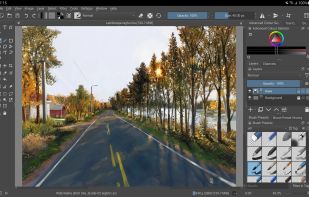
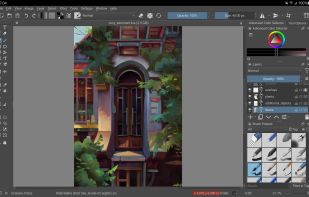
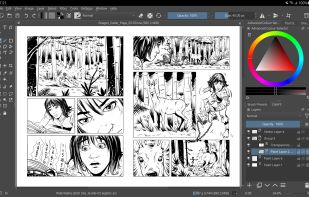
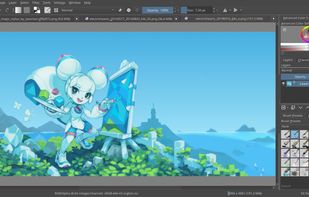
There are many alternatives to GIMP for Linux if you are looking for a replacement. The best Linux alternative is Krita, which is both free and Open Source. If that doesn't suit you, our users have ranked more than 100 alternatives to GIMP and many of them are available for Linux so hopefully you can find a suitable replacement. Other interesting Linux alternatives to GIMP are darktable, MyPaint, RawTherapee and PixiEditor.

filter to find the best alternatives

GIMP alternatives are mainly Image Editors, but if you're looking for Digital Painting Tools or Photo Editors you can filter on that. Other popular filters include Android, iPad, Linux, iPad + Free, Android + Free, Online and Mac. You can also filter by region, for example EU-based alternatives if you prefer software developed in the European Union. These are just examples - use the filter bar below to find more specific alternatives to GIMP.
Copy a direct link to this comment to your clipboard
Get a badge for your siteGIMP alternatives page was last updated

Alternatives list

  1. Krita icon
     1489 likes

    Free, open-source painting software designed by artists for artists. Offers customizable UI, 9 brush engines, color management, tablet support, non-destructive editing, and privacy features. Portable and available on major platforms, supporting seamless texture creation.

    154 Krita alternatives

    Cost / License

    • Free
    • Open Source

    Application type

    Platforms

    • Mac
    • Windows
    • Linux
    • Android Tablet
    • KDE Plasma
    • Epic Games Store
    • PortableApps.com
    • F-Droid
    • Steam
    • AppImage
     
    |
    17
    Krita vs GIMP Comments
    Top Positive Comment
    tuva-hayabi
    3

    I disagree with most of the negative comments because you can actually do image manipulation/photo editing as well, at least the basic stuff like auto contrast, color balance, saturation, blur, sharpness, image size, canvas size and so on.

    Top Negative Comment
    Mosrod
    44

    Krita doesn't have photo editing tools and focuses on painting

    Richie Scassellati
    Positive
    2

    Krita is definitely a great alternative if you want something easier for digital art.

    3 of 17 comments
    • Krita is Free and Open SourceGIMP is also Free and Open Source
    • Krita is a Digital Painting GIMP is an Image Editor
  2. darktable icon
     370 likes

    Open source non-destructive RAW editor and virtual darkroom with zoomable lighttable, database-driven organization, HDR and EXR support, floating-point workflow, batch exporting, and advanced editing for photography and scientific imaging across platforms.

    81 darktable alternatives

    Cost / License

    Platforms

    • Mac
    • Windows
    • Linux
     
  3. MyPaint icon
     397 likes

    MyPaint is a fast, distraction-free, and easy painting tool for digital artists. It supports graphics tablets made by Wacom, and many similar devices.

    137 MyPaint alternatives

    Cost / License

    Application type

    Platforms

    • Mac
    • Windows
    • Linux
    • PortableApps.com
     
    |
    2
    MyPaint vs GIMP Comments
    Guest
    Negative
    16

    MyPaint is for drawing/painting not for any type of photo editing.

    Guest
    Negative
    1

    Because it is a drawing and painting program, not a photo editor, as pointed out by a guest 5 years ago.

    • MyPaint is Free and Open SourceGIMP is also Free and Open Source
    • MyPaint is a Digital Painting GIMP is an Image Editor
  4. RawTherapee icon
     243 likes

    Raw photo processing software with advanced control over demosaicing. Ideal for newcomers, semi-professionals, and professionals. Supports HDR DNGs, JPGs, and TIFFs, with in-house enhancements for some camera models. Open-source, lacks digital asset management.

    68 RawTherapee alternatives

    Cost / License

    Platforms

    • Mac
    • Windows
    • Linux
    • BSD
    • Snapcraft
    • Flathub
    • PortableApps.com
    • Flatpak
     
  5. PixiEditor icon
     29 likes

    Create pixel-perfect sprites, raster paintings, and scalable vector graphics with a unified open-source editor featuring frame-by-frame animation, a node-based workflow, custom shaders, procedural art tools, anti-aliased brushes, and versatile export options.

    43 PixiEditor alternatives

    Cost / License

    Application type

    Platforms

    • Windows
    • Linux
    • Flathub
    • Steam
    • Flatpak
     
    |
    1
    PixiEditor vs GIMP Comments
    Guest
    Positive
    0

    Easy to use ! Runs perfect with Fedora Linux Flatpak

    • PixiEditor is Free and Open SourceGIMP is also Free and Open Source
  6. PhotoGIMP icon
     31 likes

    Open-source patch modifies the layout, shortcuts, and workspace of the image editor to resemble Adobe's design, providing custom splash screens, icon, and menus for ease of use, while retaining original features and supporting Windows, Linux, and macOS platforms.

    Cost / License

    Application types

    Platforms

    • Mac
    • Windows
    • Linux
     
    |
    1
    PhotoGIMP vs GIMP Comments
    Guest
    Positive
    0

    Its like gimp without the trash

    • PhotoGIMP is Free and Open SourceGIMP is also Free and Open Source
  7. FireAlpaca icon
     90 likes

    FireAlpaca is the image editor that can be used readily and easily. We made it possible to provide the completely free download, in order for our products to be experienced by more users from all over the world. It is available for both Mac and Windows users!

    130 FireAlpaca alternatives

    Cost / License

    • Free
    • Proprietary

    Platforms

    • Mac
    • Windows
    • Linux
     
    |
    2
    FireAlpaca vs GIMP Comments
    Guest
    Positive
    0

    While GIMP has a rawer drawing tool that feels more like you're drawing in Paint, FireAlpaca feels more like an alternative to Disney Create in the smoothness of drawing, but it's a little harder to fill in areas in FireAlpaca, especially the transparent areas. Fortunately you can simply choose a very large brush, colour the whole screen in one stroke and draw a shape next layer before finally some fill-in and ta-da! Transparency!

    Guest
    Positive
    0

    Unlike in GIMP, you can edit colours and blend very easily. With GIMP, you CAN do edits and draw and trace, but FireAlpaca feels almost like Corel Paint in blending capabilities. The colour interface doesn't save colours per se, so you have to choose new ones or use the dropper every time.

    • FireAlpaca is Free and ProprietaryGIMP is Free and Open Source
    • FireAlpaca is a Digital Painting GIMP is an Image Editor
  8. miniPaint icon
     33 likes

    miniPaint is free online image editor using HTML5. Edit, adjust your images, add effects online in your browser without installing anything. You can use the Electron based version of the editor if you like.

    38 miniPaint alternatives

    Cost / License

    • Free
    • Open Source

    Platforms

    • Linux
    • Online
    • Self-Hosted
     
  9. LazPaint icon
     46 likes

    Raster & vector graphic editor with many tools and filters, written in Lazarus. Portable, 32bit & 64bit versions, ORA format & 16384x16384 image support. In app 3D import & rendering.

    48 LazPaint alternatives

    Cost / License

    Platforms

    • Mac
    • Windows
    • Linux
    • BSD
    • PortableApps.com
    • Flathub
    • Flatpak
     
    |
    3
    LazPaint vs GIMP Comments
    Daltro Auguso Campanher de Souza
    Negative
    1

    Bad workflow/usability. Not enough for professional use. Can't be compared to software like GIMP, Glimpse or Krita.

    Guest
    Positive
    2

    Cool render features, minimal but complete UI

    Guest
    Positive
    1

    More lightweight, suitable if you have an older PC / notebook and you just want to edit some stuff on the go.

    • LazPaint is Free and Open SourceGIMP is also Free and Open Source
    • LazPaint is a Digital Painting GIMP is an Image Editor
  10. AzPainter icon
     22 likes

    AzPainter is a full color painting program for Linux. It's a lightweight tool with tablet pressure support, and provides basic functions such as selection, layers, filters. you can use it for painting, image editing, or pixel art making.

    35 AzPainter alternatives

    Cost / License

    Platforms

    • Linux
    • AppImage
     
    |
    1
    AzPainter vs GIMP Comments
    ADRIANO DUARTE
    Positive
    0

    Lightweight, powerful and simple.

    • AzPainter is Free and Open SourceGIMP is also Free and Open Source
    • AzPainter is a Digital Painting GIMP is an Image Editor
  11. Pixelitor icon
     28 likes

    Open source image editor with non-destructive editing, 110+ filters, adjustment and text layers, support for smart objects and adjustment layers, cross-platform compatibility, and layer-based editing for flexible image composition.

    117 Pixelitor alternatives

    Cost / License

    Platforms

    • Mac
    • Windows
    • Linux
     
  12. Paintstorm icon
     22 likes

    Paintstorm Studio is created for professional digital painting. And a major role in this program play the brushes. We did our best so that you can easily and quickly adjust the brushes suitable for your painting style.

    Cost / License

    • Paid
    • Proprietary

    Application type

    Platforms

    • Mac
    • Windows
    • Linux
    • iPad
     
12 of 34 GIMP alternatives