GIMP Alternatives for Android

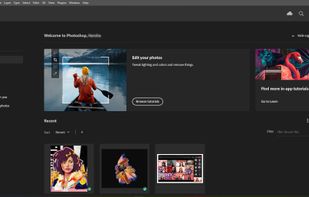
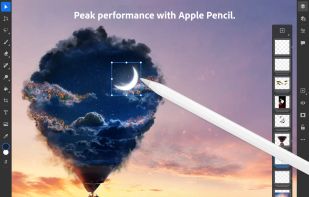
GIMP is not available for Android but there are plenty of alternatives with similar functionality. The best Android alternative is Adobe Photoshop. It's not free, so if you're looking for a free alternative, you could try Pixlr or MediBang Paint. If that doesn't suit you, our users have ranked more than 100 alternatives to GIMP and many of them are available for Android so hopefully you can find a suitable replacement. Other interesting Android alternatives to GIMP are Polarr, Luminar Neo, Fossify Paint and Adobe Elements.

filter to find the best alternatives

GIMP alternatives are mainly Photo Editors, but if you're looking for Image Editors or Digital Painting Tools you can filter on that. Other popular filters include iPad + Free, iPad, Linux, Android, Android + Free, iPhone and Mac. You can also filter by region, for example EU-based alternatives if you prefer software developed in the European Union. These are just examples - use the filter bar below to find more specific alternatives to GIMP.
Copy a direct link to this comment to your clipboard
GIMP alternatives page was last updated

Alternatives list

  1. Adobe Photoshop icon
     2426 likes

    Comprehensive raster graphics editor offering advanced photo and image editing features. Supports multiple layers, masks, alpha compositing, various color models, and has limited vector graphics, 3D, and video capabilities. Extensible via plug-ins.

    226 Adobe Photoshop alternatives

    Cost / License

    • Paid
    • Proprietary

    Platforms

    • Mac
    • Windows
    • Online
    • Android
    • iPhone
    • Android Tablet
    • iPad
    • Google Chrome
    • Wine
    • ReactOS
     
    |
    10
    Adobe Photoshop vs GIMP Comments
    Top Positive Comment
    Daan Balman
    5

    Generally - photoshop is a very good tool, with a lot of staff inside. It's a quite good alternative if a pricing is not a question.

    Top Negative Comment
    Duplicake
    0

    Gimp is an alternative to photoshop, not the other way round

    nayote
    Positive
    0

    Photoshop is the default tool for design, but having a high learning curve and being a paid tool makes it difficult for those of us who only use it for small things.

    3 of 10 comments
    • Adobe Photoshop is Paid and ProprietaryGIMP is Free and Open Source
  2. Pixlr icon
     366 likes

    Web-based editor with AI image generation, quick fixes, overlays, intricate lighting and texture adjustments, customizable templates, advanced filters, support for layers, high-res export, and ad-free premium features for accessible image and design editing.

    232 Pixlr alternatives

    Cost / License

    • Freemium
    • Proprietary

    Application types

    Platforms

    • Windows
    • Online
    • Android
    • iPhone
    • Chrome OS
    • Android Tablet
    • iPad
     
    |
    7
    Pixlr vs GIMP Comments
    Top Positive Comment
    Guest
    -2

    Similar interface and similar tools.

    Review by a new / low-activity user.
    Top Negative Comment
    Guest
    6

    Nothing like Gimp it's a really minimal toned town bad vertion to photoshop and gimp

    Review by a new / low-activity user.
    Hank_Scorpio
    Negative
    2

    Missing loads of features gimp has. Can’t make layers. Selection tools are basically nonexistent. Disappointing.

    3 of 7 comments
    • Pixlr is Freemium and ProprietaryGIMP is Free and Open Source
  3. Polarr icon
     120 likes

    Offers advanced filters, high-precision color and light tools, clarity, dehaze, batch export, watermarking, custom filter creation, touch and mouse access, infinite undo, HSL/RGB curves, blending, and workspace customization for versatile editing needs.

    140 Polarr alternatives

    Cost / License

    • Freemium
    • Proprietary

    Platforms

    • Mac
    • Windows
    • Online
    • Android
    • iPhone
    • Chrome OS
    • Android Tablet
    • iPad
     
  4. Luminar Neo icon
     83 likes

    Advanced RAW photo editing software equipped with AI-driven features like GenErase, GenExpand, and GenSwap. Enhances portraits and landscapes using Sky AI and Atmosphere AI. Compatible with Adobe and Apple products, supports multiple formats, and offers panorama stitching, noise reduction, and more.

    88 Luminar Neo alternatives

    Cost / License

    • Paid
    • Proprietary

    Application types

    Platforms

    • Mac
    • Windows
    • Android
    • iPhone
    • Chrome OS
    • iPad
    • Apple Photos
    • Adobe Photoshop
    • visionOS
    • Adobe Lightroom
     
    |
    1
    Luminar Neo vs GIMP Comments
    Guest
    Negative
    0

    it has not paint options it is only photo editing and very little options and tools def not worth the $$ huge disappointment

    Review by a new / low-activity user.
    • Luminar Neo is Paid and ProprietaryGIMP is Free and Open Source
  5. Fossify Paint icon
     15 likes

    Privacy-centric digital drawing tool perfect for all skill levels. Create, customize, and share art with adjustable brushes, canvas colors, and versatile format support via PNG, JPG, and SVG without compromising your privacy—fully open-source.

    Cost / License

    Platforms

    • Android
    • F-Droid
    • Android Tablet
     
  6. Adobe Elements icon
     84 likes

    Comprehensive photo editing tool with AI-powered automation and easy step-by-step guidance. It includes unique creation tools, layer support, facial recognition, and organizes your photos seamlessly. Available as a one-time purchase, no subscription required, with cloud sync for flexibility.

    148 Adobe Elements alternatives

    Cost / License

    • Paid
    • Proprietary

    Application types

    Platforms

    • Mac
    • Windows
    • Online
    • Android
    • iPhone
     
  7. Adobe's mobile photo-editing app lets you edit, share, and upload photos across devices. With features like free 2 GB storage, original size backup, and extra tools for advanced editing, it enhances your images for social media without reducing file quality.

    171 Adobe Photoshop Express alternatives

    Cost / License

    • Freemium
    • Proprietary

    Application types

    Platforms

    • Windows
    • Android
    • iPhone
    • Android Tablet
    • Windows Phone
    • iPad
     
    |
    1
    Adobe Photoshop Express vs GIMP Comments
    Guest
    Negative
    9

    No way comparable to GIMP, much too simple in functions. It doesn't give as much options for editing images, as GIMP does.

    Review by a new / low-activity user.
    • Adobe Photoshop Express is Freemium and ProprietaryGIMP is Free and Open Source
  8. Fotor icon
     61 likes

    Comprehensive online editor offering filters, frames, text, stickers, collage creation, graphic design, templates for social media, batch editing, photo retouching, mobile and desktop access, regular updates, and direct sharing to social channels.

    192 Fotor alternatives

    Cost / License

    • Freemium
    • Proprietary

    Application types

    Platforms

    • Mac
    • Windows
    • Online
    • Android
    • iPhone
     
  9. PicMonkey icon
     50 likes

    PicMonkey is a feature-rich online photo editor that works right in your browser; no downloads necessary. Touch-up tools like Teeth Whiten, Blemish Fix, Weight Loss. Effects like Orton, Cross Process, Color Boost, with drag and drop ease.

    133 PicMonkey alternatives

    Cost / License

    • Paid
    • Proprietary

    Application types

    Platforms

    • Online
    • Android
    • iPhone
     
  10. Tux Paint icon
     23 likes

    Tux Paint is a free, award-winning drawing program for children ages 3 to 12 (for example, preschool and K-6). Tux Paint is used in schools around the world as a computer literacy drawing activity. It combines an easy-to-use interface, fun sound effects, and an encouraging...

    40 Tux Paint alternatives

    Cost / License

    • Free
    • Open Source

    Application type

    Platforms

    • Mac
    • Windows
    • Linux
    • Android
    • BSD
    • Haiku
     
    |
    1
    Tux Paint vs GIMP Comments
    Guest
    Positive
    0

    It's simple to use and I can make all sorts of abstract backgrounds on it! It feels like KidPix on a strict budget, but at least like GIMP, Corel Paint and FireAlpaca I can blend colours. The sound effects can be hit or miss, but they're fun for children at least.

    Review by a new / low-activity user.
    • Tux Paint is Free and Open SourceGIMP is also Free and Open Source
12 of 30 GIMP alternatives