GIMP AlternativesOnly apps categorised as Image Editors

The best Image Editor alternative to GIMP is Paint.NET, which is free. If that doesn't suit you, our users have ranked more than 100 alternatives to GIMP and loads of them are Image Editors so hopefully you can find a suitable replacement. Other interesting Image Editor alternatives to GIMP are Adobe Photoshop, Affinity, Photopea and Pixlr.

filter to find the best alternatives

GIMP alternatives are mainly Image Editors, but if you're looking for Photo Editors or Digital Painting Tools you can filter on that. Other popular filters include iPad + Free, iPad, Android, Linux, Android + Free, iPhone and Mac. You can also filter by region, for example EU-based alternatives if you prefer software developed in the European Union. These are just examples - use the filter bar below to find more specific alternatives to GIMP.
Copy a direct link to this comment to your clipboard
GIMP alternatives page was last updated

Alternatives list

  1. Paint.NET icon
     1653 likes

    Free Windows image editor with support for layers, plugins, and special effects. Offers intuitive interface, works offline, ad-free, and portable, consuming fewer resources.

    166 Paint.NET alternatives

    Cost / License

    • Free
    • Proprietary

    Platforms

    • Windows
    • .NET Framework
     
    |
    10
    Paint.NET vs GIMP Comments
    Top Positive Comment
    Guest
    18

    Much simpler to master for the occasional user

    Review by a new / low-activity user.
    Top Negative Comment
    Duplicake
    2

    Proprietary and Windows only

    ichimitch
    Positive
    1

    Paint.net has a much more intuitive UI than GIMP and can be used in a pinch to do many of the same tasks but it also feels kind of sloppy and under-developed. The way it handles palettes, for example, is really hacky. I would choose Paint.net over GIMP; but I would choose Krita over Paint.net

    3 of 10 comments
    • Paint.NET is Free and ProprietaryGIMP is Free and Open Source
    • Paint.NET is MinimalisticGIMP is not according to our users
  2. Adobe Photoshop icon
     2424 likes

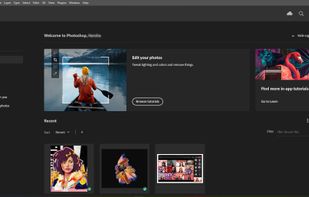
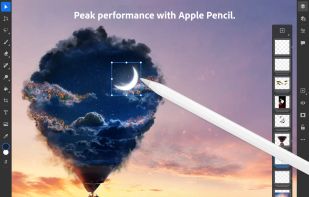
    Comprehensive raster graphics editor offering advanced photo and image editing features. Supports multiple layers, masks, alpha compositing, various color models, and has limited vector graphics, 3D, and video capabilities. Extensible via plug-ins.

    226 Adobe Photoshop alternatives

    Cost / License

    • Paid
    • Proprietary

    Platforms

    • Mac
    • Windows
    • Online
    • Android
    • iPhone
    • Android Tablet
    • iPad
    • Google Chrome
    • Wine
    • ReactOS
     
    |
    10
    Adobe Photoshop vs GIMP Comments
    Top Positive Comment
    Daan Balman
    5

    Generally - photoshop is a very good tool, with a lot of staff inside. It's a quite good alternative if a pricing is not a question.

    Top Negative Comment
    Duplicake
    0

    Gimp is an alternative to photoshop, not the other way round

    nayote
    Positive
    0

    Photoshop is the default tool for design, but having a high learning curve and being a paid tool makes it difficult for those of us who only use it for small things.

    3 of 10 comments
    • Adobe Photoshop is Paid and ProprietaryGIMP is Free and Open Source
  3. Affinity icon
     60 likes

    Unified design solution merging advanced photo, vector, and layout tools for seamless workflow, non-destructive editing, RAW support, batch processing, AI enhancements, GPU acceleration, file compatibility, cloud asset integration, and tailored workspace options.

    67 Affinity alternatives

    Cost / License

    • Freemium
    • Proprietary

    Platforms

    • Mac
    • Windows
     
  4. Photopea icon
     337 likes

    Browser-based image editing supports PSD, XCF, Sketch formats, advanced layers, vector tools, RAW photo support, and exports in 40+ formats. Fully client-side with AI background removal, content-aware tools, and privacy as files never leave your device.

    111 Photopea alternatives

    Cost / License

    • Freemium
    • Proprietary

    Platforms

    • Online
    • Software as a Service (SaaS)
     
    |
    1
    Photopea vs GIMP Comments
    Guest
    Positive
    3

    It opens correctly all my PSD files.

    Review by a new / low-activity user.
    • Photopea is Freemium and ProprietaryGIMP is Free and Open Source
  5. Pixlr icon
     390 likes

    Web-based editor with AI image generation, quick fixes, overlays, intricate lighting and texture adjustments, customizable templates, advanced filters, support for layers, high-res export, and ad-free premium features for accessible image and design editing.

    228 Pixlr alternatives

    Cost / License

    • Freemium
    • Proprietary

    Application types

    Platforms

    • Windows
    • Online
    • Android
    • iPhone
    • Chrome OS
    • Android Tablet
    • iPad
     
    |
    7
    Pixlr vs GIMP Comments
    Top Positive Comment
    Guest
    -2

    Similar interface and similar tools.

    Review by a new / low-activity user.
    Top Negative Comment
    Guest
    6

    Nothing like Gimp it's a really minimal toned town bad vertion to photoshop and gimp

    Review by a new / low-activity user.
    Hank_Scorpio
    Negative
    2

    Missing loads of features gimp has. Can’t make layers. Selection tools are basically nonexistent. Disappointing.

    3 of 7 comments
    • Pixlr is Freemium and ProprietaryGIMP is Free and Open Source
  6. Sly icon
     52 likes

    Sly is a user-friendly, offline image editor requiring no expertise; adjust brightness, contrast, apply effects, and export in JPEG or PNG formats with control over metadata.

    36 Sly alternatives

    Cost / License

    Application types

    Platforms

    • Mac
    • Linux
    • Android
    • Flathub
    • Flatpak
    • Online
     
    |
    1
    Sly vs GIMP Comments
    youlk1234
    0

    Sly is like iPhone gallery photo editing: not bad but not for anything serious.

    • Sly is Free and Open SourceGIMP is also Free and Open Source
  7. Pixelmator icon
     421 likes

    Image editing software for macOS and iOS, offering nondestructive, GPU-powered editing with machine learning features, RAW support, custom brushes, and seamless macOS integration for touch-ups, painting, and creative compositions.

    154 Pixelmator alternatives

    Cost / License

    • Paid
    • Proprietary

    Application types

    Platforms

    • Mac
    • iPhone
    • iPad
     
  8. Photoscape icon
     262 likes

    PhotoScape is a fun and easy photo editing software that enables you to fix and enhance photos.

    195 Photoscape alternatives

    Cost / License

    • Freemium
    • Proprietary

    Application types

    Platforms

    • Mac
    • Windows
     
    |
    2
    Photoscape vs GIMP Comments
    Renato Rinaldi
    Negative
    0

    GIMP is BIG because it has countless tools that make it a true photoshop rival. Photoescape has a beautiful interface but is focused on implementing effects on ONE single photo at a time. CROP functions and LAYER management very very limited. Unsuitable for complex professional creations. Good instead for amateurs and hobbyists of photography.

    Guest
    Positive
    -1

    Photoscape is a great program, I use it myself but won't do the more complex editing GIMP can do.

    Review by a new / low-activity user.
    • Photoscape is Freemium and ProprietaryGIMP is Free and Open Source
  9. PixiEditor icon
     19 likes

    Create pixel-perfect sprites, raster paintings, and scalable vector graphics with a unified open-source editor featuring frame-by-frame animation, a node-based workflow, custom shaders, procedural art tools, anti-aliased brushes, and versatile export options.

    Cost / License

    Application type

    Platforms

    • Windows
    • Linux
    • Flathub
    • Steam
    • Flatpak
     
  10. Procreate icon
     166 likes

    Procreate is a versatile, award-winning app for creative digital drawing and painting on iOS. It delivers a robust, professional toolset with hundreds of configurable brushes, a powerful layering system, vector graphic tools, and comprehensive design capabilities, ensuring desktop-level flexibility and power.

    63 Procreate alternatives

    Cost / License

    • Paid
    • Proprietary

    Platforms

    • iPhone
    • iPad
     
  11. FireAlpaca icon
     89 likes

    FireAlpaca is the image editor that can be used readily and easily. We made it possible to provide the completely free download, in order for our products to be experienced by more users from all over the world. It is available for both Mac and Windows users!

    124 FireAlpaca alternatives

    Cost / License

    • Free
    • Proprietary

    Platforms

    • Mac
    • Windows
    • Linux
     
    |
    2
    FireAlpaca vs GIMP Comments
    Guest
    Positive
    0

    While GIMP has a rawer drawing tool that feels more like you're drawing in Paint, FireAlpaca feels more like an alternative to Disney Create in the smoothness of drawing, but it's a little harder to fill in areas in FireAlpaca, especially the transparent areas. Fortunately you can simply choose a very large brush, colour the whole screen in one stroke and draw a shape next layer before finally some fill-in and ta-da! Transparency!

    Review by a new / low-activity user.
    Guest
    Positive
    0

    Unlike in GIMP, you can edit colours and blend very easily. With GIMP, you CAN do edits and draw and trace, but FireAlpaca feels almost like Corel Paint in blending capabilities. The colour interface doesn't save colours per se, so you have to choose new ones or use the dropper every time.

    Review by a new / low-activity user.
    • FireAlpaca is Free and ProprietaryGIMP is Free and Open Source
12 of 109 GIMP alternatives