miniPaint AlternativesImage Editors & Digital Painting Tools like miniPaint

miniPaint is described as 'Is free online image editor using HTML5. Edit, adjust your images, add effects online in your browser without installing anything. You can use the Electron based version of the editor if you like' and is a Image Editor in the photos & graphics category. There are more than 25 alternatives to miniPaint for a variety of platforms, including Windows, Mac, Web-based, Android and Linux apps. The best miniPaint alternative is GIMP, which is both free and Open Source. Other great apps like miniPaint are Adobe Photoshop, Paint.NET, Photopea and Pixlr.

Copy a direct link to this comment to your clipboard
miniPaint alternatives page was last updated

Alternatives list

  1. GIMP icon
     4811 likes

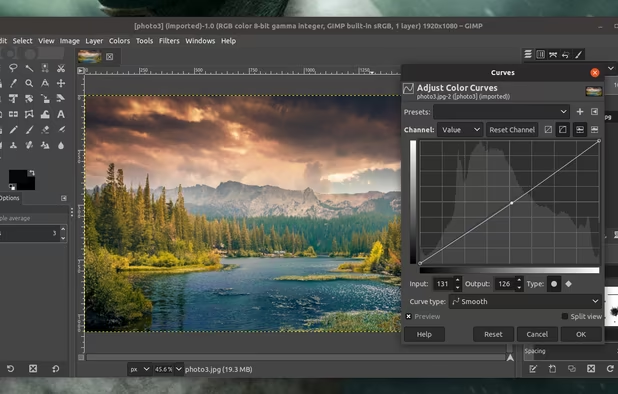
    Free open-source suite offering advanced photo retouching, image composition, original artwork creation, batch processing, plugin support, custom scripting, mass image format conversion, and integration with free publishing tools for comprehensive editing solutions.

    208 GIMP alternatives

    Cost / License

    Platforms

    • Mac
    • Windows
    • Linux
    • BSD
    • Snapcraft
    • Flathub
    • PortableApps.com
    • Haiku
    • Flatpak
    • AmigaOS
    • AppImage
     
    |
    1
    GIMP vs miniPaint Comments
    zerush
    Positive
    1

    Gimp is one of the best Desktop editor, a direct alternative of Photoshop, Mini Paint is an Online editor and as such, although very complete, naturally its functions are somewhat more limited than Gimp, however for normal editions of an image it offers everything necessary for many users, who can thus save themselves the download of an editor with functions that in the end they do not need.

    • GIMP is Free and Open SourceminiPaint is also Free and Open Source
    • GIMP is Customizable and Privacy focusedminiPaint is not according to our users
  2. Adobe Photoshop icon
     2446 likes

    Comprehensive raster graphics editor offering advanced photo and image editing features. Supports multiple layers, masks, alpha compositing, various color models, and has limited vector graphics, 3D, and video capabilities. Extensible via plug-ins.

    244 Adobe Photoshop alternatives

    Cost / License

    • Paid
    • Proprietary

    Platforms

    • Mac
    • Windows
    • Online
    • Android
    • iPhone
    • Android Tablet
    • iPad
    • Google Chrome
    • Wine
    • ReactOS
     
  3. Paint.NET icon
     1668 likes

    Free Windows image editor with support for layers, plugins, and special effects. Offers intuitive interface, works offline, ad-free, and portable, consuming fewer resources.

    173 Paint.NET alternatives

    Cost / License

    • Free
    • Proprietary

    Platforms

    • Windows
    • .NET Framework
     
  4. Photopea icon
     355 likes

    Browser-based image editing supports PSD, XCF, Sketch formats, advanced layers, vector tools, RAW photo support, and exports in 40+ formats. Fully client-side with AI background removal, content-aware tools, and privacy as files never leave your device.

    124 Photopea alternatives

    Cost / License

    • Freemium
    • Proprietary

    Platforms

    • Online
    • Software as a Service (SaaS)
     
  5. Pixlr icon
     369 likes

    Web-based editor with AI image generation, quick fixes, overlays, intricate lighting and texture adjustments, customizable templates, advanced filters, support for layers, high-res export, and ad-free premium features for accessible image and design editing.

    244 Pixlr alternatives

    Cost / License

    • Freemium
    • Proprietary

    Application types

    Platforms

    • Windows
    • Online
    • Android
    • iPhone
    • Chrome OS
    • Android Tablet
    • iPad
     
  6. Microsoft Paint icon
     181 likes

    Windows-bundled image editor for basic painting and raster editing tasks, supporting bitmap, JPEG, GIF, PNG, and TIFF. Offers layer support, offline access, no registration, and dark mode. Lightweight and ad-free, ensuring minimal resource use.

    130 Microsoft Paint alternatives

    Cost / License

    • Free
    • Proprietary

    Platforms

    • Windows
     
  7. PhotoFiltre icon
     109 likes

    PhotoFiltre 7 is a complete image retouching program. It allows you to do simple or advanced adjustments to an image and apply a vast range of filters on it. It is simple and intuitive to use, and has an easy learning curve.

    129 PhotoFiltre alternatives

    Cost / License

    • Freemium
    • Proprietary

    Application type

    Platforms

    • Windows
    • PortableApps.com
     
  8. Sumo Paint icon
     74 likes

    Sumo Paint is a powerful image editor with a long-standing history as a fully capable Photoshop clone in the browser. Being designed for the browser, it's accessible on practically any system and loads much faster than most comparable desktop tools while still providing core...

    Cost / License

    • Freemium
    • Proprietary

    Platforms

    • Online
     
  9. ItsPaint icon
     5 likes

    MS Paint for the Mac. Native, free and open source: blank canvas at any size, drop one image onto another, crop, and mark up screenshots.

    53 ItsPaint alternatives

    Cost / License

    • Free
    • Open Source (MIT)

    Application type

    Platforms

    • Mac
    • Homebrew
     
  10. Edit and manage photos on Windows with cropping, resizing, rotating, filters, stickers, drawing, collage layouts, organization tools, and support for JPG, PNG, GIF, TIFF, BMP. Features frames, blur, automatic enhancement, and a simple interface for easy editing.

    Cost / License

    • Freemium
    • Proprietary

    Application type

    Platforms

    • Windows
     
  11. ArcBrush icon
     2 likes

    Build non-destructive image pipelines with 79 composable nodes. One graph produces every color variant, every format, every export, automatically.

    Cost / License

    • Freemium
    • Proprietary

    Platforms

    • Mac
    • Windows
    • Linux
     
12 of 38 miniPaint alternatives